Interval recording
You can make a time-lapse recording by
setting your camcorder to automatically
record and standby sequentially. You can
achieve an excellent recording for flowering,
gradual appearances, etc., with this function.
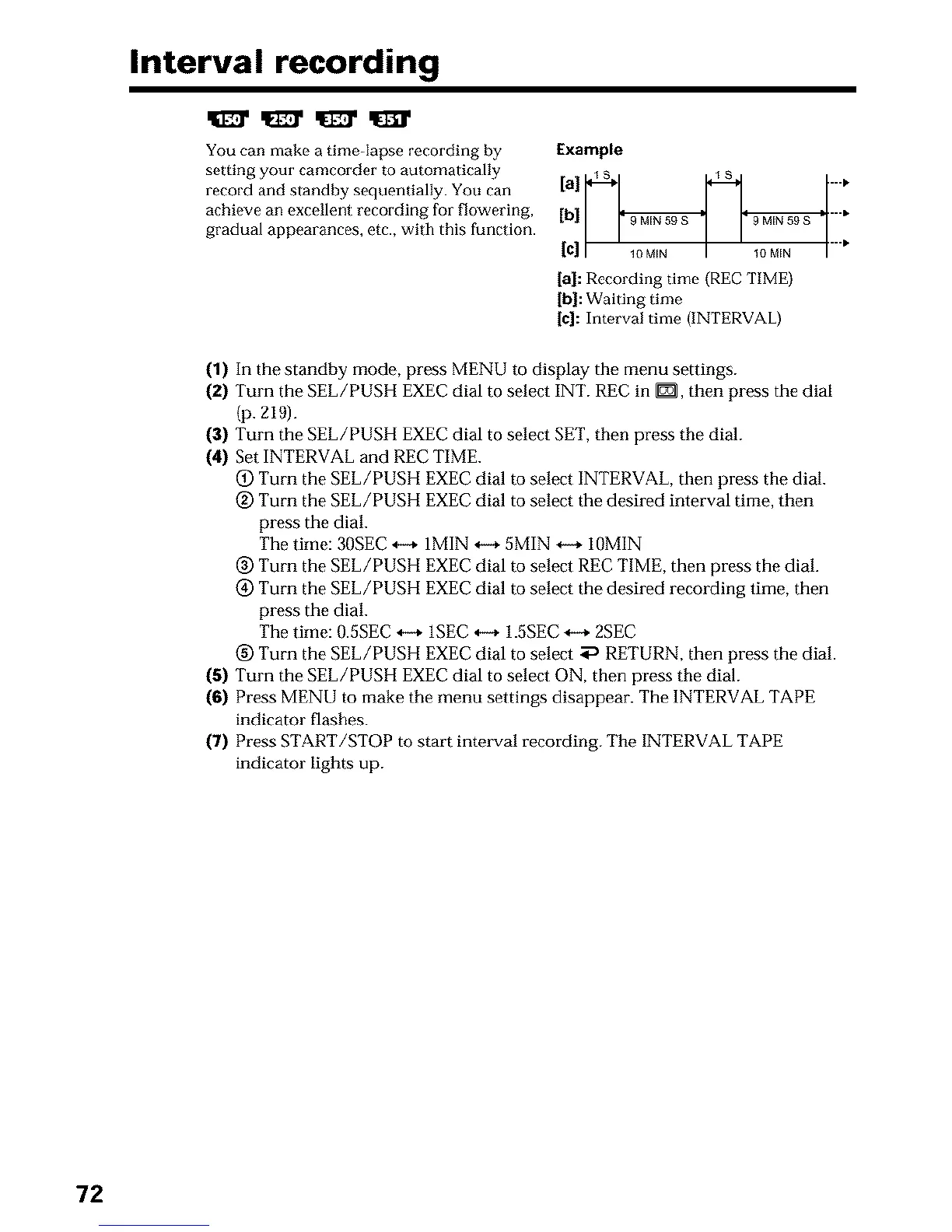
Example
....
[c]/' loMI. I ' lOMI. I....
[a]: Recording time (REC TIME)
[b]: Waiting time
[c]: Interval time (INTERVAL)
(1) In the standby mode, press MENU to display the menu settings.
(2) Turn the SEL/PUSH EXEC dial to select INT. REC in _, then press the dial
(p. 219).
(3) Turn the SEL/PUSH EXEC dial to select SET,then press the dial.
(4) Set INTERVAL and REC TIME.
(_) Turn the SEL/PUSH EXEC dial to select INTERVAL, then press the dial.
@ Turn the SEL/PUSH EXEC dial to select the desired interval time, then
press the dial.
The time: 30SEC *-, 1MIN _ 5MIN -,-+ 10MIN
(_) Turn the SEL/PUSH EXEC dial to select REC TIME, then press the dial.
(_) Turn the SEL/PUSH EXEC dial to select the desired recording time, then
press the dial.
The time: 0.5SEC *-+ 1SEC *-_ 1.5SEC _ 2SEC
(_) Turn the SEL/PUSH EXEC dial to select _ RETURN, then press the dial.
(5) Turn the SEL/PUSH EXEC dial to select ON, then press the dial.
(6) Press MENU to make the menu settings disappear. The INTERVAL TAPE
indicator flashes.
(7) Press START/STOP to start intmwal recording. The INTERVAL TAPE
indicator lights up.
72












 To Next Page