About the" Memory Stick"
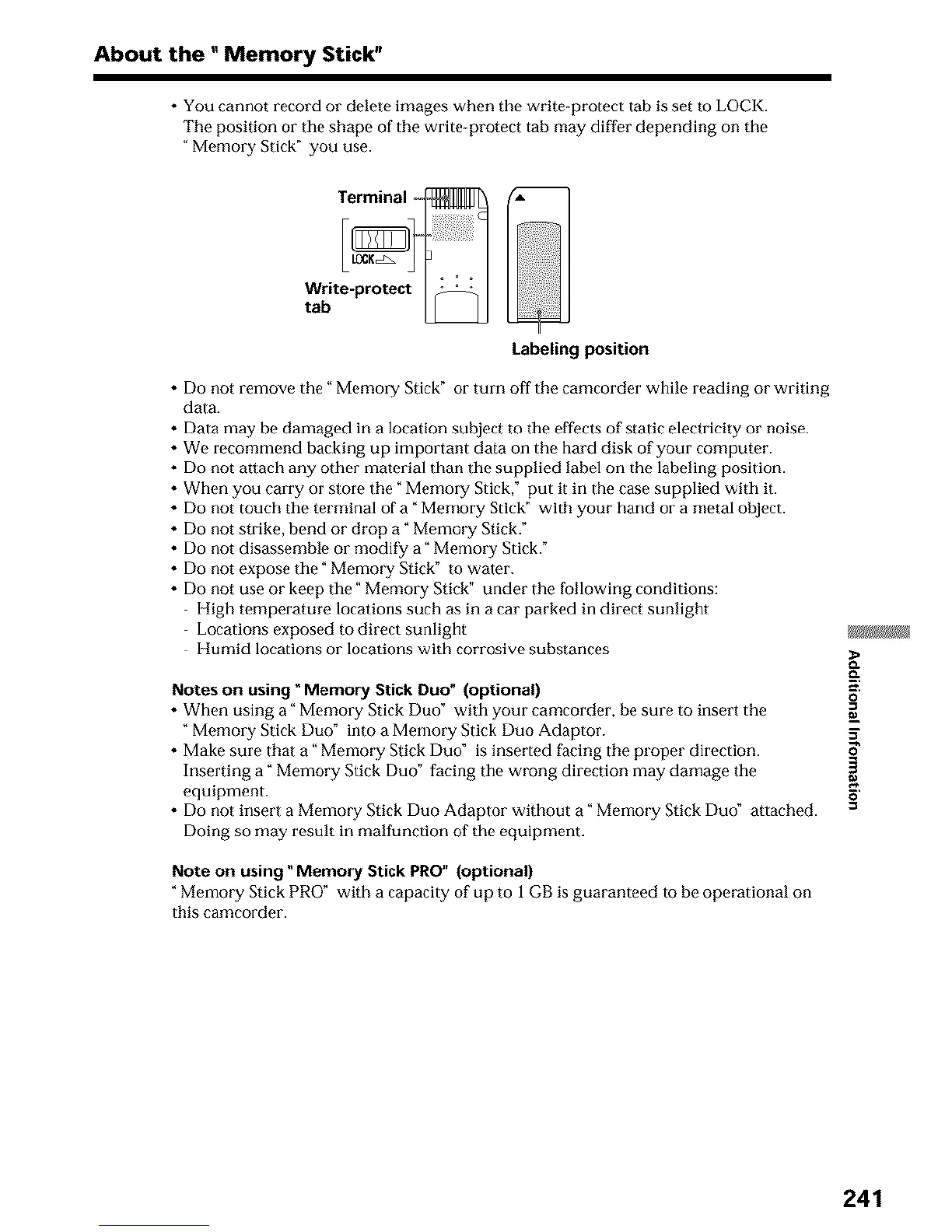
• You cannot record or delete images when the write-protect tab is set to LOCK.
Tile position or the shape of tile write-protect tab may differ depending on the
Memory Stick" you use.
Terminali_l__
Write-protect I _ I
tab
Labeling position
• Do not remove the" Memory Stick" or turn off the camcorder while reading or writing
data.
• Data may be damaged in a location subject to tile effects of static electricity or noise.
• We recommend backing up important data on the hard disk of your computer.
• Do not attach any other material than tile supplied label on the labeling position.
• When you carry or store the "Memory Stick," put it in the case supplied with it.
• Do not touch tile terminal of a "Memory Stick" with your hand or a metal object.
• Do not strike, bend or drop a" Memol T Stick."
• Do not disassemhle or modify a" Memory Stick."
• Do not expose tile" Memo= T Stick" to water.
• Do not use or keep tile" Memory Stick" under the following conditions:
High temperature locations such as in a car parked in direct sunlight
Locations exposed to direct sunlight
Humid locations or locations with corrosive substances
gJ_
Notes on using "Memory Stick Duo" (optional) _'.
• When using a" Memory Stick Duo" with your camcorder, he sure to insert the
"Memory Stick Duo" into a Memory Stick Duo Adaptor. 5"
• Make sure that a" Memory Stick Duo" is inserted facing tile proper direction.
Inserting a" Memory Stick Duo" facing the wrong direction may damage the
equipment. _'
• Do not insert a Memory Stick Duo Adaptor without a" Memory Stick Duo ° attached. =
Doing so may result in malfunction of the equipment.
Note on using _Memory Stick PRO" (optional)
"Memory Stick PRO" with a capacity of up to 1 GB is guaranteed to be operational on
this camcorder.
241












 To Next Page