Playing back a tape
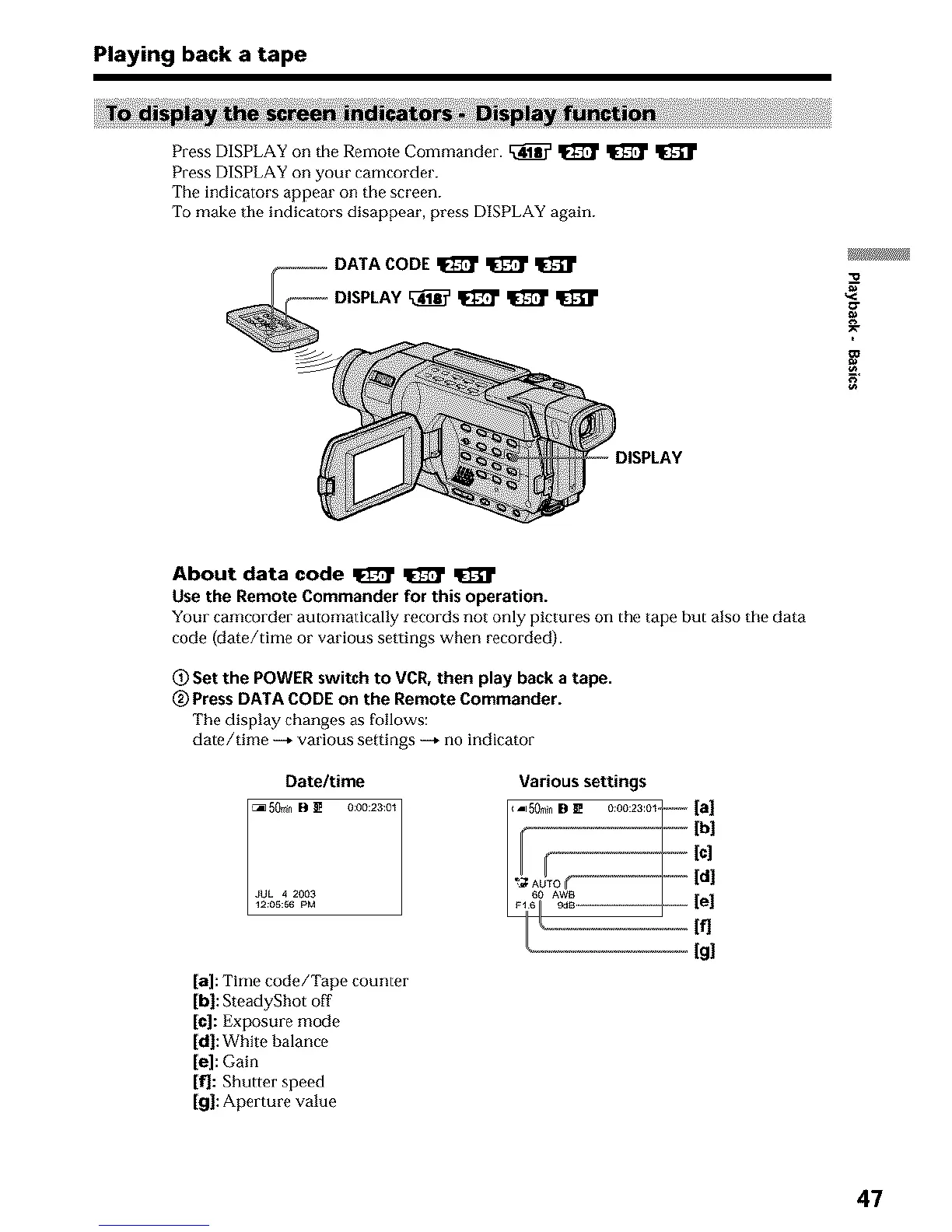
Press DISPLAY on the Remote Commander. _ _ _
Press DISPLAY on your camcorder.
The indicators appear on the screen.
To make tile indicators disappear, press DISPLAY again.
g
About data code _ _ q[]_r
use the Remote Commander for this operation.
Your camcorder automatically records not only pictures on the tape but also the data
code (date/time or various settings when recorded).
_) Set the POWER switch to VCR, then play back a tape.
(_) Press DATA CODE on the Remote Commander.
The display changes as f_Jllows:
date/time --* various settings --* no indicator
[a]: Time code/Tape counter
[bl: SteadyShot off
[el: Exposure mode
[dl: White balance
[el: Gain
If]: Shutter speed
[gl: Aperture value
Various settings
Fooooooo-
' lc]
If1
[g!
47












 To Next Page