Connecting your camcorder to your computer using the USB cable
Viewing pictures recorded on a tape or live from your
camcorder
(1) Connect the AC Adaptor to your camcorder. Set the POWER switch to VCR.
(2) Select USB STREAM in _ to ON in the menu settings (p. 221).
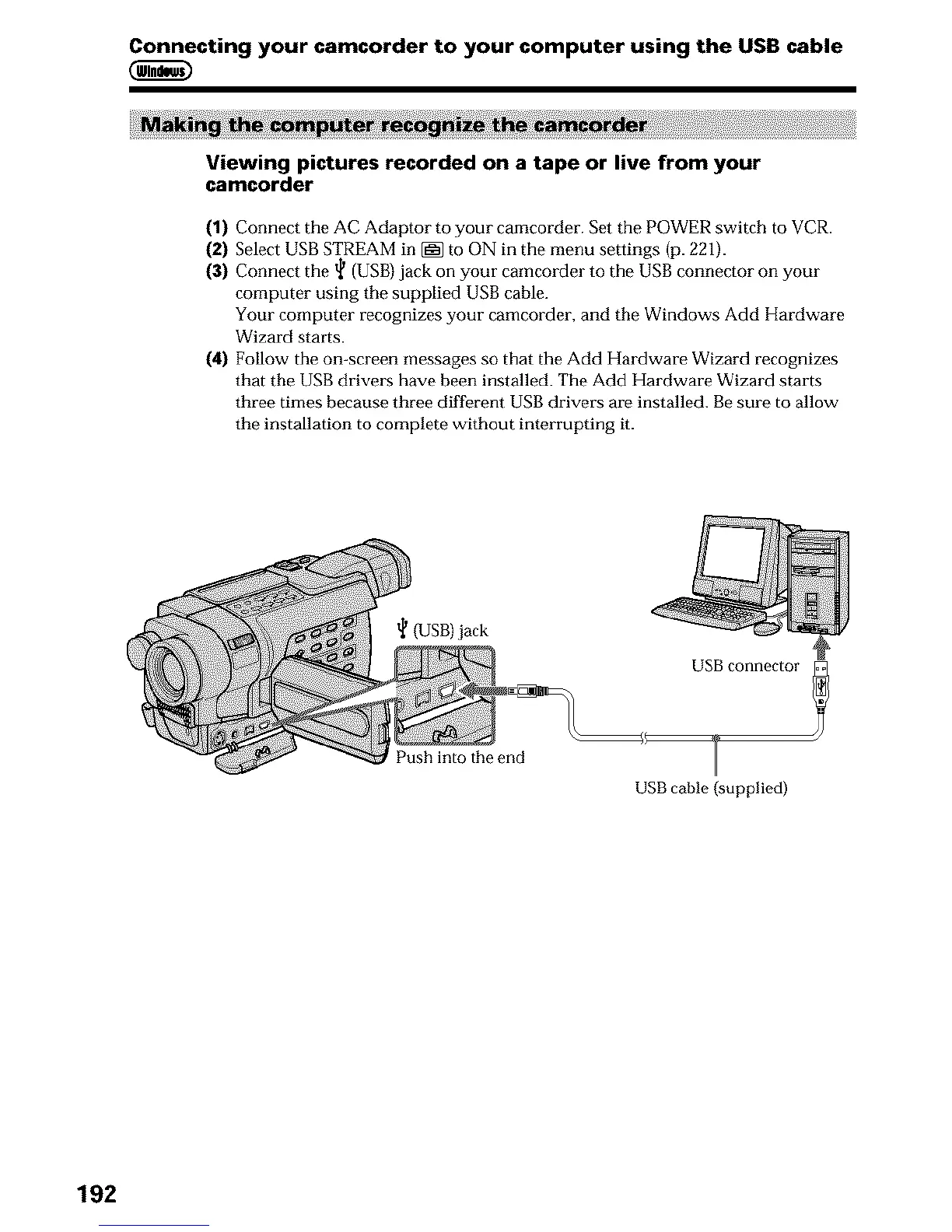
(3) Connect the _ (USB) jack on your camcorder to the USB connector on your
computer using the supplied USB cable.
Your computer recognizes your camcorder, and the Windows Add Hardware
Wizard starts.
(4) Follow the on-screen messages so that the Add Hardware Wizard recognizes
that the USB drivers have been installed. The Add Hardware Wizard starts
three times because three different USB drivers are installed. Be sure to allow
the installation to complete without interrupting it.
(USB) jack
USB connector
Push into the end
USB cable {supplied)
192












 To Next Page