Changing the menu settings
To make the menu display disappear
Press MENU.
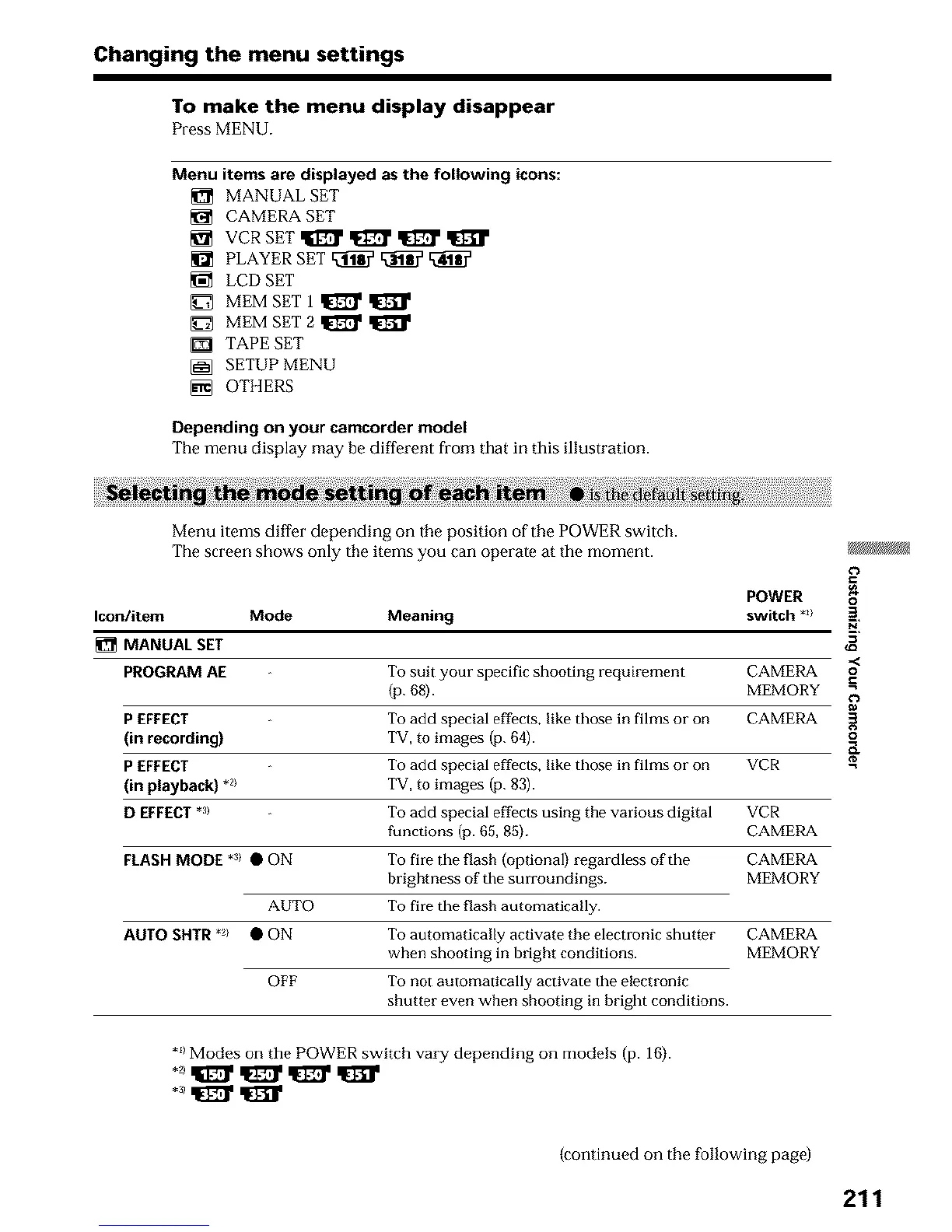
Menu itemsare displayedasthe following icons:
_1_ MANUAL SET
CAMERA SET
_1_ PLAYER SET _ _
LCD SET
MEM SET 1 _
MEM SET 2 _
[] TAPE SET
[_ SETUP MENU
[] OTHERS
Depending on your camcorder model
The menu display may be different from that in this illustration.
Menu items differ depending on the position of the POWER switch.
The screen shows only the items you can operate at the moment.
€')
POWER o_
Icon/item Mode Meaning switch *_ 2"
MANUAL SET
.<
PROGRAM AE To suit your specific shooting requkement CAMERA o
(p. 68). MEMORY _=
P EFFECT To add special effects, like those in films or on CAMERA
(in recording) TV, to images (p. 64).
P EFFECT To add special effects, like those in films or on VCR
(in playback) .2> TV, to images (p. 83).
D EFFECT*a) To add special effects using the various digital VCR
functions (p. 65, 85). CAMERA
CAMERA
MEMORY
To fire the flash (optional) regardless of the
brightness of the surroundings.
To fire the flash automatically.
To automatically activate the electronic shutter
when shooting in bright conditions.
To not automatically activate the electronic
shutter even when shooting in bright conditions.
CAMERA
MEMORY
FLASH MODE *_/ • ON
AUTO
AUTO SHTR *_/ • ON
OFF
*_)Modes on the POWER switch vary depending on models (p. 16).
(continued on the following page)
211












 To Next Page