Step 1 Preparing the power supply
Use the battery pack after charging it for your camcorder.
Your camcorder operates only with the _InfoLITHIUM" battery pack (M series).
See page 242 fc)r details of" Infc)LITI-{IUM _ battery pack.
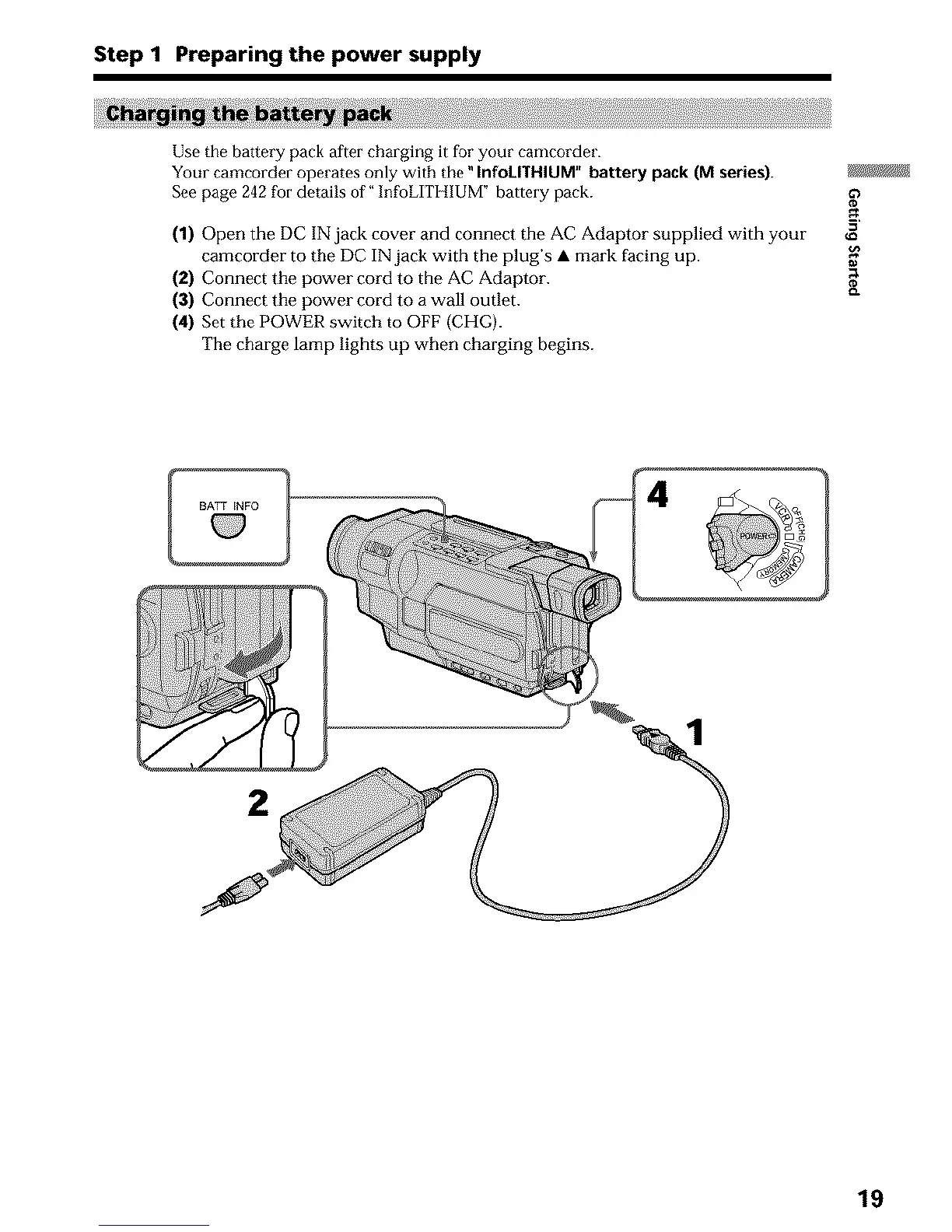
(1) Open the DC IN jack cover and connect the AC Adaptor supplied with your
camcorder to the DC IN jack with the plug's • mark facing up.
(2) Connect the power cord to the AC Adaptor.
(3) Connect the power cord to a wall outlet.
(4) Set the POWER switch to OFF (CHG).
The charge lamp lights up when charging begins.
19












 To Next Page