Recording a picture
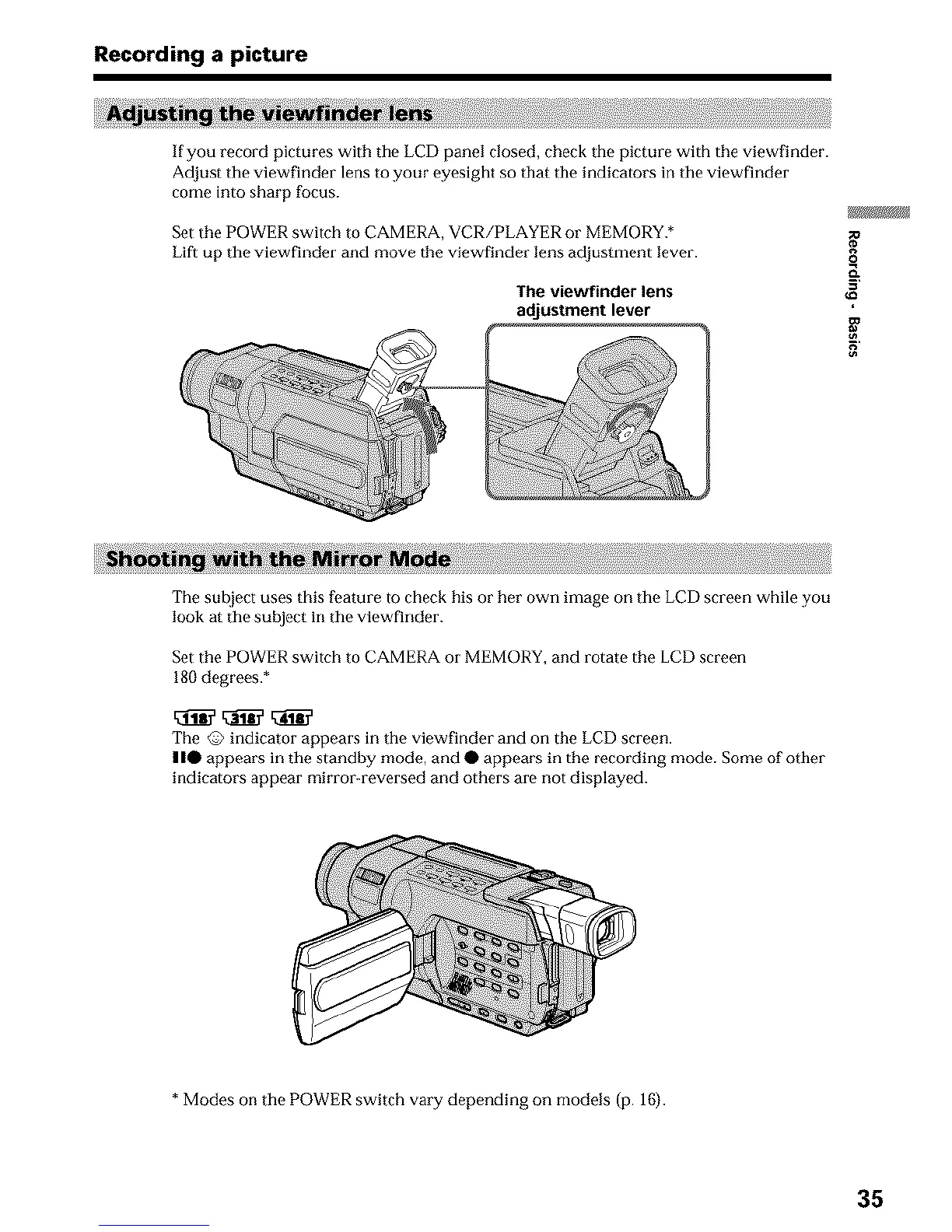
If you record pictures with the LCD panel closed, check the picture with the viewfinder.
Adjust tile viewfinder lens to your oyesight so that tile indicators in tile viewfinder
come into sharp focus.
Set the POWER switch to CAMERA, VCR/PLAYER or MEMORY.*
Lift up the viewfinder and move the viewfinder lens adjustment lever.
The viewfinder lens
adjustment lever
g_
o
g
The sul_iect uses this feature to check his or her own image on the LCD screen while you
look at tile subject in tile viewfinder.
Set the POWER switch to CAMERA or MEMORY, and rotate the LCD screen
180 degrees.*
The @ indicator appears in tile viewfinder and on the LCD screen.
| |• appears in tile standby mode, and • appears in the recording mode. Some of other
indicators appear mirror-reversed and others are not displayed.
* Modes on the POWER switch vary depending on models (p. 16).
35












 To Next Page