Using the built-in light
You can use the built-in light to suit your shooting situation. The recommended
distance between the subject and camcorder is about 1.5m (5 f_et).
In CAMERA or MEMORY mode, press LIGHT repeatedly until the _IM indicator
appears on the screen.*
The indicator changes as follows:
_+ _:lgllm -+ _al_ -+ no indicator
[ J
The built-in light turns on.
If you turn tile POWER switch to OFF (CHG), the built-in light turns off
simultaneously. You cannot turn the built-in light on by turning the POWER switch to
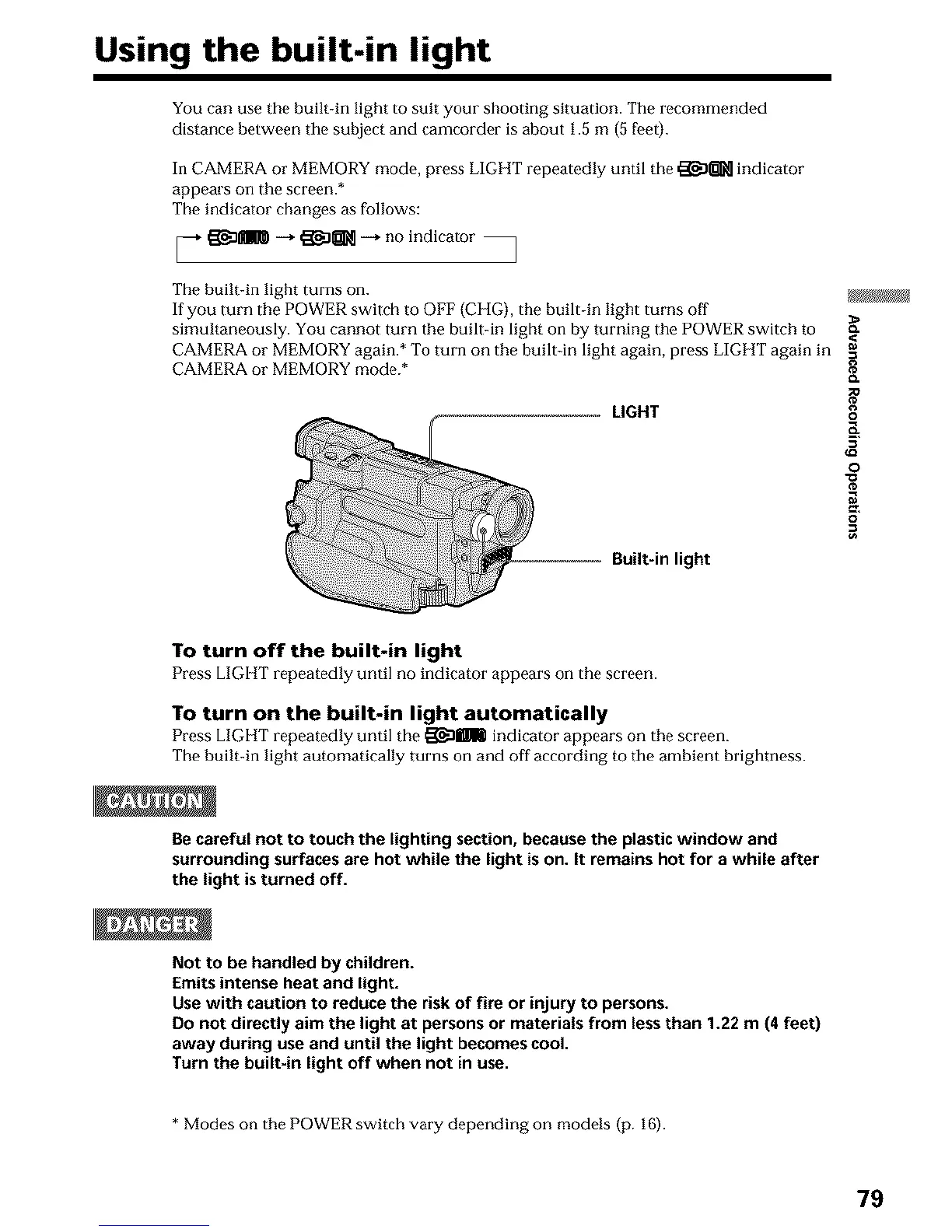
CAMERA or MEMORY again.* To turn on the built in light again, press LIGHT again in
CAMERA or MEMORY mode.* {_
LIGHT g
==
o
=o
Built-in light
To turn off the built-in light
Press LIGHT repeatedly until no indicator appears on the screen.
To turn on the built=in light automatically
Press LIGItT repeatedly until the _Dmm indicator appears on the screen.
The huilt-in light automatically turns on and off according to the ambient brightness.
Be careful not to touch the lighting section, because the plastic window and
surrounding surfaces are hot while the light is on. It remains hot for a while after
the light is turned off.
Not to be handled by children.
Emits intense heat and light.
Use with caution to reduce the risk of fire or injury to persons.
Do not directly aim the light at persons or materials from less than 1.22 m (4 feet)
away during use and until the light becomes cool.
Turn the built-in light off when not in use.
* Modes on the POWER switch vary depending on models (p. 16).
79












 To Next Page