Operation 4
Dynamic Load Control
--,-- t
0,00 t
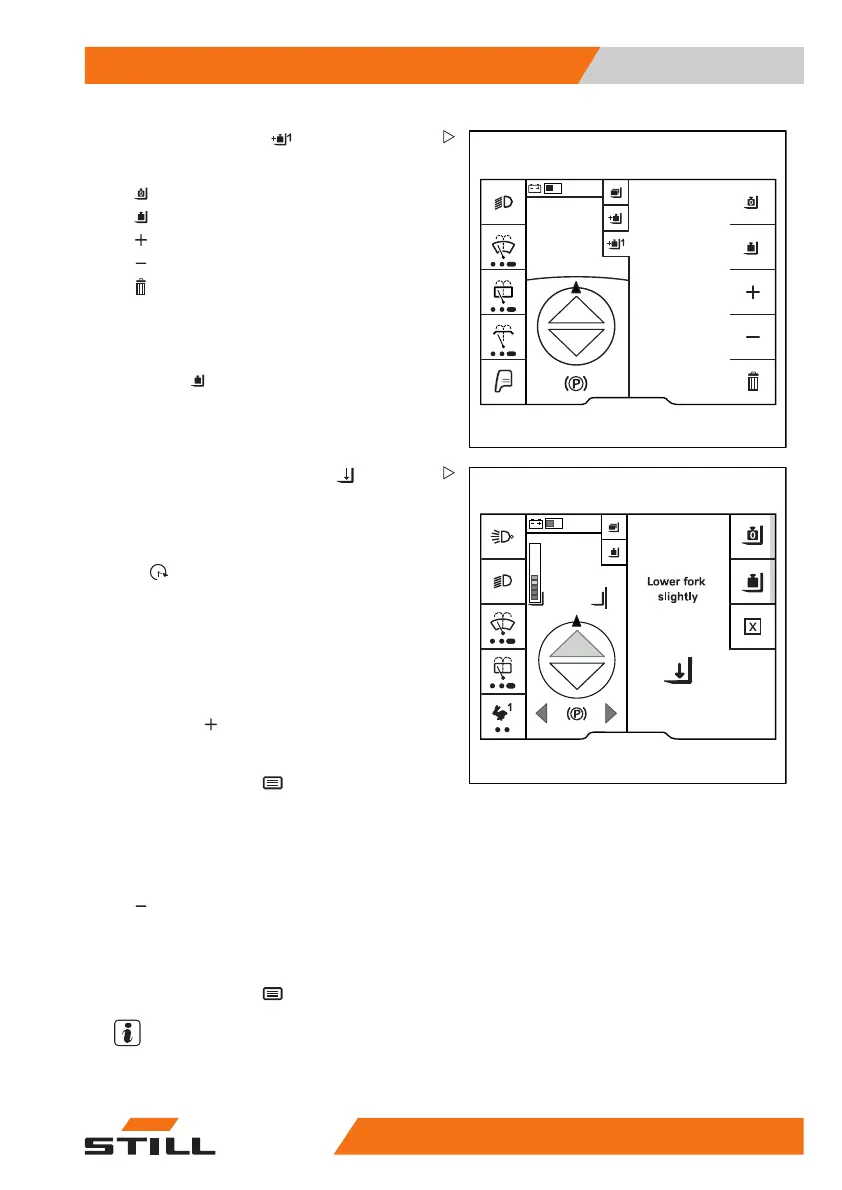
The "Total load" menu appears.
This menu provides the following functions:
•
Tare
•
Precision load measurement
•
Add a load
•
Subtract a load
•
Delete load summation
Measuring the load
– Press the "Precision load measurement"
Softkey
. Measure the load.
0,0°
0,70
m
1,5 t
6219_003-223
The Lower fork slightly prompt is
displayed.
– Lower the fork carriage.
The value is calculated. The
Calc. ongo-
ing
message appears.
If the calculation was successful, the load is
displayed.
Adding a load
– Pick up the load to be added.
– Press the
Softkey.
– Measure the load as described previously.
– To save, press the
button.
Subtract a load
– Pick up the load to be subtracted.
– To subtract the current load, press the
Softkey.
– Measure the load as described previously.
The current load is subtracted from the sum.
– To save, press the
button.
NOTE
If, for in
stance, this load was added to the
wrong tot
al load, it is also possible to perform
563
68011531 EN - 06/2019 - 02 219



 To Next Page