FX List (Effects Editor) 113
NEO Lighting Control Console
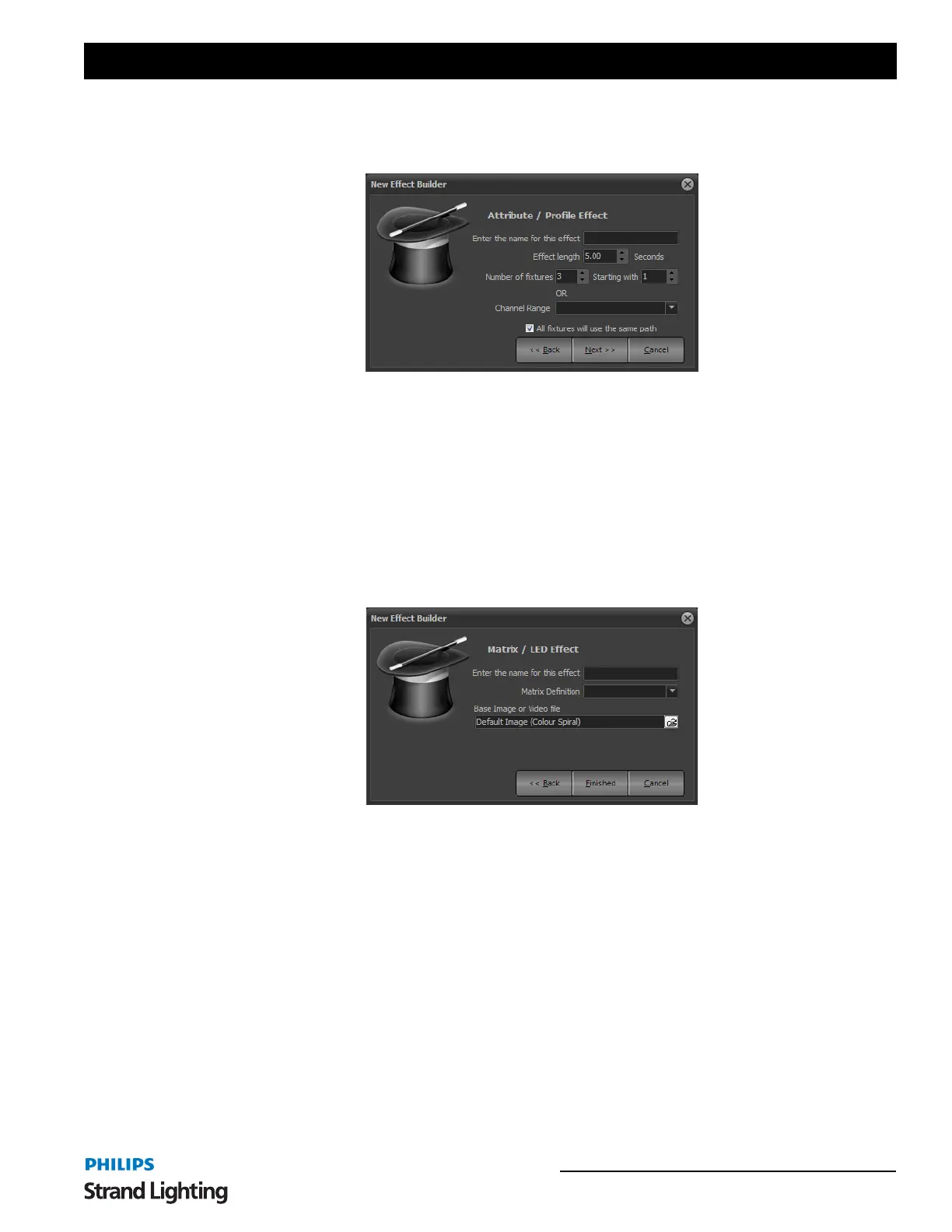
When the effect is created with more than one fixture the wizard can place all fixtures into one path or create a
separate entry for each. Use the "All fixtures will use the same path" option to set how the fixtures in the effect are
organized.
When you are happy with the settings click on the "next" button to move to page 2 of the effect wizard. Here you can
specify the attribute that the effect will be applied to and the default path it will use. The predefined paths (sin, cos,
saw, pwm) cannot be edited or changed. To create an effect using a one of these paths as a base that is will be changed
select the option "Create a copy of this path for editing"
Click on "Finished" to create the new effect and open the effect editor. The newly created effect will immediately
become visible in the right-hand side of the effects editor.
Matrix/LED Effect
The matrix effect is specifically designed for use with large arrays of lights such as LED fixtures.
To create a matrix effect you must have already defined the fixture matrix in the dimmer patching window (See “Edit
Matrices” on page 153).
To complete the creation of an effect enter the name to identify the effect and set the light matrix that you want to use.
Click on "Finished" to create the new effect and open the effect editor. The newly created effect will immediately
become visible in the right-hand side of the effects editor.
New Effect Builder, Prop/Attrib Effect (Page 2)
New Effect Builder, Matrix Effect



 To Next Page