Command Pulldowns 51
NEO Lighting Control Console
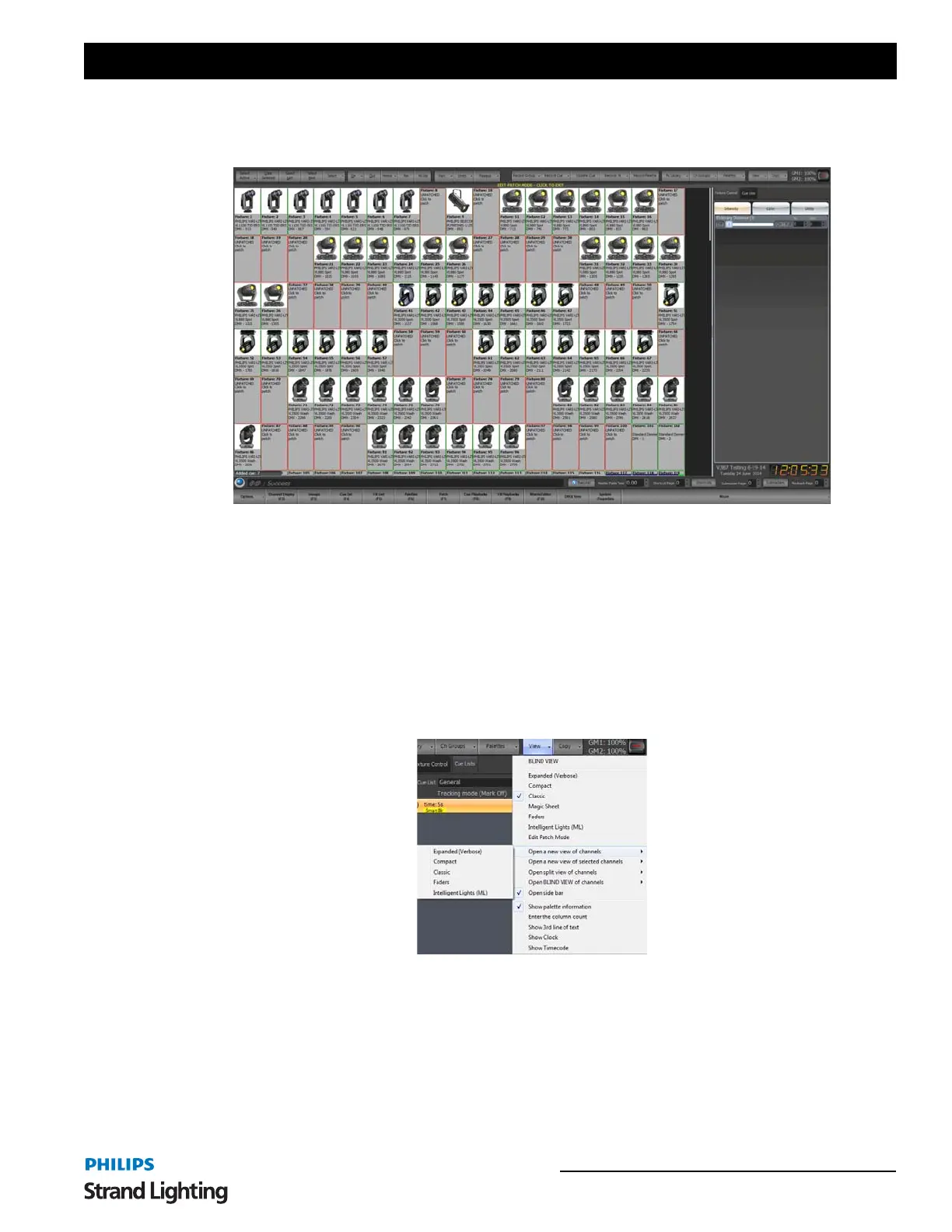
Edit Patch Mode - In addition to the six view modes you can also switch the channel view into patch mode. Patch
mode can be used to edit the fixture patching directly in the channel display window. If no channels are patched in the
system then the patch mode will display automatically.
In the patch mode channels that are patched are shown with a green border and the unpatched channels have a red
border.
To change the patch click with the left mouse button on any channel either patched or unpatched. Use the resulting
dialog to set the fixture you want to patch into the system.
At the bottom of the patch dialog is a spin edit option titled "Quantity for sequential patch". Use this to patch multiple
fixtures of the same type at once.
When you have finished patching the fixtures click on the bar separating the grid from the buttons. This will return
you to the previous view you have been using.
Open a new view of channels - opens a separate window of a fixture display. Choose from the following list of
options…
• Expanded
• Compact
• Classic
• Faders
• Intelligent Lights



 To Next Page