Objet30 User Guide 5 Using Objet Studio
DOC-34025 Rev. I 5-62
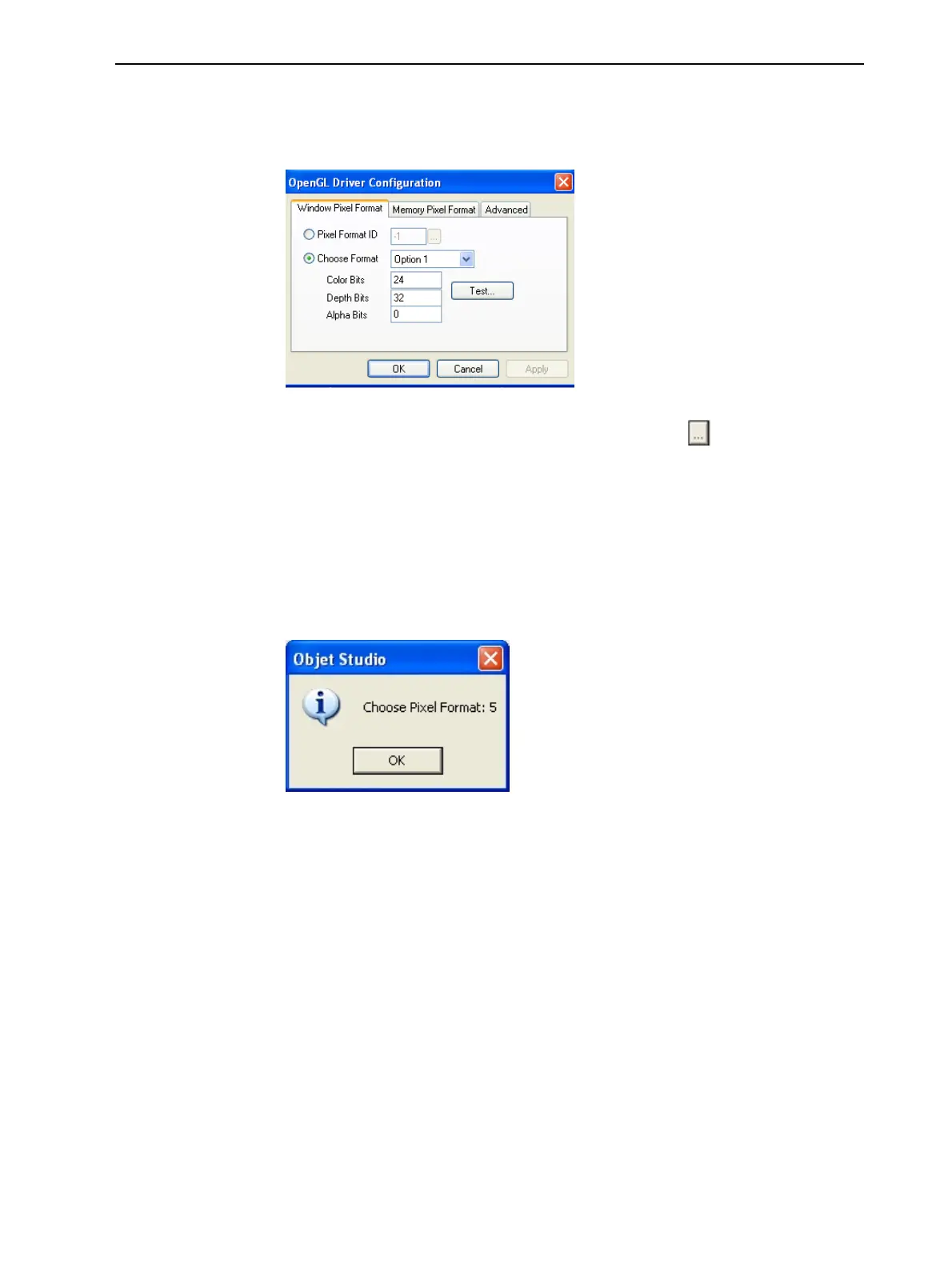
3. Click OpenGL Driver Configuration.
The dialog box that opens displays details of the pixel format ID (index) for
the window and the memory.
Figure 5-73 OpenGL Driver Configuration dialog box
If you want to display the values and change them, click . Alternately, you
can select Choose Format and change the values in this dialog box.
To perform a test of the driver configuration and enter the suggested
pixel format ID:
1. Select Choose Format.
2. Click Test.
Objet Studio returns the recommended pixel format ID.
Figure 5-74 Recommended pixel format ID
3. Click OK.
4. In the OpenGL Driver Configuration dialog box (Figure 5-73), select Pixel
Format ID and enter this number.
5. Click Apply.
6. Display the other pixel format tab, and repeat this procedure.













 To Next Page