Objet30 User Guide 5 Using Objet Studio
DOC-34025 Rev. I 5-71
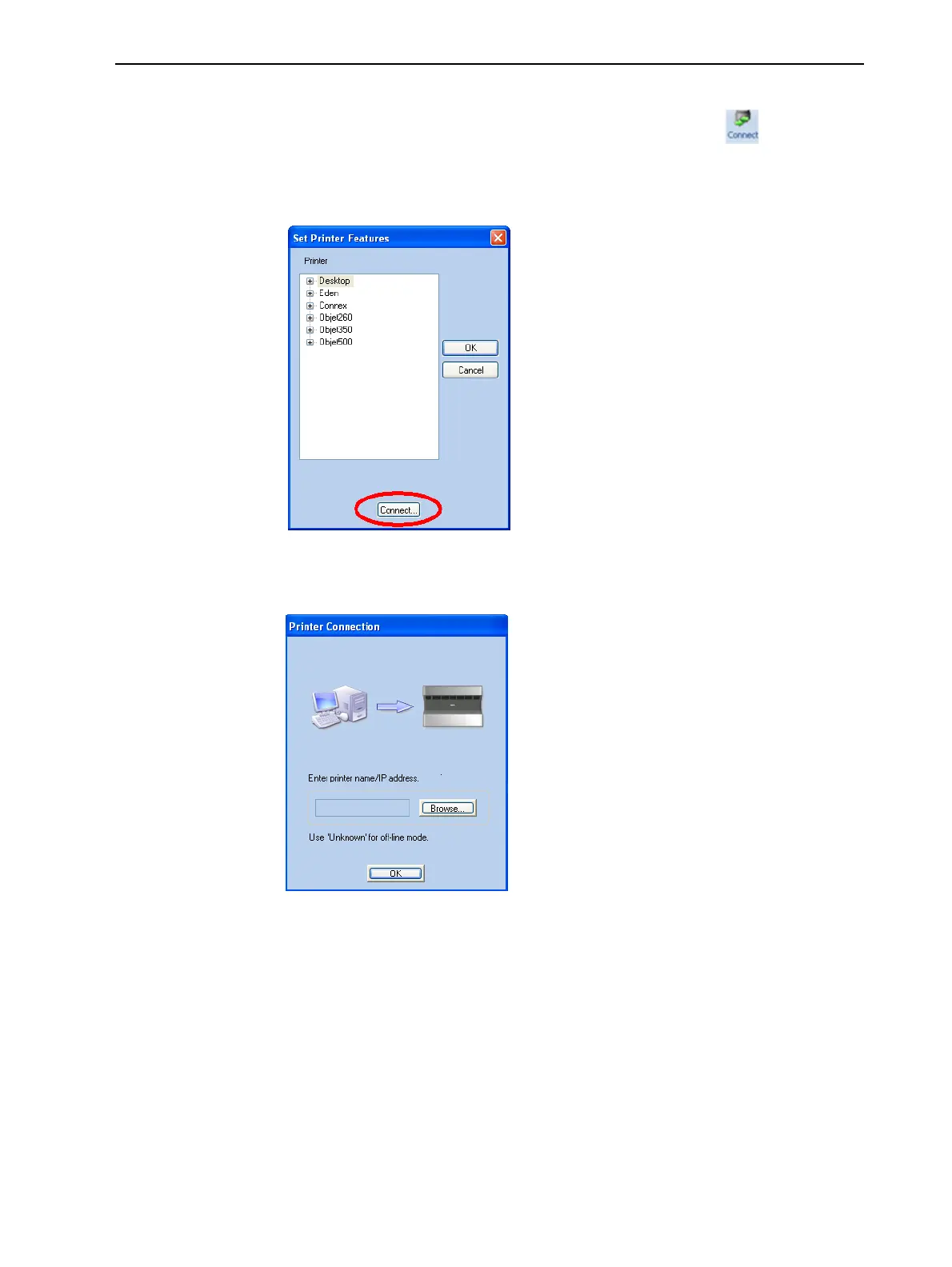
To disconnect Objet Studio from the printer:
1. On the Job Manager ribbon, in the 3D Printer group, click .
2. In the Set Printer Features dialog box, click Connect (see Figure 5-81 on
page 5-69).
Figure 5-83 Disconnecting Objet Studio from a printer (A)
3. In the Printer Connection dialog box, delete the computer name/IP address.
Figure 5-84 Disconnecting Objet Studio from a printer (B)
4. Click OK.
“Unknown” appears in the printer-name field.
5. Click OK.













 To Next Page