Objet30 User Guide 6 Operating and Maintaining the Printer
DOC-34025 Rev. I 6-21
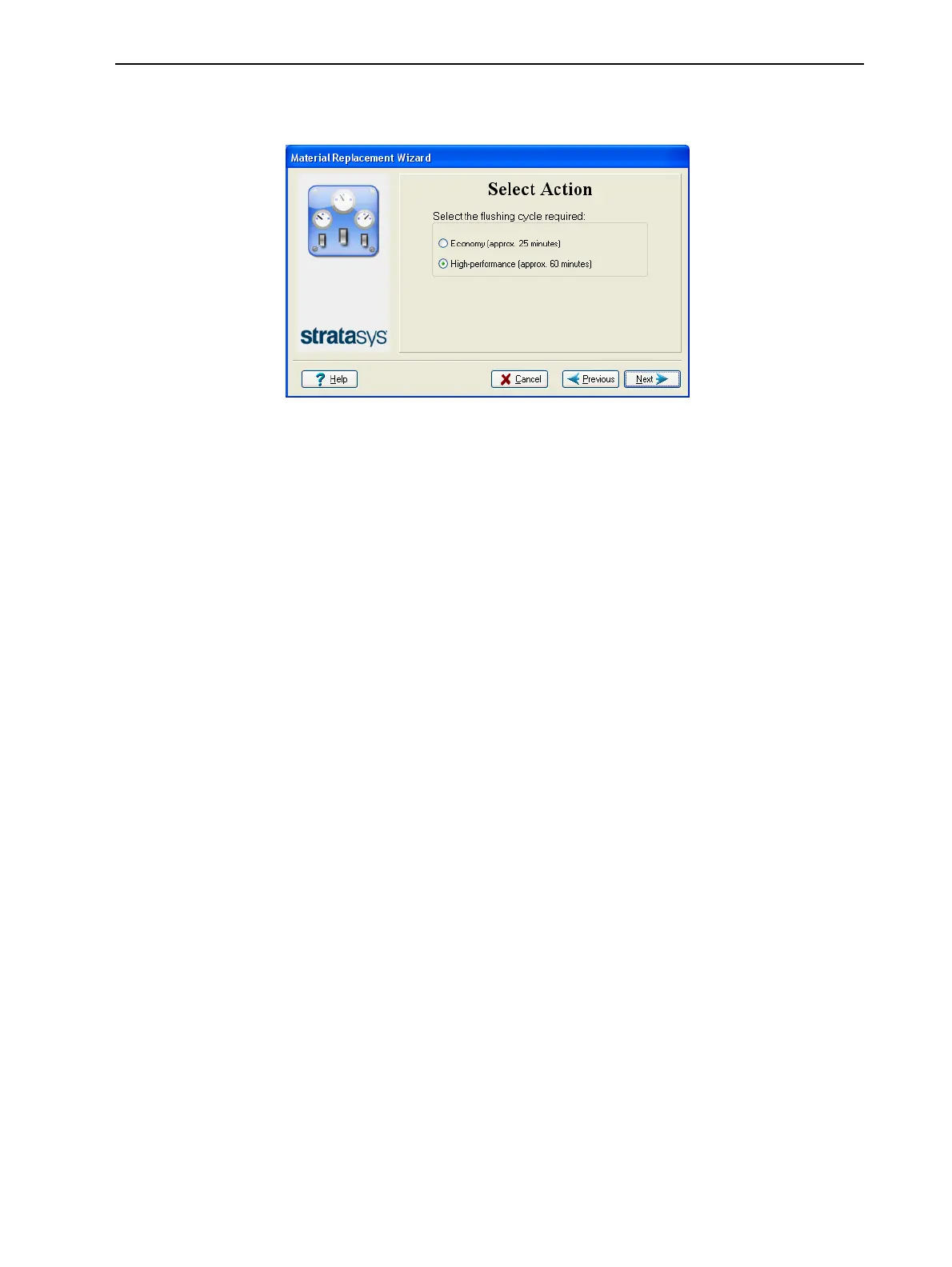
8. In the Flushing Options screen, choose the appropriate cycle for the Model
material you want to install.
Figure 6-21 Flushing options
❒ Economy. During this cycle, which takes about 25 minutes, the pump
purges the Model material from the print block, then flushes the system
with the new material.
Since traces of the previous material may be present in the first models
printed with the new material, this cycle is usually acceptable when
replacing a light-colored Model material with a darker material (such as
TangoBlack™ or VeroBlack™), or if the exact color of the printed
models is unimportant. In most cases, models will have the mechanical
properties of the new material (except when switching between rigid
and flexible materials).
The amount of material flushed during this cycle is—
¤ 65 grams (± 10%) when replacing one cartridge
¤ 110 grams (± 10%) when replacing two cartridges
❒ High-performance. During this cycle, which takes about 60 minutes, the
wizard cleans the feed tubes and print block more thoroughly,
compared to the Economy cycle, by flushing the system with more
material.
This cycle ensures that models will have both color and mechanical
properties of the new material. This is important when replacing a dark-
colored material (such as VeroBlack or TangoBlack) with a lighter-
colored material, and when switching between rigid and flexible
materials. This cycle is also recommended when changing the type of
Support material.
The amount of material flushed during this cycle is—
¤ 300 grams (± 10%) when replacing one cartridge.
¤ 450 grams (± 10%) when replacing two cartridges.













 To Next Page