Objet30 User Guide 6 Operating and Maintaining the Printer
DOC-34025 Rev. I 6-63
7. Put on the protective gloves and open the printer cover.
Note: The printer disconnects power to the heads for your safety.
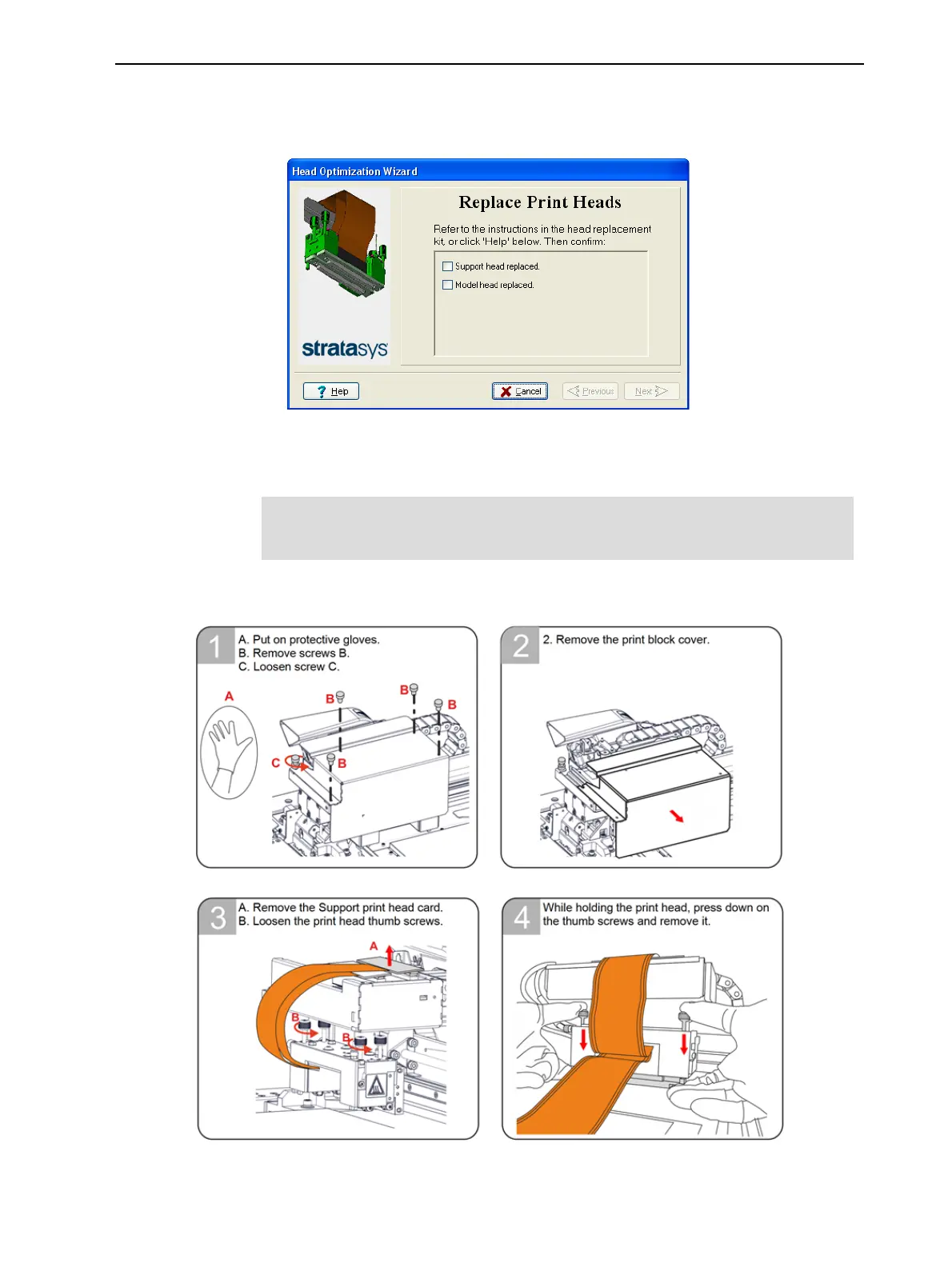
Figure 6-86 Screen during print-head replacement
Removing the Defective Head
To replace the Model print head, you must first remove the Support print
head.
Removing the Support Print Head













 To Next Page