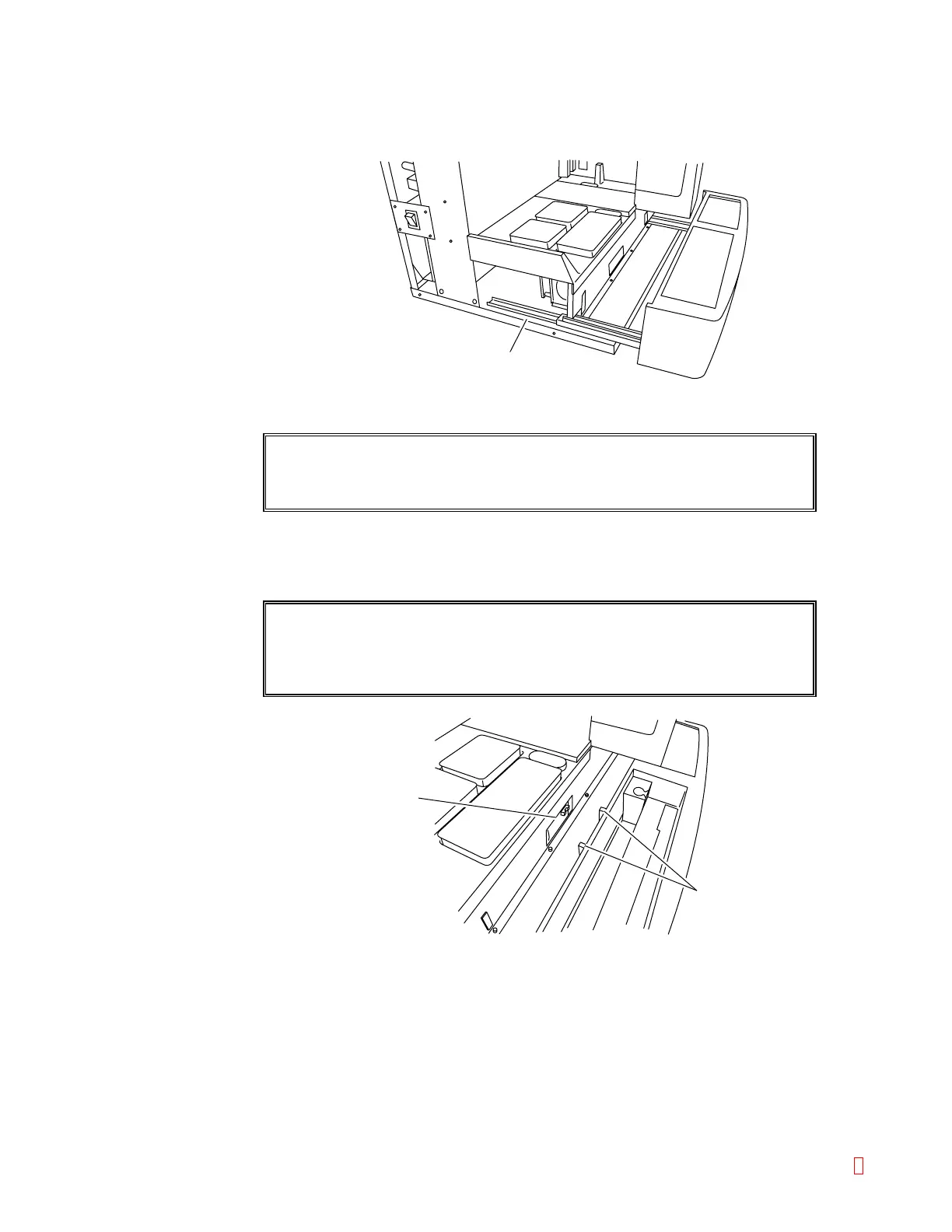
(4) Install the sampler with the ID bar code scanner to the CA-500 main unit.
1) While finger-pushing the stopper lever to release the stopper, push in the sampler a
few centimeters on the inner rails of the CA-500 main unit.
Inner Rail
Lock Guide
Arm
Table Lock
Figure B-25: Inserting the Sampler
CAUTION: Until you are sure the sampler with ID bar code scanner will not
disconnect, do not let go hands.
2) Push the sampler with ID bar code scanner in parallel.
Push it in until the lock guide arms fit in the table lock of the CA-500 main unit. As you
push it, the sampler will feel heavier, but keep pushing little by little.
CAUTION: The table lock is only 1 mm apart from the lock guide
arms. In pushing, take care not to allow the lock guide
arm to contact the under panel.
Figure B-26: Table Lock & Lock Guide Arm
CA-500 Series S/M B-16 Revised December 2001 8



 To Next Page