5. From the Append to File dialog box, specify to which file
you want to add this operation.
6. Select Append to File.
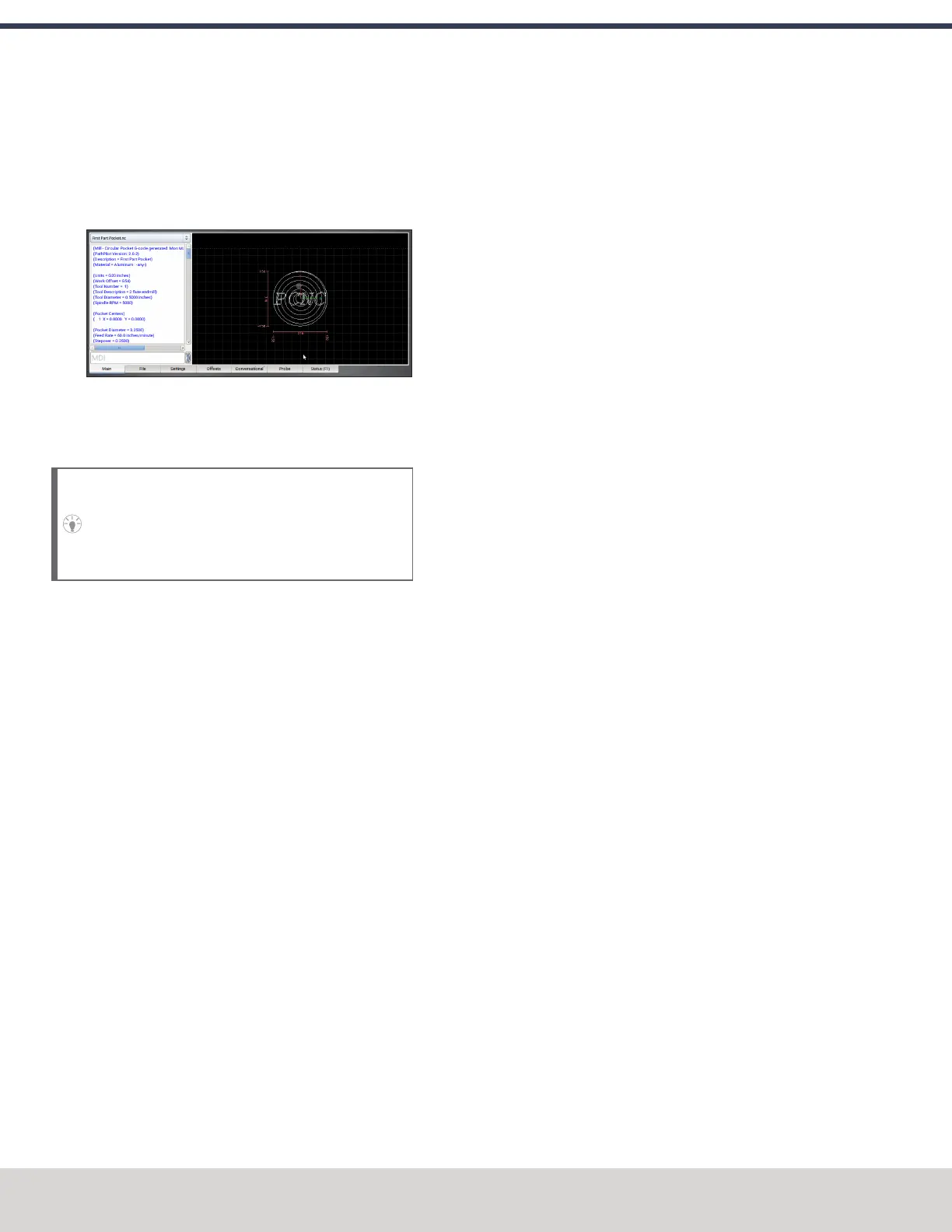
PathPilot adds the G-code to the file and opens the Main
tab.
Figure 9-13: Example of the engrave and pocket
program.
Run the Program
Tip! Because you appended the second operation
onto the first, the program starts from the beginning
— it re-cuts the pocket. To avoid this in the future,
you can post the second operation to a separate file.
1. Select Cycle Start.
The spindle begins to rotate, and the tool moves to the
beginning of the tool path.
2. After the operation is complete, put tool 2 (the 1/8 in.
end mill) into the spindle.
3. From the PathPilot interface, in the Tool DROfield, type
2. Then select the Enter key.
4. Restrict the speed of the mill so that you can more easily
watch the operation running:Set the Maxvel Override
slider to 0%.
5. Select Cycle Start.
The spindle begins to rotate, and the tool moves to the
beginning of the tool path.
6. Change the value of the Maxvel Override slider to speed
up, slow down, or stop the speed of the mill.
7. After the operation is complete, examine the top surface
of the workpiece to make sure that the entire phrase has
been engraved by the end mill.
©Tormach® 2023
Specifications subject to change without notice.
Page 192 Tormach 1100M® Operator's Manual (Version 1223A)
For the most recent version, see tormach.com/support
9: FIRST PART TUTORIAL



 To Next Page