Prepare the Machine
1. If there's already a Tormach Tooling System (TTS) tool
holder in the spindle, remove it.
2. Verify that you can access the inside of the spindle
cabinet: jog the Z-axis down (-Z) until it is about 6 in. (15
cm) from the machine table.
3. Power off the machine and the PathPilot controller.
a. Push in the machine's red Emergency Stop button,
which removes power to motion control.
b. From the PathPilot interface, select Exit.
c. Turn the Main Disconnect switch to OFF on the side
of the electrical cabinet.
Disassemble the Original Drawbar
CAUTION! Loose Objects Hazard: The original
drawbar contains spring-loaded hardware, which
could quickly become loose, causing serious injury.
Before disassembling the original drawbar, you must
put on safety eyewear that meets ANSI Z87+.
1. Put on safety eyewear.
2. Open the spindle door.
3. While using one hand to support the Tormach Tooling
System (TTS) collet, use the other to turn and remove
the original drawbar.
4. Set the collet and the original drawbar aside.
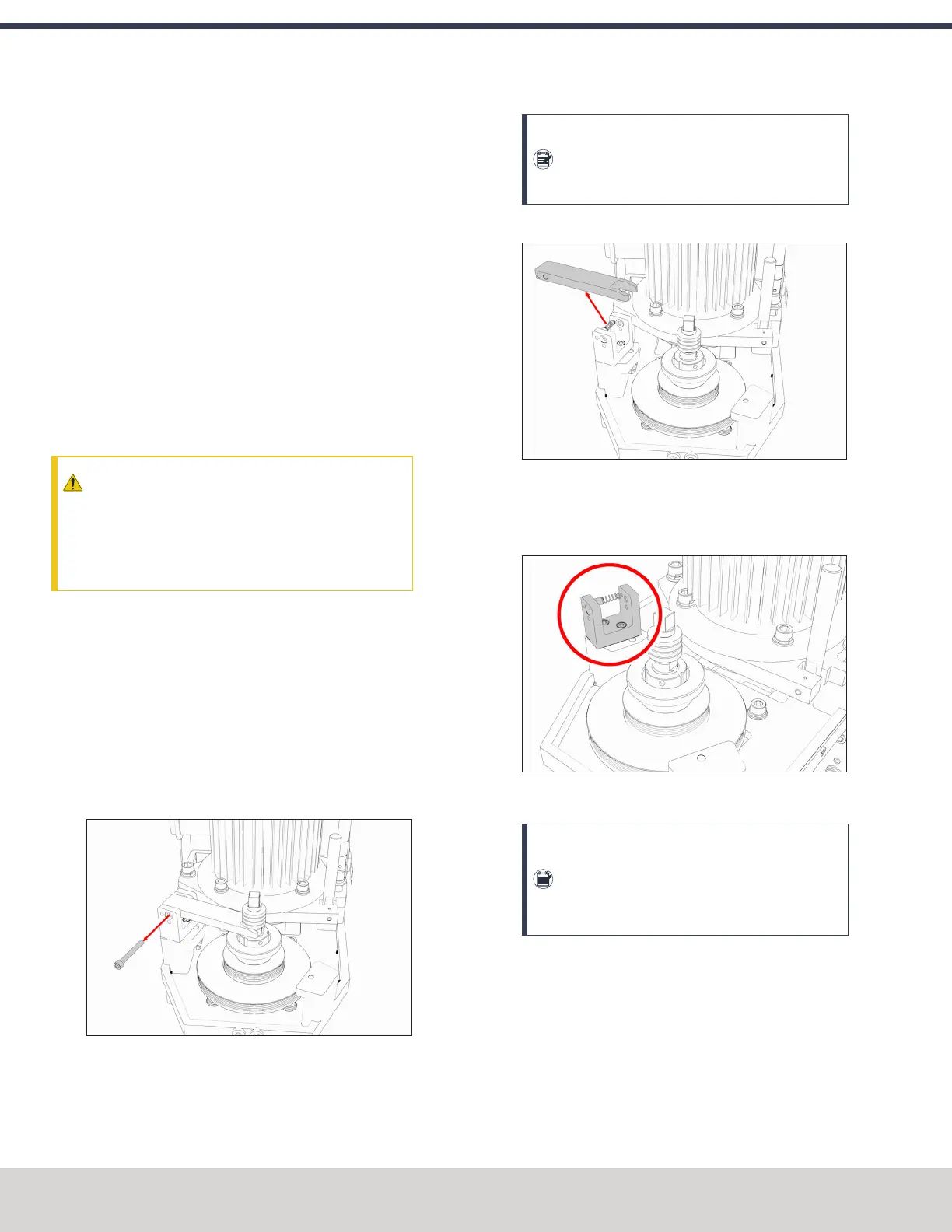
5. While using one hand to hold the spindle lock arm, use
the other to remove the spindle lock arm pivot screw
with a 5 mm hex wrench.
Figure 4-46: Spindle lock arm pivot screw removed
from the original drawbar assembly.
Note: The spindle lock arm assembly contains
spring-loaded hardware, which could quickly
become loose.
6. Carefully remove the spindle lock arm.
Figure 4-47: Spindle lock arm removed from the
original drawbar assembly.
7. Remove the spindle lock base and its components with a
5 mm hex wrench.
Figure 4-48: Spindle lock base from the original
drawbar assembly.
Note: Keep all components for future use. The
original drawbar, drawbar bushing, and spindle
lock are all required to operate the machine if
you later decide to remove the Power Drawbar.
8. Wipe all exposed drawbar mounting surfaces inside the
spindle motor cabinet with a clean cloth.
©Tormach® 2023
Specifications subject to change without notice.
Page 58 Tormach 1100M® Operator's Manual (Version 1223A)
For the most recent version, see tormach.com/support
4: INSTALLATION



 To Next Page