4: INSTALLATION
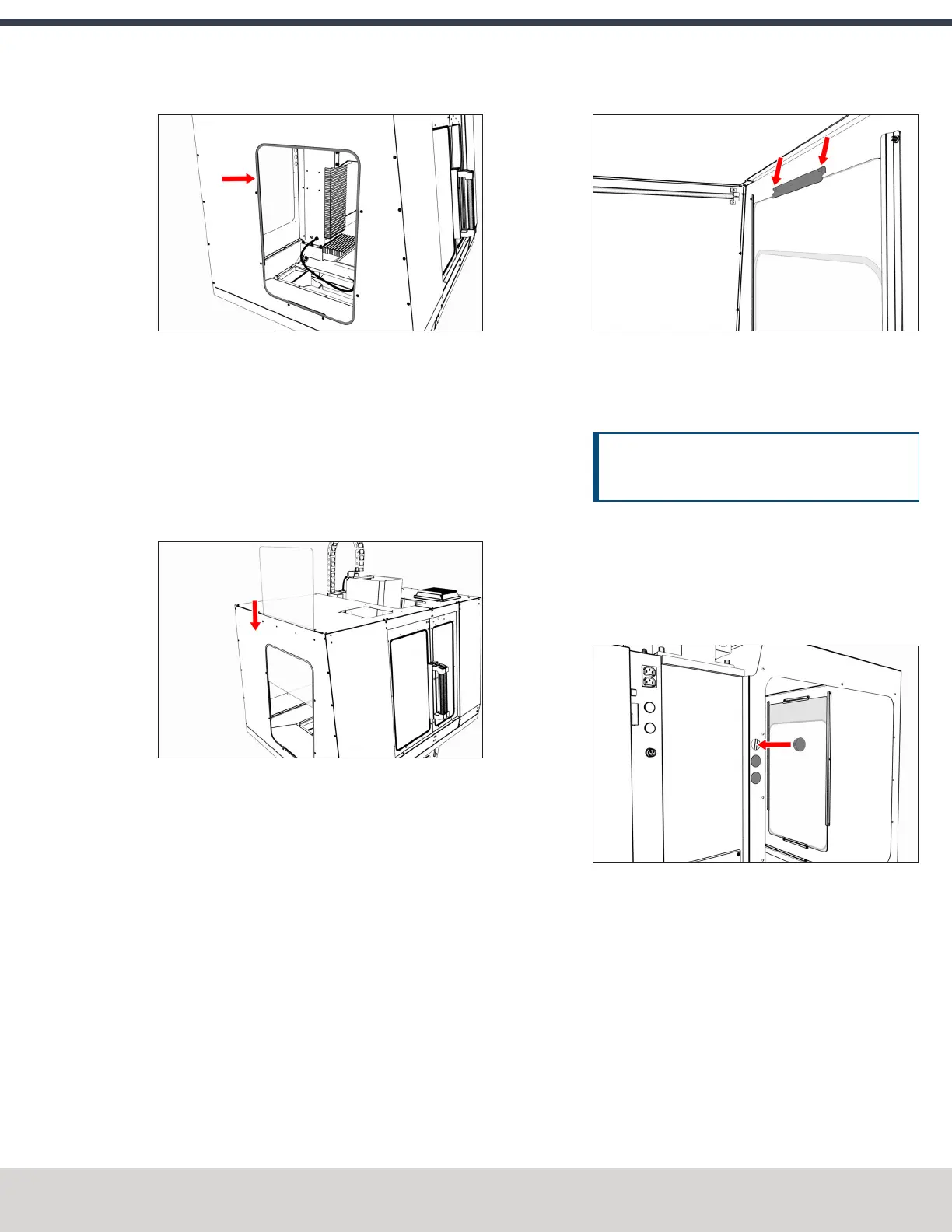
Figure 4-147: Rubber trim pushed onto the window
opening.
2. Remove and discard the protective plastic film from the
windows.
3. Slowly slide one window through the left top panel's
window opening and into the two installed vertical
window retainers. Take care to not scratch the window.
When finished, verify that the window rests on the
bottom horizontal window retainer.
Figure 4-148: Window sliding into the window
opening.
4. Push a strip of rubber trim onto the edge of one
horizontal window retainer. When finished, use shears
or a knife to cut the excess trim.
5. Attach one horizontal window retainer above the
window on the left side panel with two M5 × 0.8 - 10
screws.
Figure 4-149: Horizontal window retainer attached
above the window.
6. Tighten all screws on the window retainers to secure the
window.
NOTICE! To prevent window damage from over-
tightening, use your fingers to tighten the screws.
7. Repeat Steps 1 through 6 for the window on the right
side panel.
Install the Access Panel
1. Push three round hole plugs into the three holes on the
left rear panel.
Figure 4-150: Round hole plugs pushed into the left
rear panel.
2. Push a strip of rubber trim to the edge of the access
panel opening on the left rear panel. Verify that the trim
covers the entire perimeter of the opening. When
finished, use shears or a knife to cut the excess trim.
©Tormach® 2023
Specifications subject to change without notice.
Page 95 Tormach 1100M® Operator's Manual (Version 1223A)
For the most recent version, see tormach.com/support



 To Next Page