4: INSTALLATION
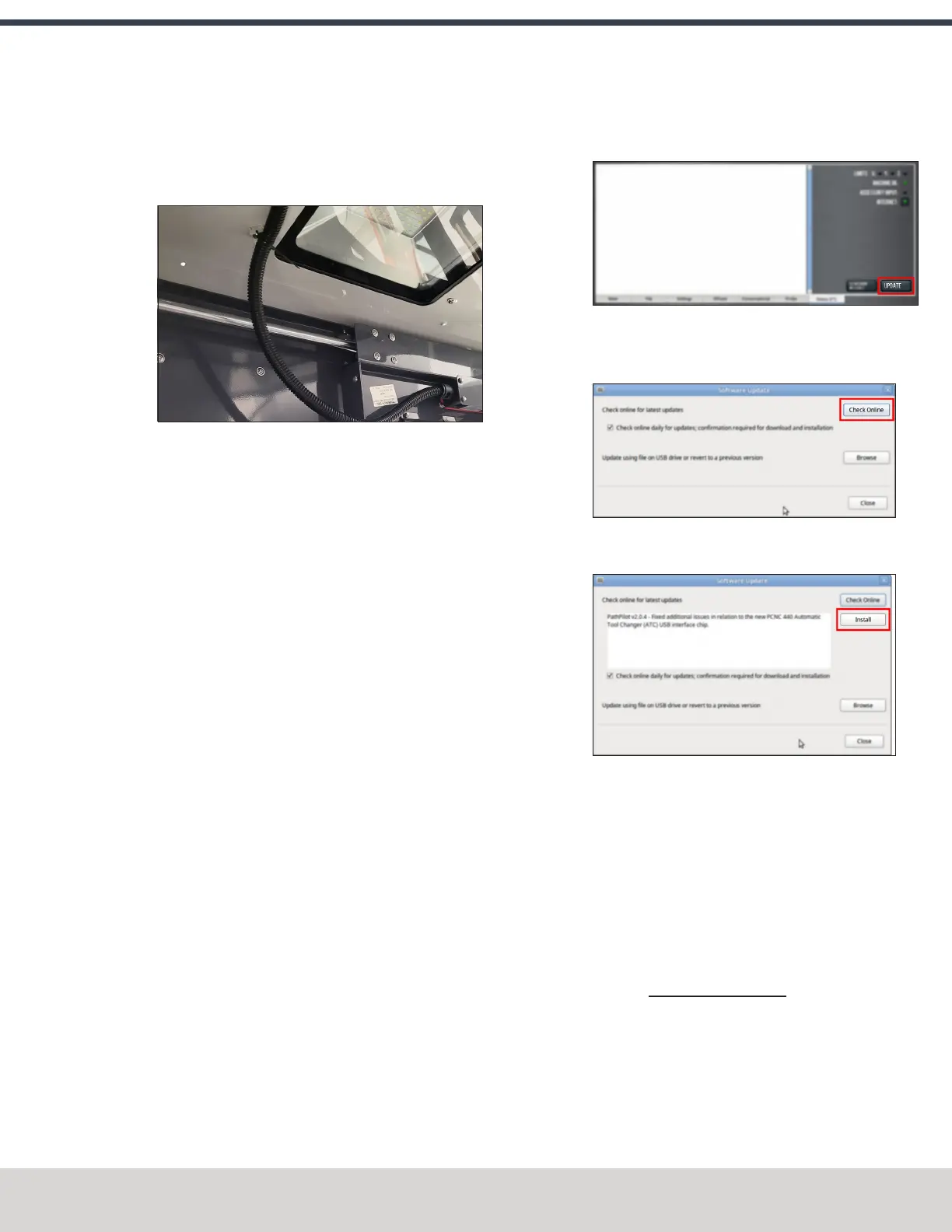
13. Secure the door switch cable to the cable tie anchors
that you installed with three cable ties. Make sure that
the cable doesn't restrict the motion of the enclosure
door.
Figure 4-164: Cable routing from the enclosure light to
the door, without interference.
14. Turn the door lock override switch to the locked position
with a flat-blade screwdriver.
15. Find the screw for the door lock override switch that you
set aside in Step 6. Then, put it back to secure the door
lock override switch in the locked position.
16. Power on the machine and the PathPilot controller.
a. Turn the Main Disconnect switch to ONon the side of
the electrical cabinet.
b. Twist out the machine's red Emergency Stop button,
which enables movement to the machine axes and
the spindle.
c. Press the Reset button.
d. Bring the machine out of reset and reference it.
Update PathPilot
Before using the Door Lock Switch Kit, you must make sure
that the PathPilot controller is updated to PathPilot v2.1.6 (or
newer). This version of PathPilot has settings required to use
the Door Lock Switch Kit.
To update PathPilot, do either of the following:
l "Download and Install an Update File from the
Controller" (below)
l "Install an Update File from a USB Drive" (below)
Download and Install an Update File from the Controller
1. Confirm that the PathPilot controller is powered on and
out of Reset mode.
2. Downloading and installing an update file requires an
Internet connection. From the Status tab, confirm that
the Internet button LEDlight is on. Then, select Update.
Figure 4-165: Update button on the Status tab.
3. From the Software Update dialog box, select Check
Online.
Figure 4-166: Software Update dialog box.
4. Select Install.
Figure 4-167: Install button on the Software Update
dialog box.
The update file is downloaded, and a notification dialog
box displays.
5. From the dialog box, select OK.
The update file is installed on the PathPilot controller.
6. Follow the on-screen instructions to restart the PathPilot
controller.
Install an Update File from a USB Drive
1. From the PathPilot support center, download the most
recent PathPilot update file.
2. Transfer the PathPilot update file to a USB drive.
3. Put the USBdrive into the PathPilot controller.
4. Confirm that the PathPilot controller is powered on and
out of Reset mode.
©Tormach® 2023
Specifications subject to change without notice.
Page 99 Tormach 1100M® Operator's Manual (Version 1223A)
For the most recent version, see tormach.com/support



 To Next Page