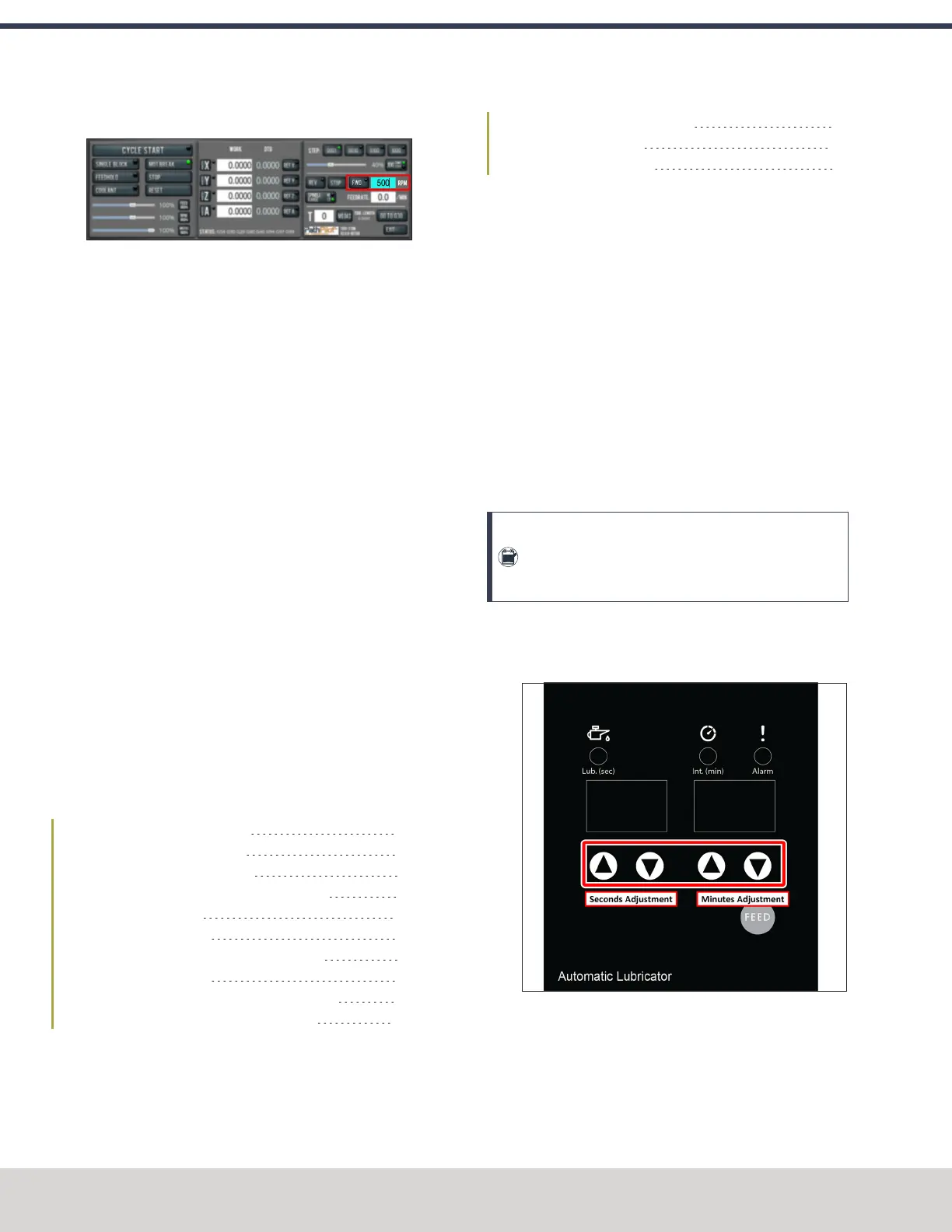
6. Select FWD.
Figure 4-44: Spindle controls.
The spindle rotates clockwise (viewed from above) at
500 rpm.
7. Select STOP.
The spindle stops rotating.
8. Select REV.
The spindle rotates counterclockwise (viewed from
above) at 500 rpm.
9. Select STOP.
The spindle stops rotating.
10. In the RPM DROfield, type 1000. Then select the Enter
key.
11. Select FWD.
The spindle rotates clockwise (viewed from above) at
1000 rpm.
12. Repeat the procedure at 1000 rpm.
4.8 INSTALL ACCESSORY COMPONENTS
Install accessory components in the order specified, skipping
any components that you don't have. Otherwise, you may need
to remove an item in order to install another one. For example,
if you install the Full Enclosure Kit, you must remove it in order
to install any other component.
When you're finished installing accessory components, go to
"Set Up the PathPilot Controller" (page109).
4.8.1 Set Up the Automatic Oiler 56
4.8.2 Install the Power Drawbar 57
4.8.3 Install the Flood Coolant Kit 66
4.8.4 Install the Automatic Tool Changer (ATC) 67
4.8.5 Install the 4th Axis 78
4.8.6 Install the Chip Pans 84
4.8.7 Install the Backsplash and Splash Guard 85
4.8.8 Install the Enclosure 86
4.8.9 Set up the Door Lock Switch Kit (Optional) 97
4.8.10 Install the PathPilot Operator Console 100
4.8.1 Set Up the Automatic Oiler
If you installed an automatic oiler, you must now set it up.
Complete the following steps in the order listed:
Look for Leaks and Clear the Lines 56
Specify the Interval Time 56
Specify the Actuation Time 57
Look for Leaks and Clear the Lines
1. Power on the oiler.
2. On the oiler's control panel, push and hold the Feed
button for two seconds.
The oiler pushes oil through the distribution system.
3. Examine the distribution system to make sure that oil
doesn't leak while the system is operating.
Specify the Interval Time
The oiler distributes oil at the following times:
l When the machine is powered on
l After a specified interval
The interval time is the amount of time, in minutes, that the
oiler waits between oil applications.
Note: If your machine will be unused for a long period
of time (like overnight), we recommend powering off
the machine to avoid over-lubricating the system.
1. On the oiler's control panel, push and hold either of the
Minutes Adjustment buttons. It doesn't matter which
button you push.
Figure 4-45: Automatic oiler control panel.
The oiler beeps.
©Tormach® 2023
Specifications subject to change without notice.
Page 56 Tormach 1100M® Operator's Manual (Version 1223A)
For the most recent version, see tormach.com/support
4: INSTALLATION



 To Next Page