USTER®
HVI 900
Instruction Manual
Uster Technologies, Inc.
Chapter 7
Version 4.0 (1.99) Module Testing - Page 7-12
Note
:
If the Micronaire value is to be entered via keyboard, a value
between 2.0 and 8.0 MUST be entered. Once a micronaire value has
been entered, the Operations selections (listed above) will be displayed.
At this point, you can press ESCAPE to exit Length/Strength Module
Testing or press ENTER to continue.
• Using the Fibrosampler, make the sample comb and then place it on
the track. Refer to the Length/Strength test procedures in Chapter 6,
900 HVI 900 System testing, for further details.
•
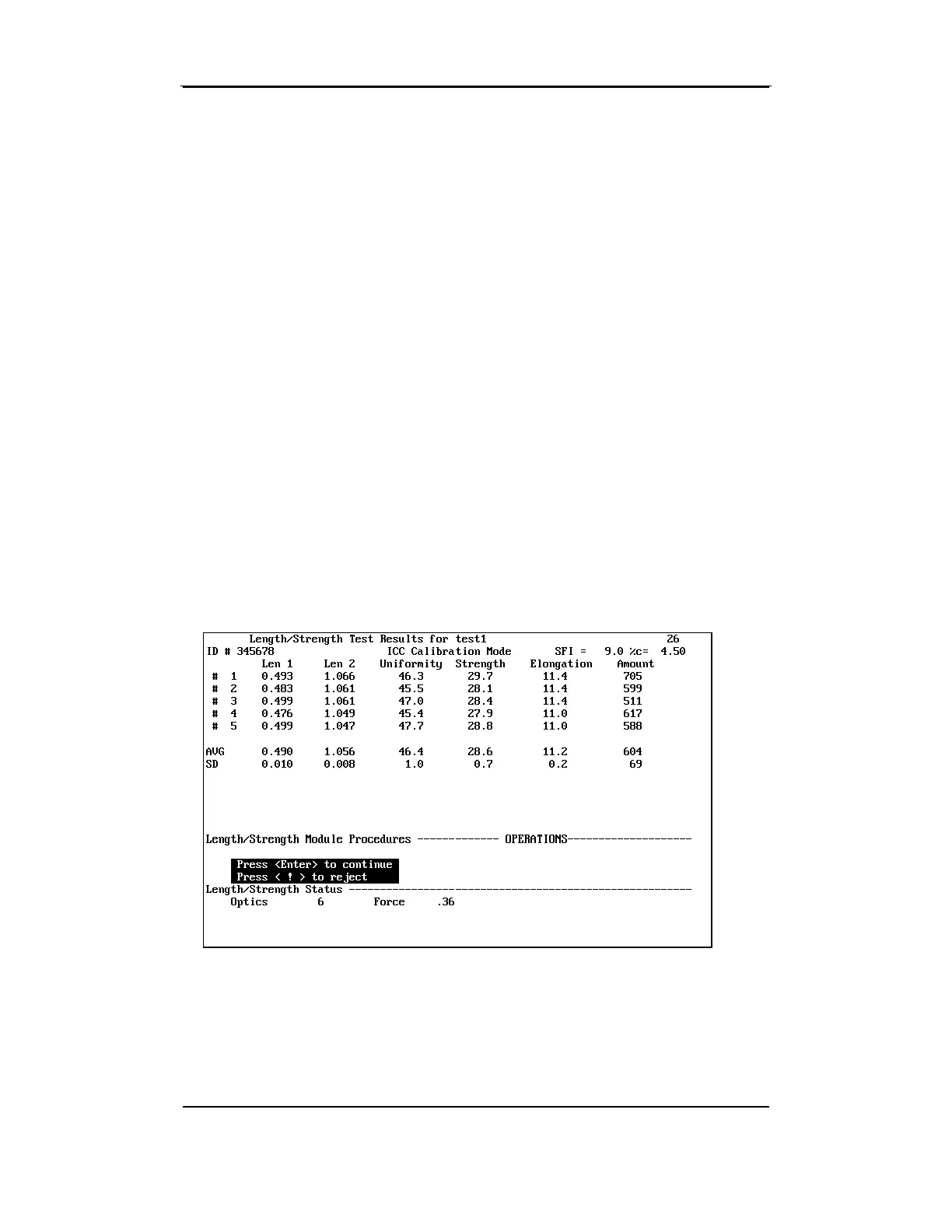
When the tests have been completed, the results are displayed on
the Length/Strength Module Testing Screen. Perform each test until
the required number of tests has been completed.
When all the tests on a sample have been completed, the average
(AVG) will display. The standard deviation is displayed if the number of
tests is five or more. After pressing ENTER to accept the test results, the
screen is cleared of the test results. The data is printed and transmitted
if required, and either "Enter ID" or "Enter Mic" is displayed on the
instruction line for the next sample.



 To Next Page