USTER®
HVI 900
Instruction Manual
Uster Technologies, Inc.
Chapter 8
Version 4.0 (1.99) 940 DataManager - Page 8-17
4.12.2 Report Generated to Printer
•
Before selecting
Make Report
, ensure that the printer is Epson
compatible, ON, on-line, and has paper inserted properly.
The report will automatically generate based on your report criteria with
the Lot Limit Rejections underlined and in bold print.
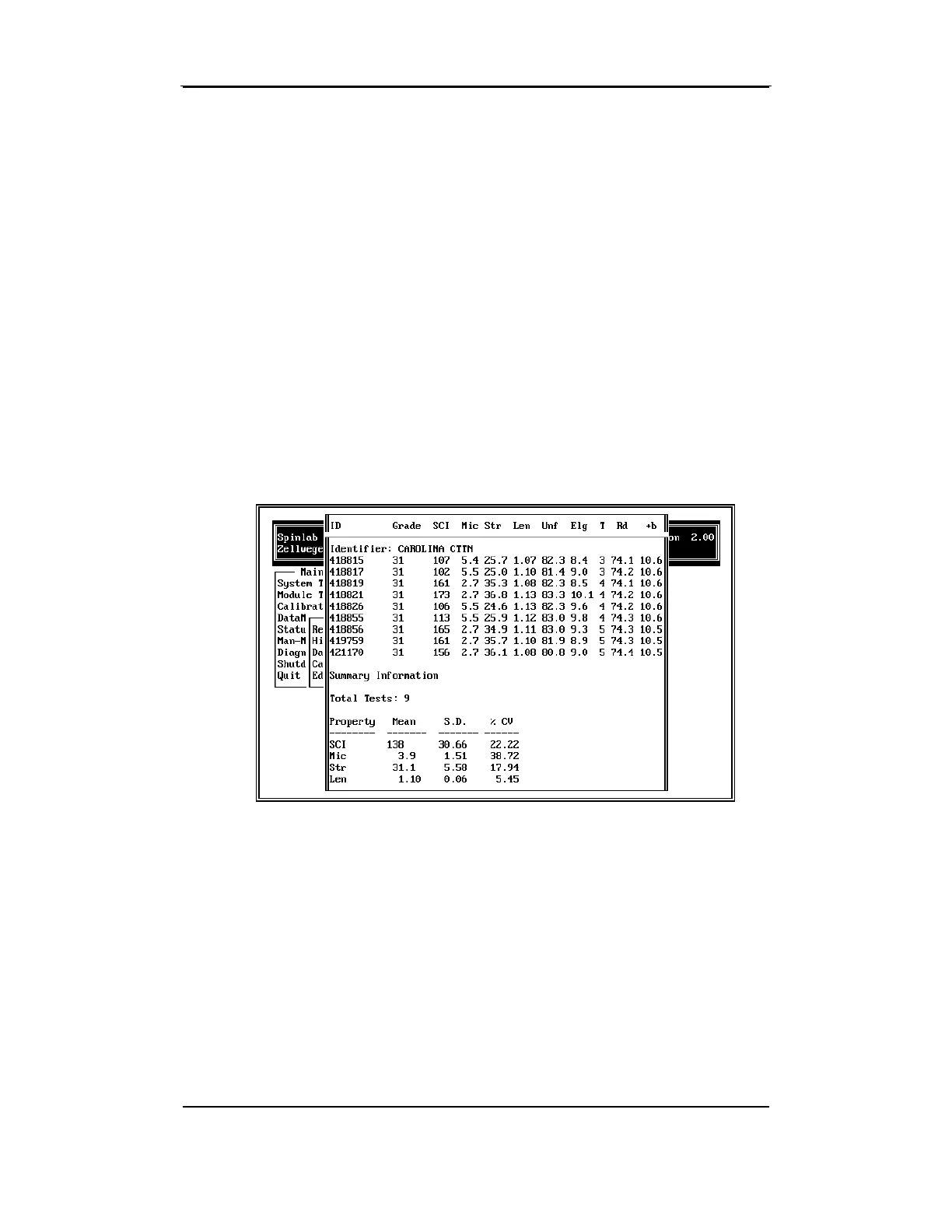
The example screen report (shown below) reports values for one
identifier with Grade, SCI, Micronaire, Strength, Length, Color Grade,
Rd, and +b as the selected properties. Because the report contains
more than five tests for the identifier, the summary information includes
the Average, Standard Deviation, and C.V. for each property.



 To Next Page