February, 2008
4-60
WorkCentre 5225, 5230
REP 10.2.1
Launch Version
Repairs and Adjustments
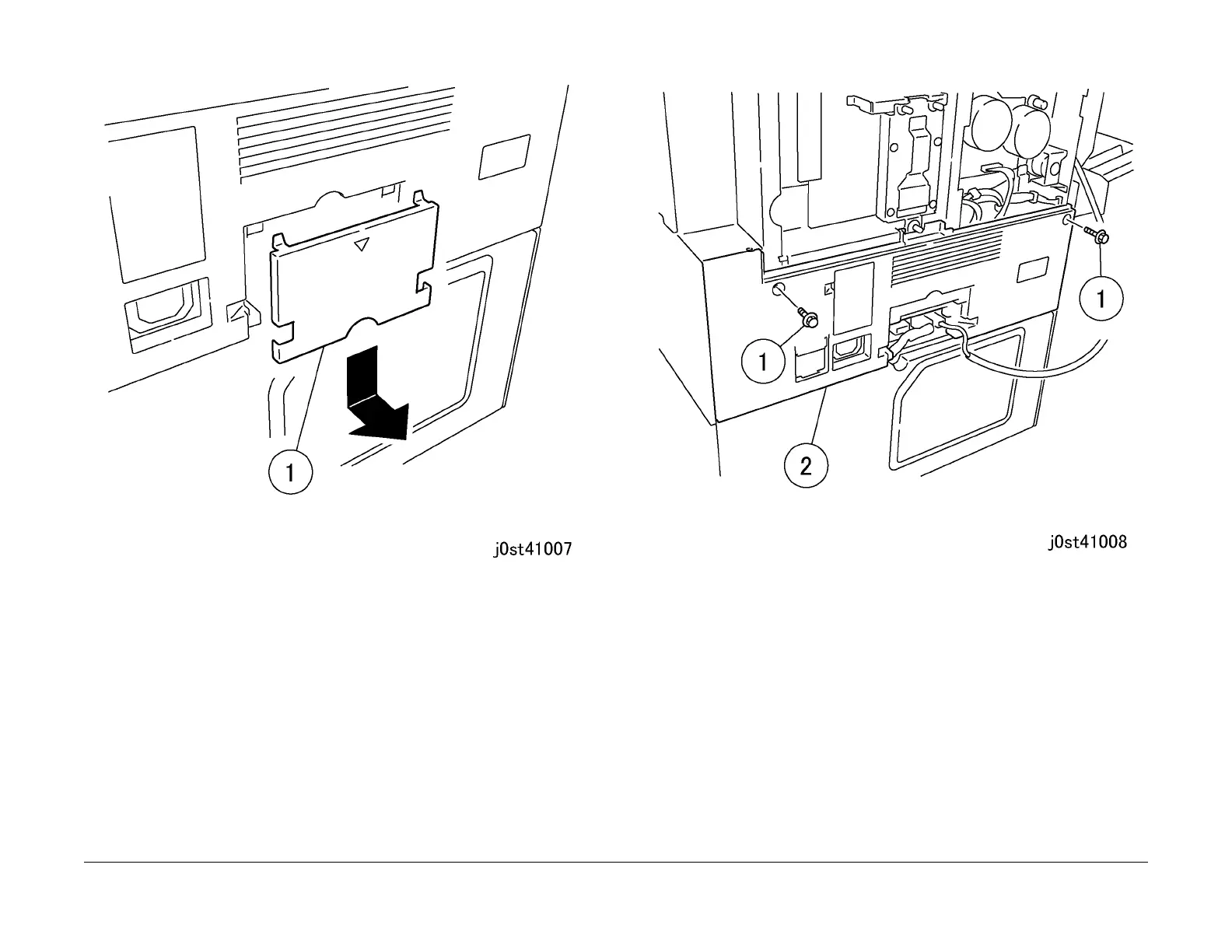
Figure 3 Removing the cover (j0st41007)
4. Remove the Rear Lower Cover. (Figure 4)
1.Remove the screws (x2).
2.Remove the Rear Lower Cover.
Figure 4 Removing the Rear Lower Cover (j0st41008)
Replacement
1. To install, carry out the removal steps in reverse order.



 To Next Page
 Loading...