February, 2008
4-127
WorkCentre 5225, 5230
REP 15.8.1
Repairs and Adjustments
Launch Version
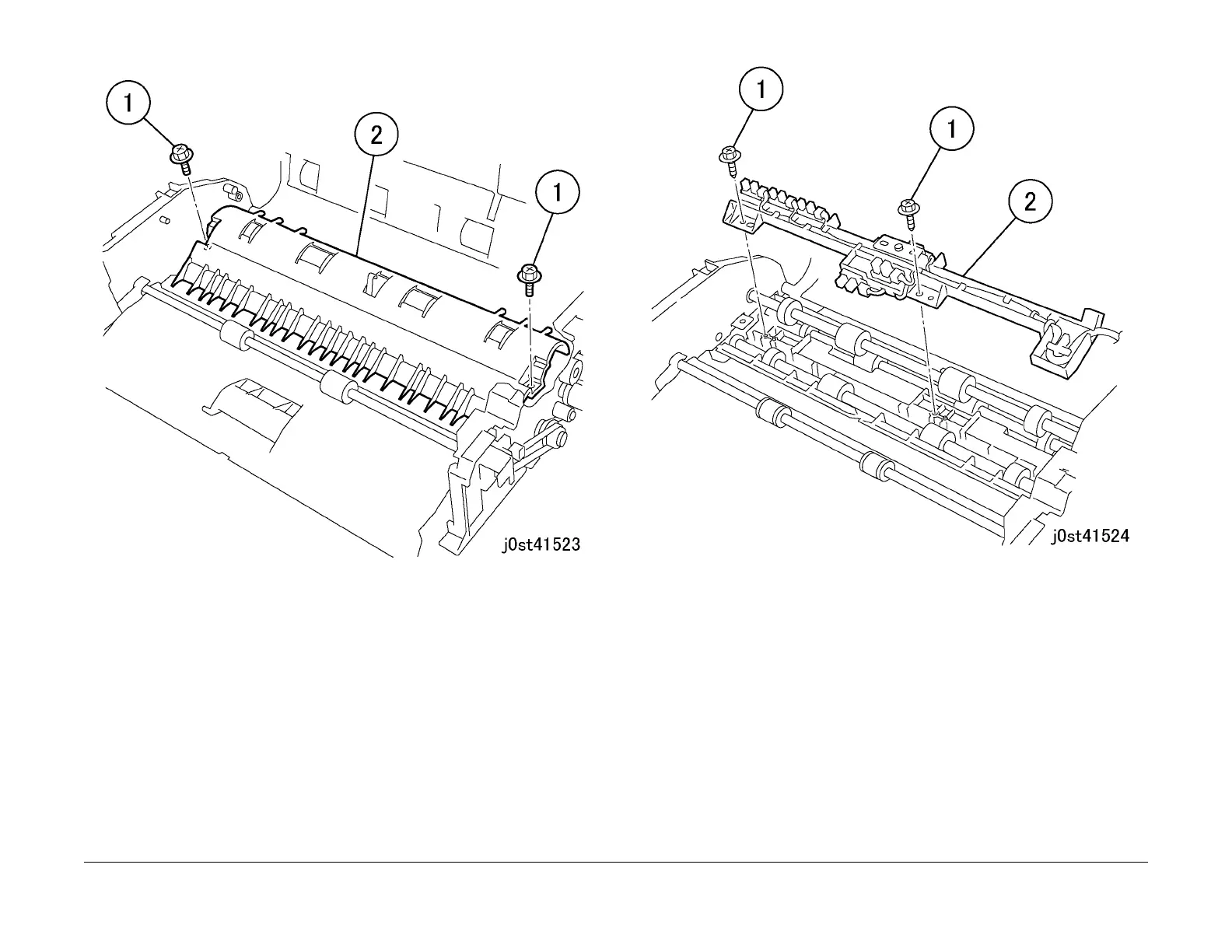
Figure 3 Removing the Feed Guide
10. Remove the sensor holder. (Figure 4)
1. Remove the Tapping Screws (2).
2. Remove the sensor holder.
Figure 4 Removing the sensor holder
11. Loosen the belt tension. (Figure 5)
1. Remove the spring.
2. Loosen the screw.
3. Loosen the belt tension.
4. Remove the E-Clip.
5. Remove the gear.



 To Next Page
 Loading...