2.11 Windows Security Measures
2-45
2
For Win10
Windows firewall On/Off setting (Win10)
1. Click Start ( ) → Windows system → Control Panel from the
Windows menu bar hidden in the lower part of the screen.
2. With View by: Category, click
System and Security → Windows
Defender Firewall to show Windows Defender Firewall window.
Note:
Depending on when MP2110A was shipped, factory default setting
of Windows firewall might be set to On.
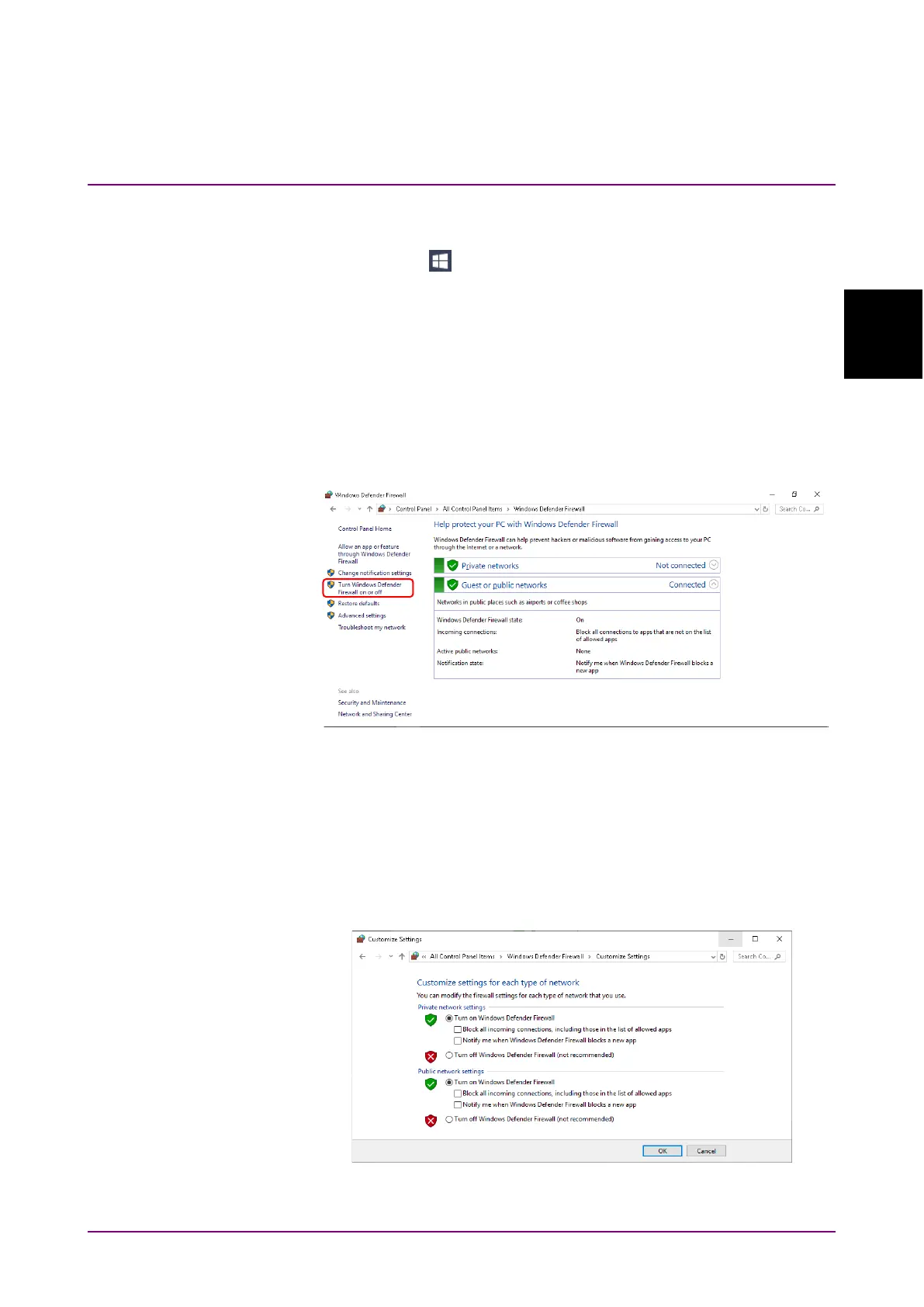
3. Click
Turn Windows Defender Firewall on or off found in left side of
Windows Defender Firewall window.
Figure 2.11.1-8 Windows Defender Firewall Window
4. Customize Settings window will be shown where Windows firewall
On/Off settings can be changed.
Use MP2110A with the following checkboxes Off (unchecked).
●
Block all incoming connections, including those in the list of
allowed apps
●
Notify me when Windows Firewall blocks a new app
Figure 2.11.1-9 Customize Settings Window














 To Next Page