Chapter 2 Before Use
2-46
Confirmation and setting of allowed programs through Windows firewall
(Win10)
Even if Windows firewall is On, in order for this instrument to operate
properly, it is necessary to set as allowed programs those that enable
external communication from MP2110A.
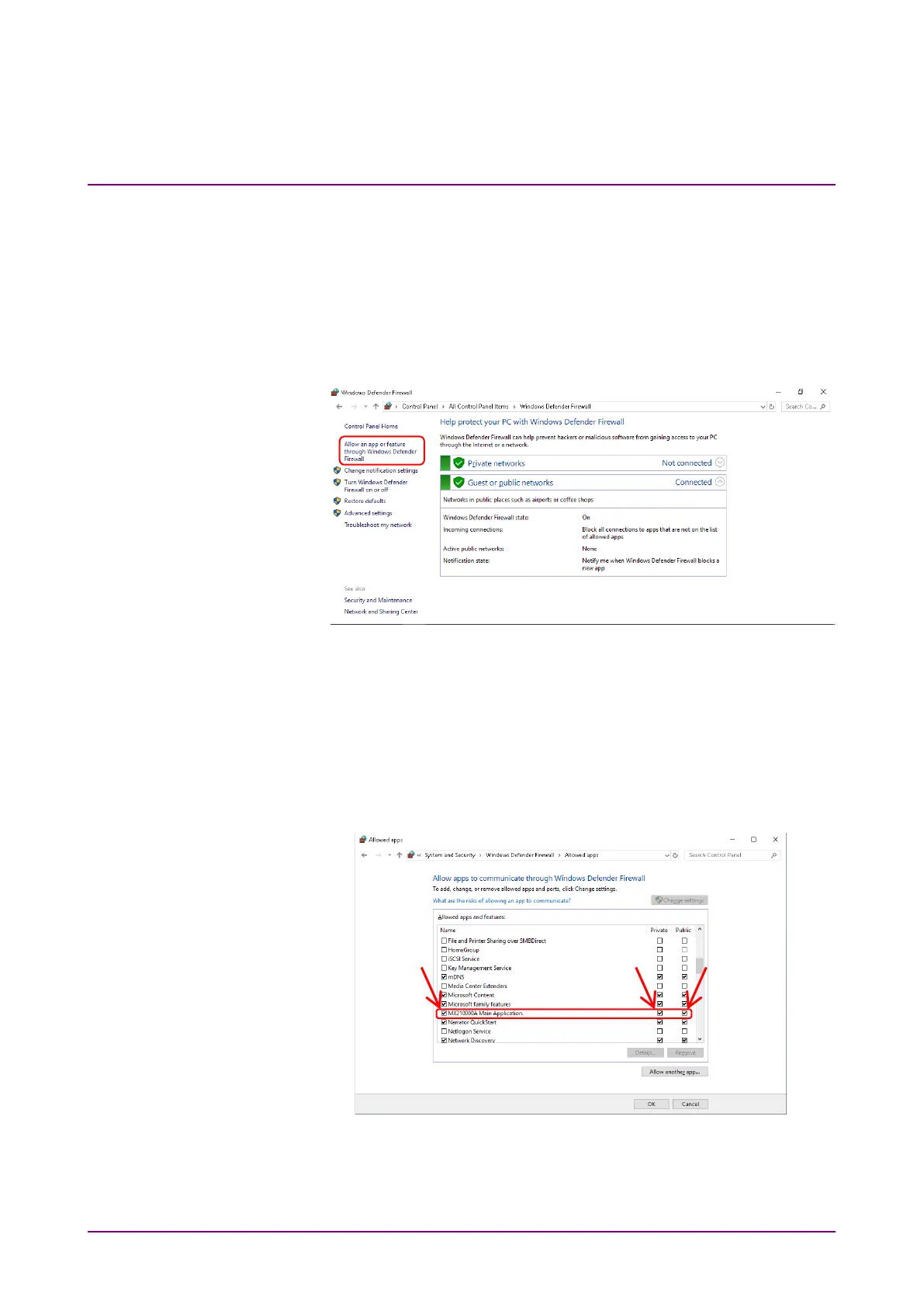
1. Click
Allow an app or feature through Windows Defender Firewall
found in left side of Windows Defender Firewall window.
Figure 2.11.1-10 Windows Defender Firewall Window
2. Allowed apps window will be shown where programs allowed
through Windows firewall can be confirmed.
Confirm if
MX210000A Main Application is found and set to On
(checked) under Allowed apps and features.
When no such information is displayed, it is necessary to add
MX210000A Main Application.
Figure 2.11.1-11 Allowed apps Window














 To Next Page