4.1 Window Configuration
4-3
4
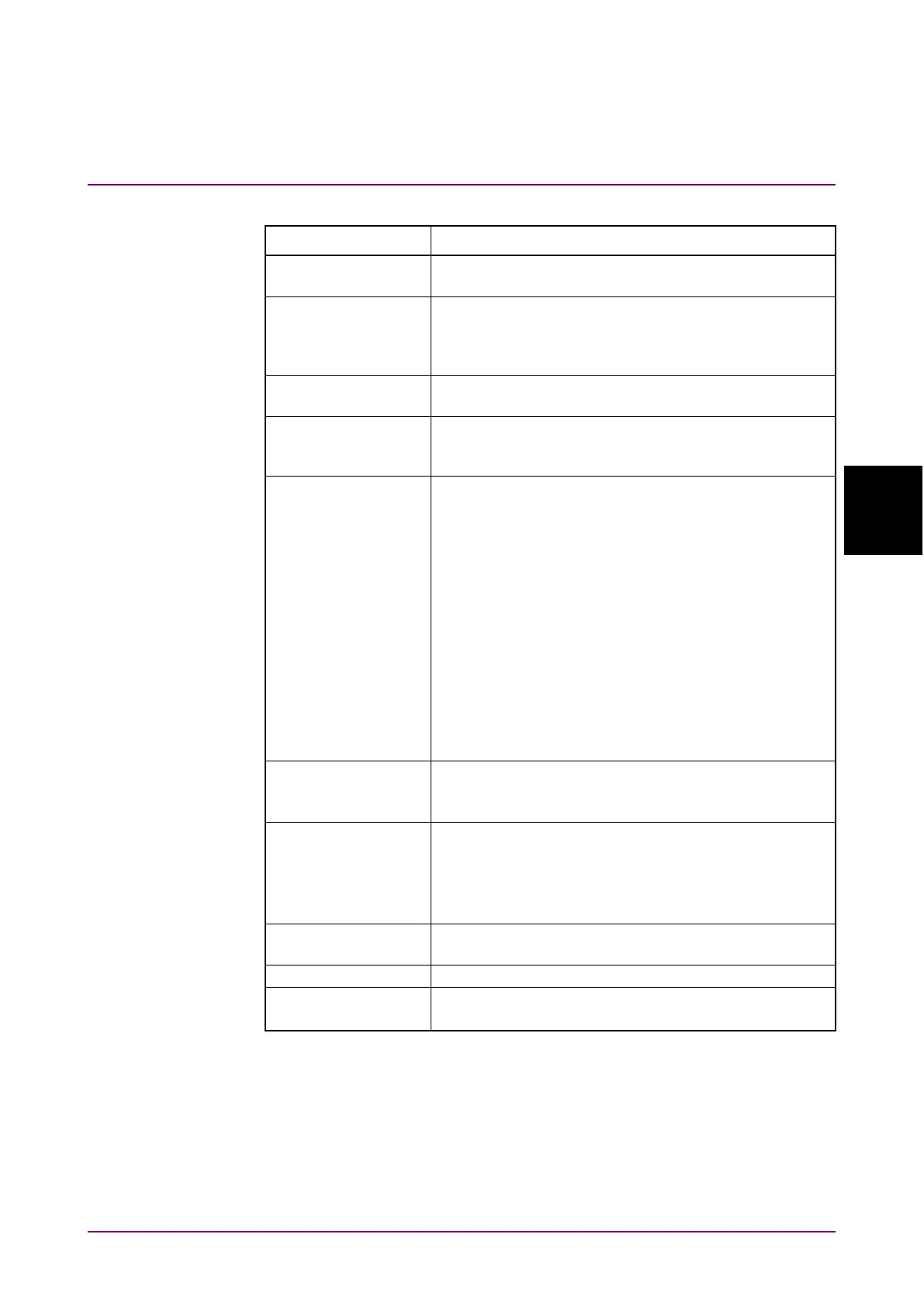
Table 4.1-1 Application Screen Elements
Name Description
Displays the BER measurement results for multiple
channels.
Starts and stops up to four channels of error rate
measurement (MP2110A-011, 012, 014) and up to four
channels of waveform data (MP2110A-021 to 049)
sampling at the same time.
Sets all PPG (MP2110A-011, 012, 014) channels
output to On/Off at the same time.
Sets the bit rate, test pattern, PPG/ED tracking
function, and gating for all channels to match the
Provides the following menu option buttons:
•
Save
•
Open
•
Screen Copy
•
Initialize
•
Panel Lock
•
Local/Panel Unlock
•
Before Use
•
Minimize
•
Dock/Undock
•
Remote Control
•
System Information
Selects the measurement device to be operated.
The displayed measurement device varies depending
The following three kinds of the status are displayed:
Remote: Remotely controlled
Measure: Measuring bit error rate and obtaining
waveform data of sampling oscilloscope
Output: Signal output from one of the PPG channels
Displays the measurement screen selected at the
function menu.
Displays date and time set in the MP2110A.
Displays software version.
Displayed in red if the version has not been updated.














 To Next Page