Chapter 6 How to Operate Sampling Scope
6-92
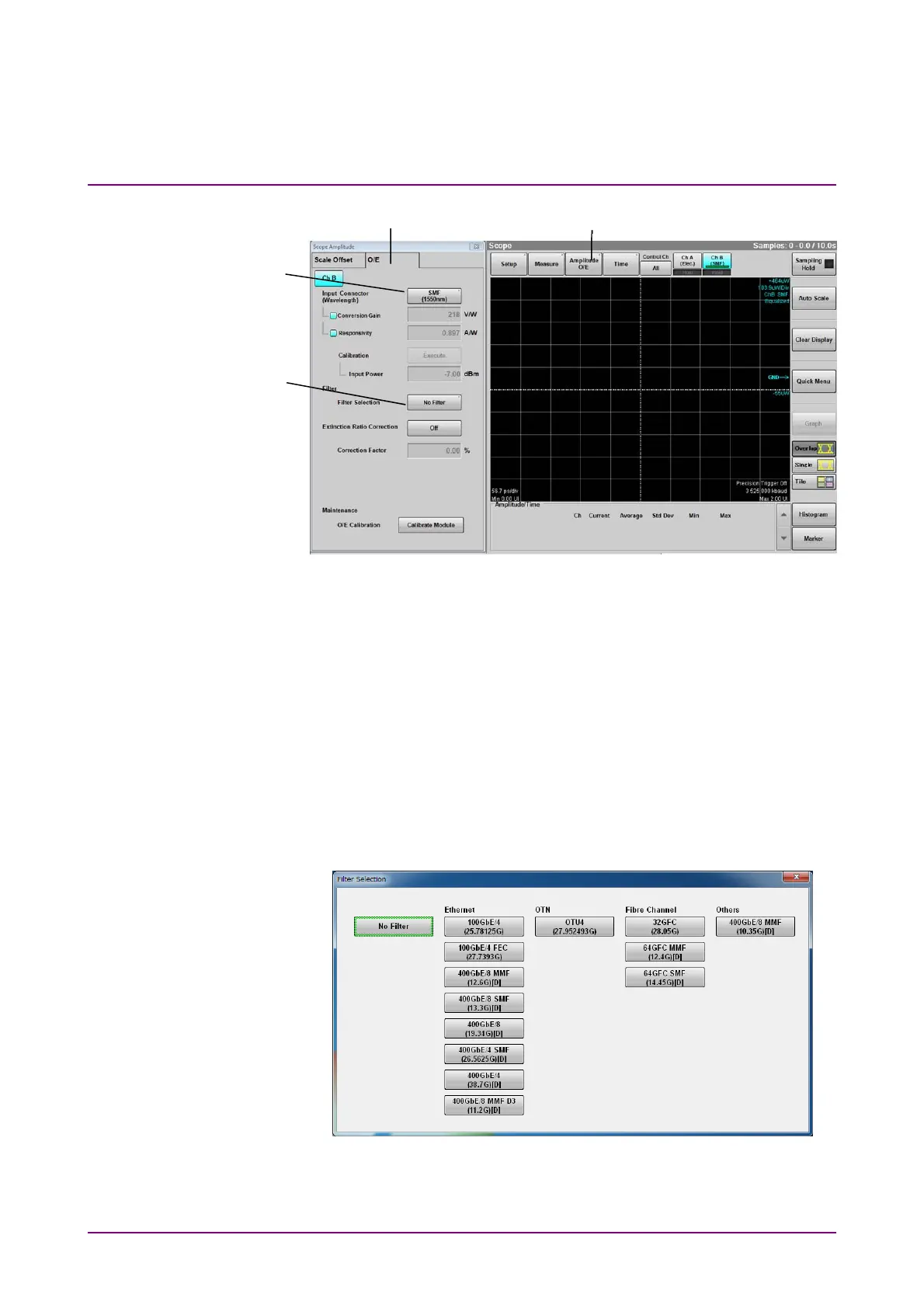
Figure 6.9.1.2-2 O/E Tab Settings
6. Click Amplitude O/E.
7. Click O/E tab.
8. Set Input Connector (Wavelength) when needed.
9. Select a filter at Filter Selection. To measure TDECQ specified in the
IEEE standard, select:
● 400GbE/8 SMF (13.3G) for TDECQ of 26 Gbaud
● 400GbE/4 SMF (26.5625G) for TDECQ of 53 Gbaud
The names of digital filters are followed by [D]. Digital filters are
available when Sampling Mode is set to Coherent Eye and Test
Pattern is set to other than Variable.
Figure 6.9.1.2-3 Filter Selection Dialog Box
6
7
8
9














 To Next Page