Chapter 6 How to Operate Sampling Scope
6-120
To save screen image
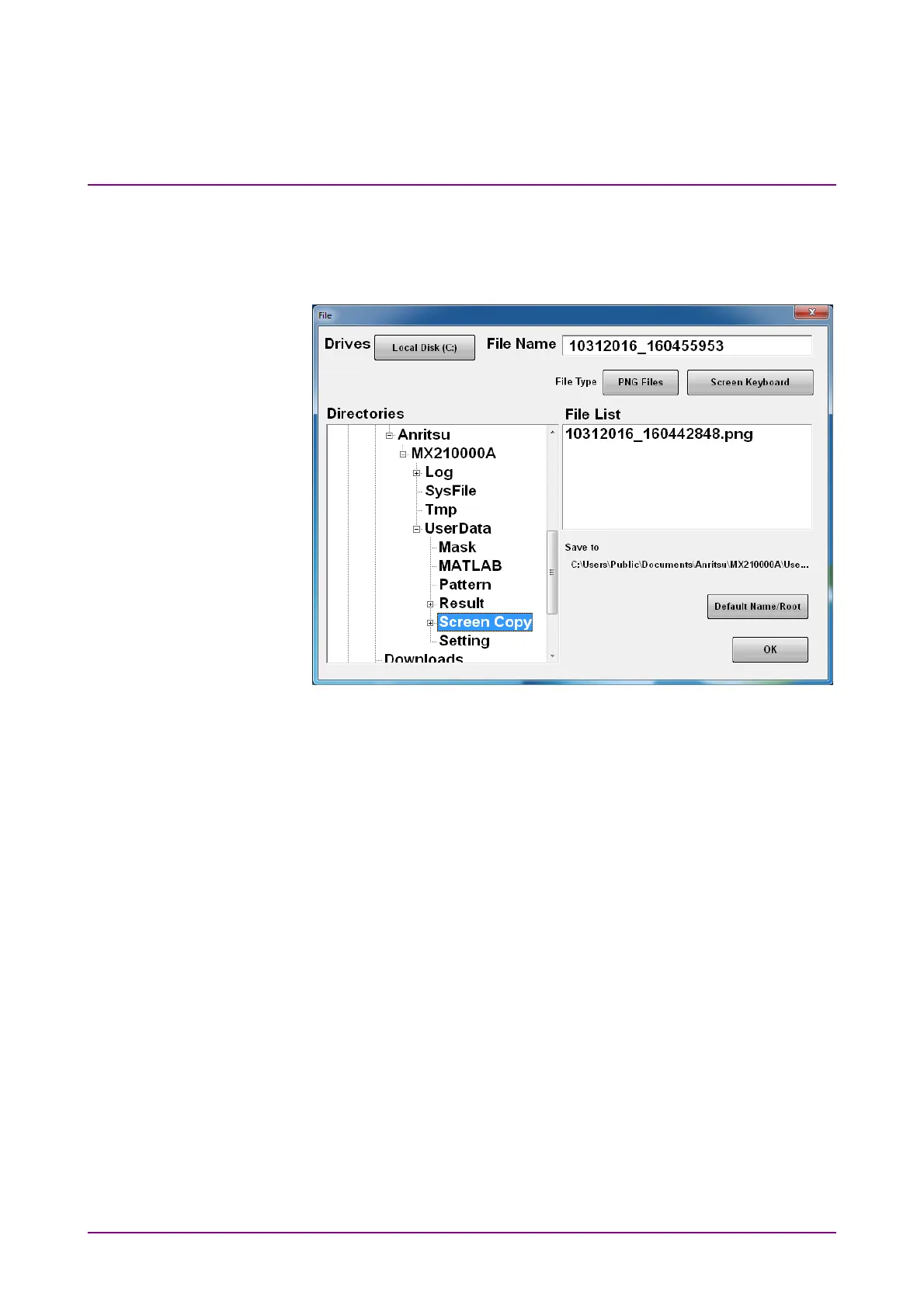
When saving the entire screen
1. Click Screen Copy at the system menu. The file selection screen is
displayed.
2. Click the Drives button and the Directories field to set the save
destination folder. The path to the save folder is displayed at the
Save to field.
3. The file format to be saved is displayed in the right button of the file
type. Clicking the button can set the file format.
4. To set the file name, click Screen Keyboard and input the file name.
5. When overwriting an existing file, click the file name displayed at
File List.
6. Click OK to save the screen image.
When overwriting a file, a confirmation dialog box is displayed.
The path to the default folder is:
C:\Users\Public\Documents\Anritsu\MX210000A\UserData\Screen
Copy
The date and time are recorded in the default file name.














 To Next Page