Chapter 8 Maintenance
8-16
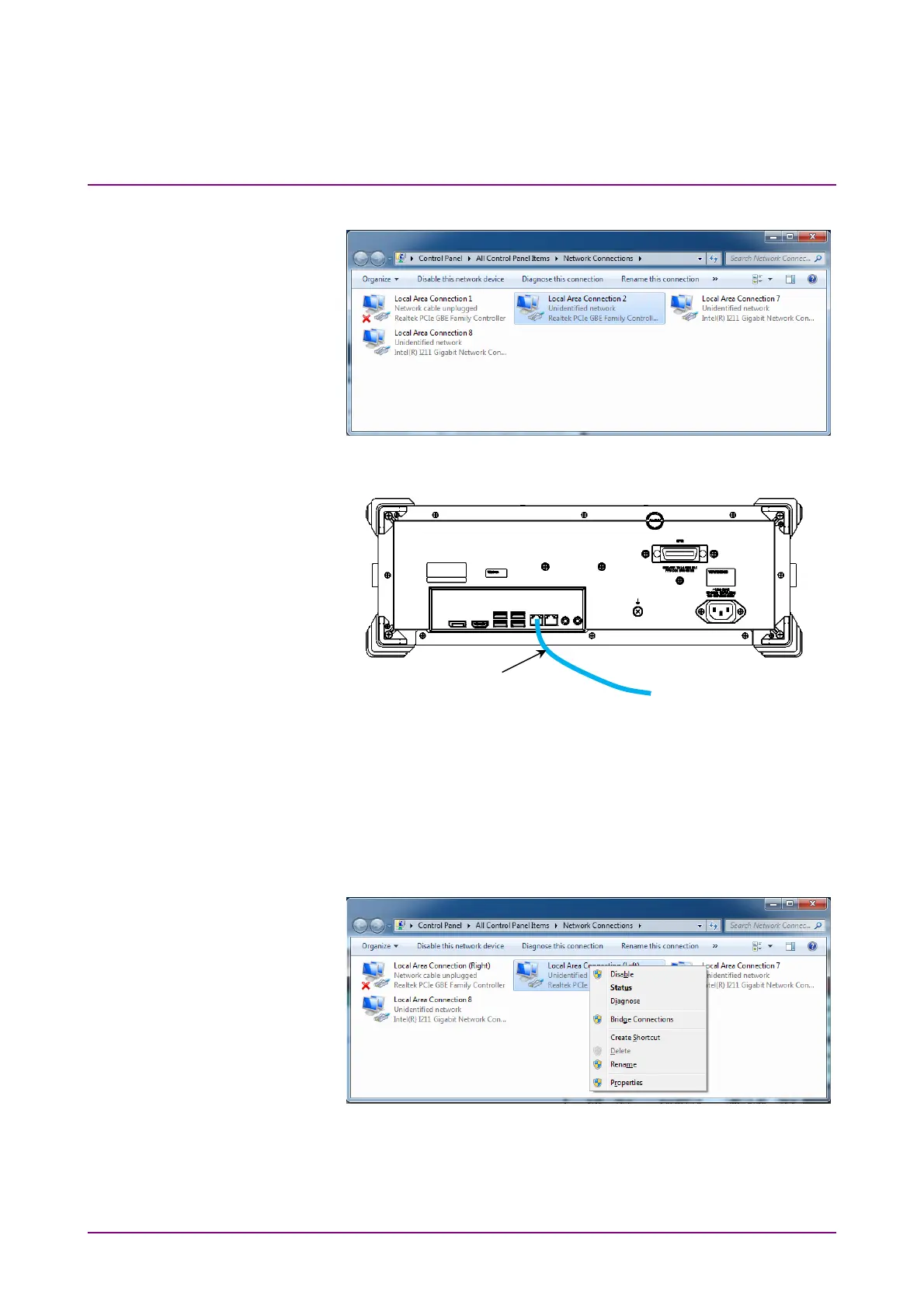
14. In Control Panel, click Network Connections.
15. Connect the cable to the Ethernet connector on the left side of the
rear panel to establish the link.
16. Right-click the Realtek PCIe GBE Family Controller icon where the
cross mark (×) is not displayed.
17. Click Rename.
18. Change the name to “Local Area Connection (Left)”.
19. Right-click other Realtek PCIe GBE Family Controller icon.
20. Click Rename.
21. Change the name to “Local Area Connection (Right)”.
22. Right-click the Intel ® I211 Gigabit Network Connection icon.
23. Click Rename.
24. Change the name to “DO NOT CHANGE 1”.
Ethernet cable














 To Next Page