Chapter 8 Maintenance
8-26
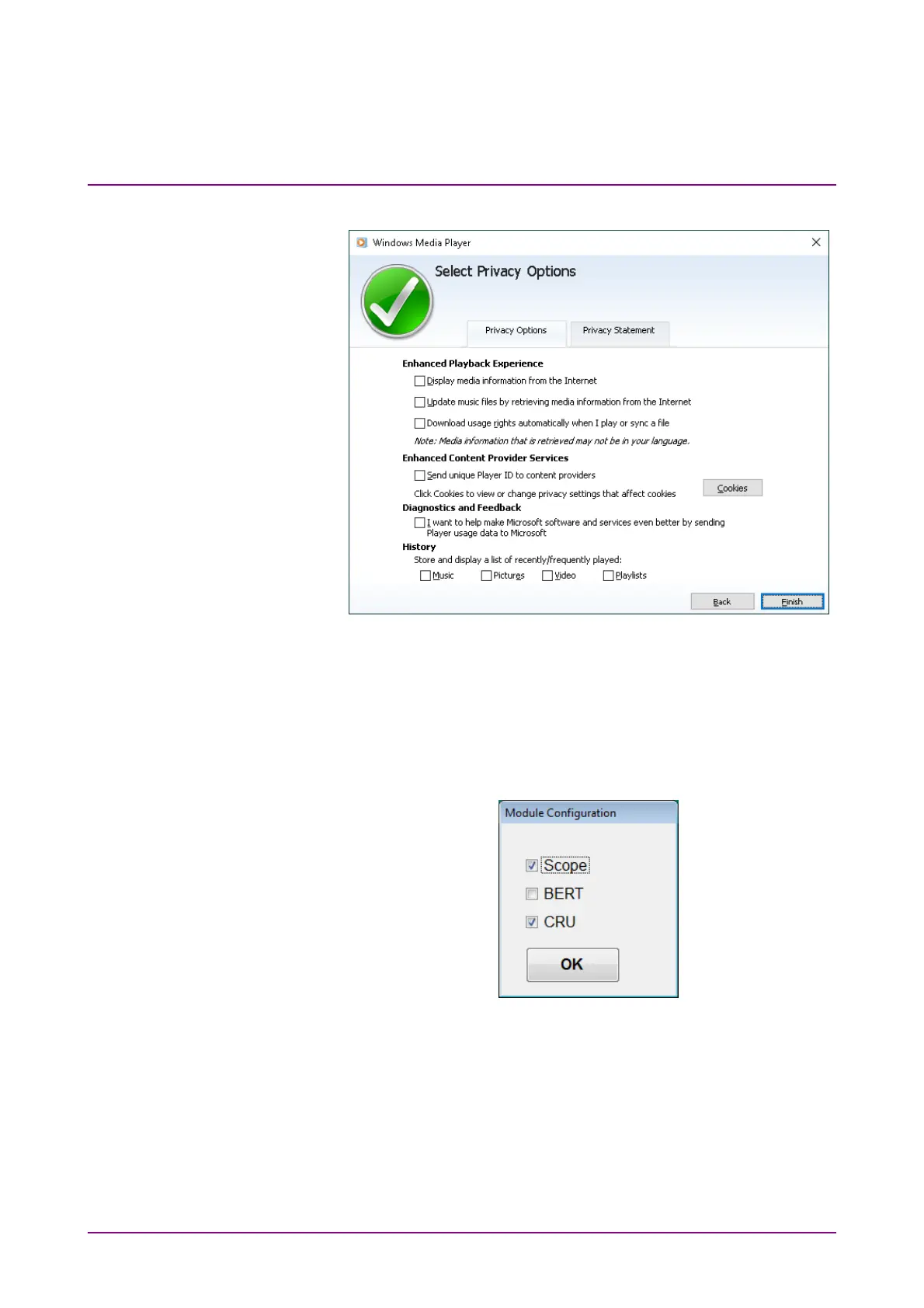
35. Check that all check boxes are not selected, and click Finish.
36. Windows Media Player starts. Click “x” on the top right corner of the
Windows Media Player window to close it.
37. Install the BERTWave Control Software (MX210000A) in accordance
with the release notes. For the release notes, refer to 8.5 “Updating
Software”.
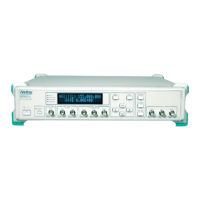
38. The Module Configuration dialog box is displayed after launching the
installer. Select the modules installed in MP2110A, and click OK.
The above dialog box is displayed by clicking MX210000A → Module
Configuration from the start menu of Windows. If the wrong module
is selected, display the Module Configuration dialog box and select
the module again.
39. Configure Windows Firewall exceptions. Refer to 2.11.1 “Activating
Firewall”.





 To Next Page