8.7 System Recovery Function
8-25
8
Maintenance
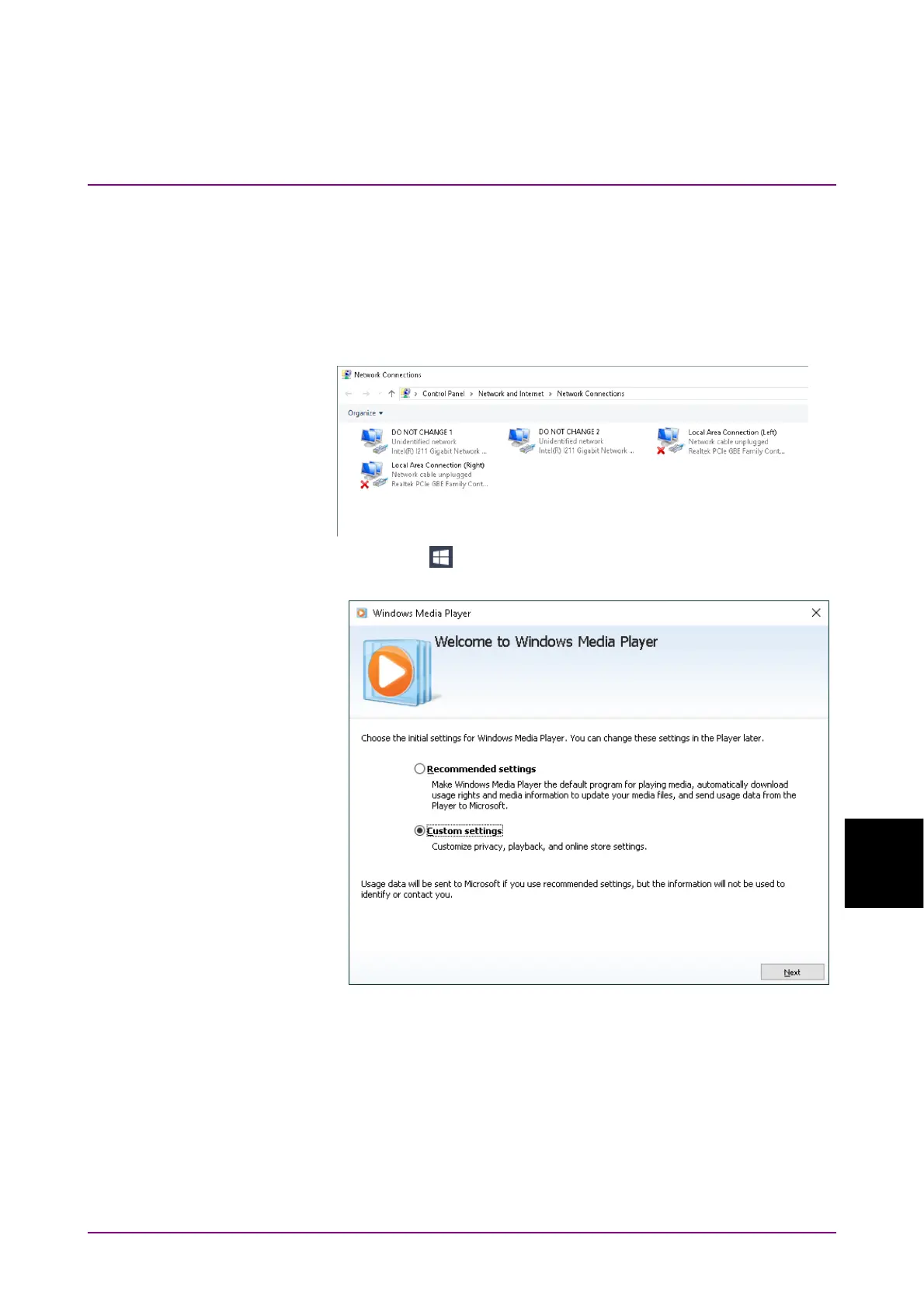
28. Click Rename.
29. Change the name to “DO NOT CHANGE 1”.
30. When there are two Intel ® I211 Gigabit Network Connection icons,
right-click other Intel ® I211 Gigabit Network Connection icon.
31. Click Rename.
32. Change the name to “DO NOT CHANGE 2”.
33. Click Start () → Windows Media Player from the start menu.
34. Click Custom Settings, and click Next.





 To Next Page