Chapter 8 Maintenance
8-24
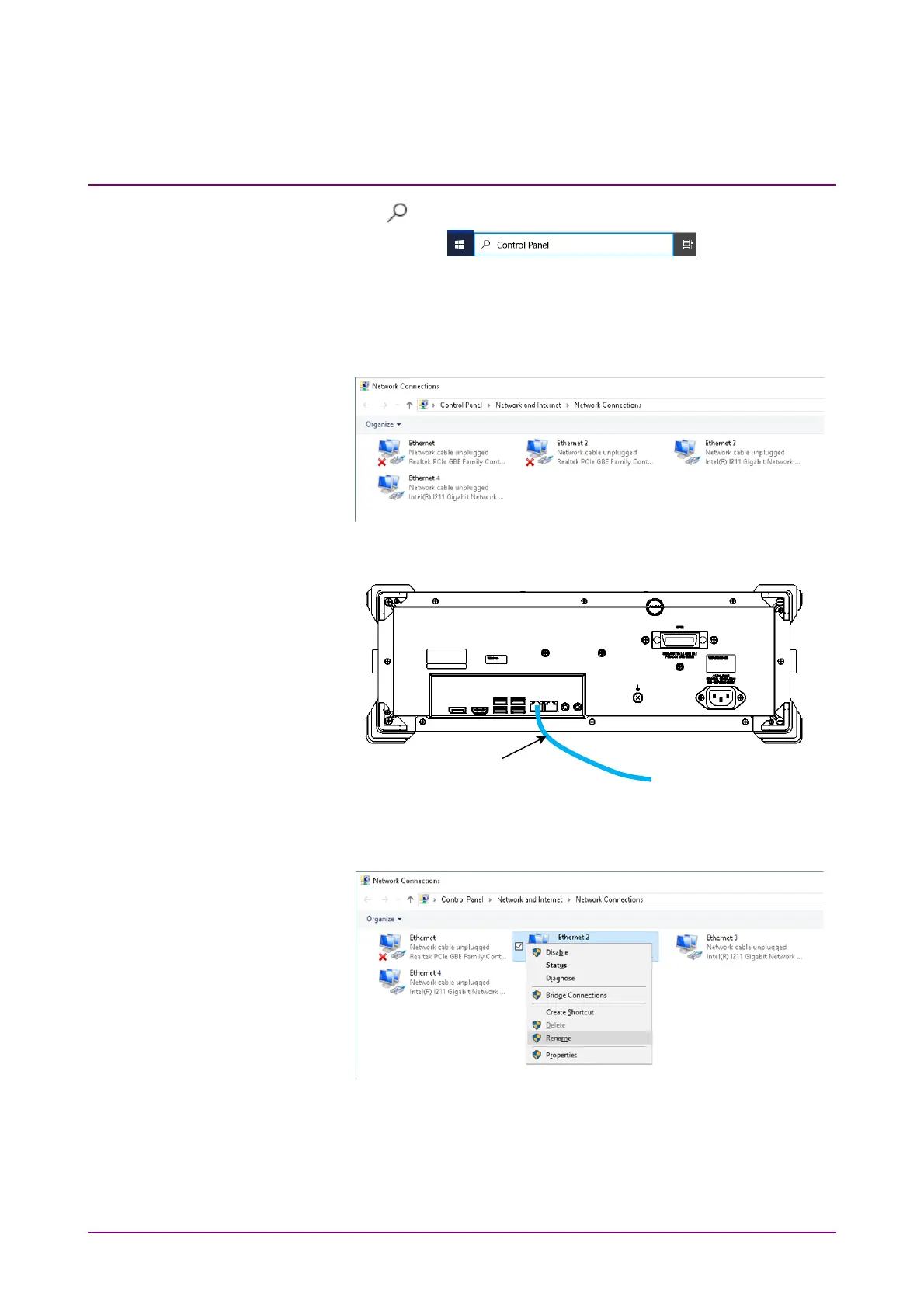
15. Click on the taskbar and type “Control Panel” in the Search box.
16. Click Control Panel icon.
17. Click Network and Internet.
18. Click Network and Sharing Center.
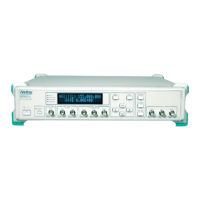
19. Click Change adapter settings.
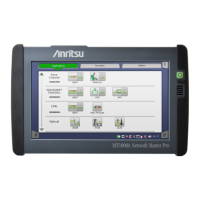
20. Connect the cable to the Ethernet connector on the left side of the
rear panel to establish the link.
21. Right-click the Realtek PCIe GBE Family Controller icon where the
cross mark (×) is not displayed.
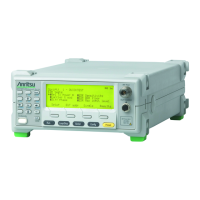
22. Click Rename.
23. Change the name to “Local Area Connection (Left)”.
24. Right-click other Realtek PCIe GBE Family Controller icon.
25. Click Rename.
26. Change the name to “Local Area Connection (Right)”.
27. Right-click the Intel ® I211 Gigabit Network Connection icon.
Ethernet cable






 To Next Page