7. Lenses & lens holder
for SCOPE. Note that the lenses for the DPxK BLP-series projector are varifocal. So, switching be tween FLAT and SC OPE (zoom
action) requires a readjustment of the focus.
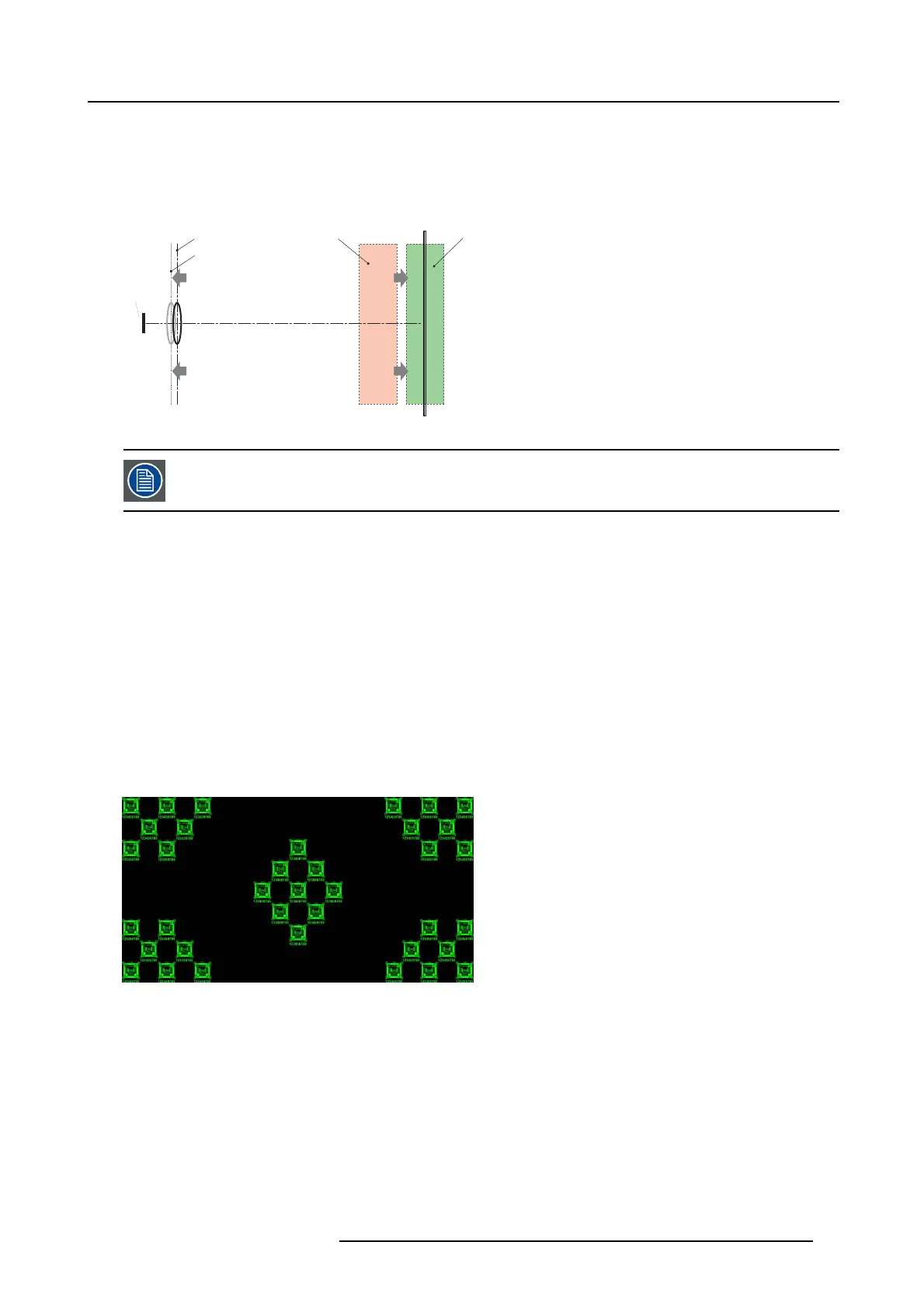
What is Back Focal Length adjustment?
Back Focal Length a djustment means moving the lens plane (Lp), t hus the Lens Holder front plate, closer to or further from the D M D
plane. Th e closer the lens plane to the D M D plane the further the focus range (Fr) of the lens will be.
SCREEN
DMD
Lp1
Lp2
Fr1
Fr
Image 7-20
Do not abuse the Back Focal Length adjustment of the Lens Holder. Neglecting this will re
sult in loss of image
quality because of the len s design. Cases requiring Back Focal Length adjustment n ormally indicate incorrect
lens choice (throw ratio).
Necessary tools
• Nut driver 10mm .
• Allen wrench 3mm.
• Nut driver 13mm .
How to check the Back Focal Length
1. E nsure that the throw ratio of the installed lens matches with the requirements of the application (projection distance and screen
size).
2. E nsure that the correct lens parameters are activated. (See user guide of the Communicator chapter Installation > Advanced >
Lens parameters)
Caution: Not using the c orrect lens parameters could result in lens damage.
3. P erform a lens HOME & RETURN operation. (See user guide of the Communicator chapter Installation > Advan ced > Lens
parameters)
4. P roject the green focus test pattern. (s creen file “no masking” or “no “crop”)
Image 7-21
5. Z oom the lens for maximum image on the screen (WIDE).
6. Is it possible to focus the center of the projected image?
If yes, the Back Focal Length is OK.
If no, the Back Focal Length needs realignment. Proceed with the next procedure.
How to adjust the Back Focal Length?
1. Unlock and loosen the 4 set s crews (reference 11 image 7-22) of the Le ns Holder by 1 centimeter. Use a 10mm nu t driver for
the lock nuts (reference 21 image 7-22) and use a 3mm Allen wrench for the set screws.
R5906753 DPXK BLP SERIES 20/11/2017
71



 To Next Page