7.2.1 VLANs
In this menu, you can display all the VLANs already configured, edit your settings and cre-
ate new VLANs. By default, the '# VLAN with VLAN Identifier = is available,
to which all interfaces are assigned.
7.2.1.1 Edit or New
Choose the icon to edit existing entries. Select the New button in order to create new
VLANs.
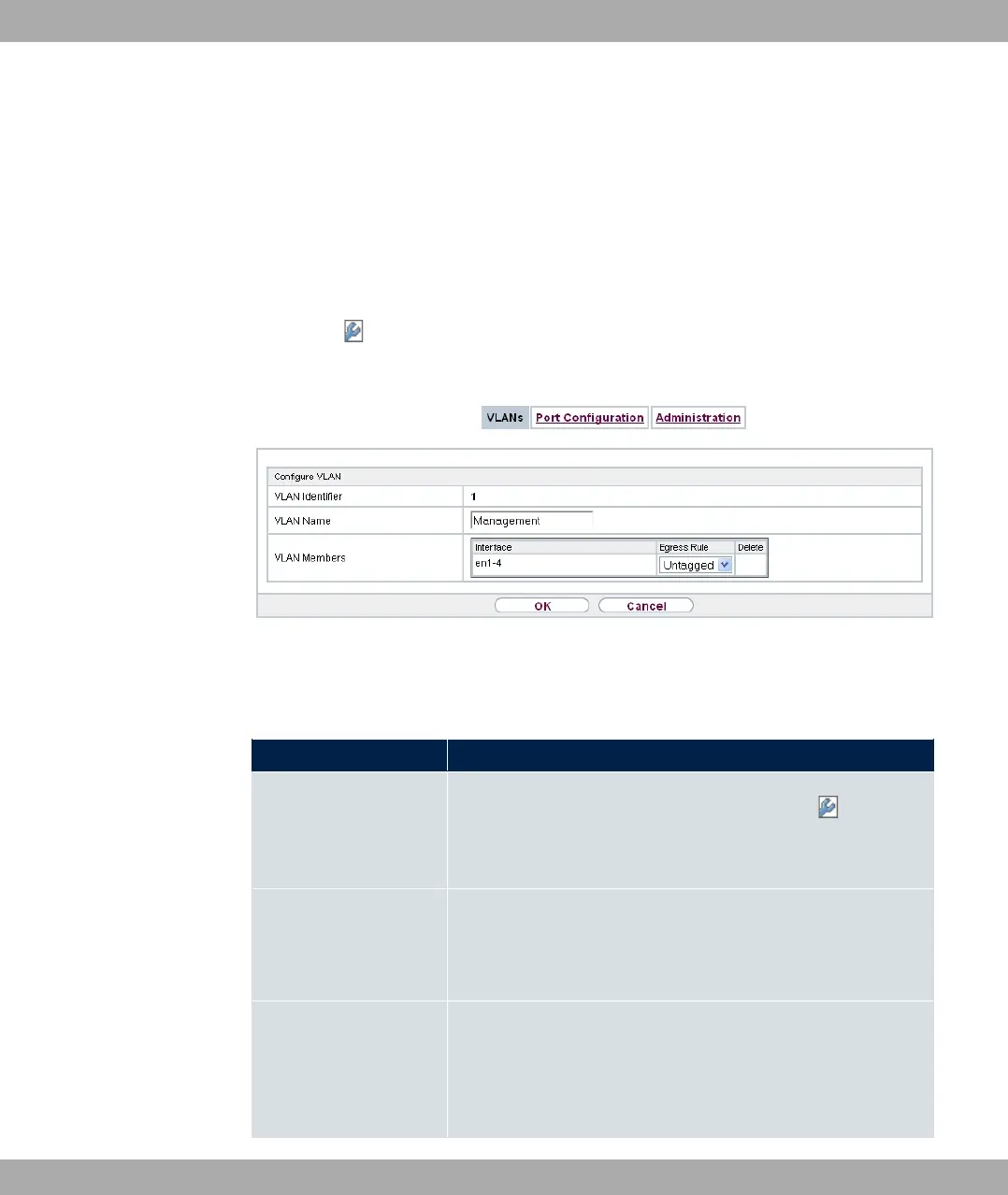
Fig. 59: LAN->VLAN->VLANs->New
The LAN->VLAN->VLANs->New menu consists of the following fields:
Fields in the Configure VLAN menu.
Field Description
VLAN Identifier Enter the number that identifies the VLAN. In the menu, you
can no longer change this value.
Possible values are (default value) to .
VLAN Name Enter a unique name for the VLAN. A character string of up to
32 characters is possible.
The predefined VLAN name is '#.
VLAN Members Select the ports that are to belong to this VLAN. You can use
the Add button to add members.
For each entry, also select whether the frames to be transmitted
from this port are to be transmitted *## (i.e. with VLAN in-
bintec elmeg GmbH
7 LAN
bintec RS Series 149



 To Next Page