9.6.1 Firmware Maintenance
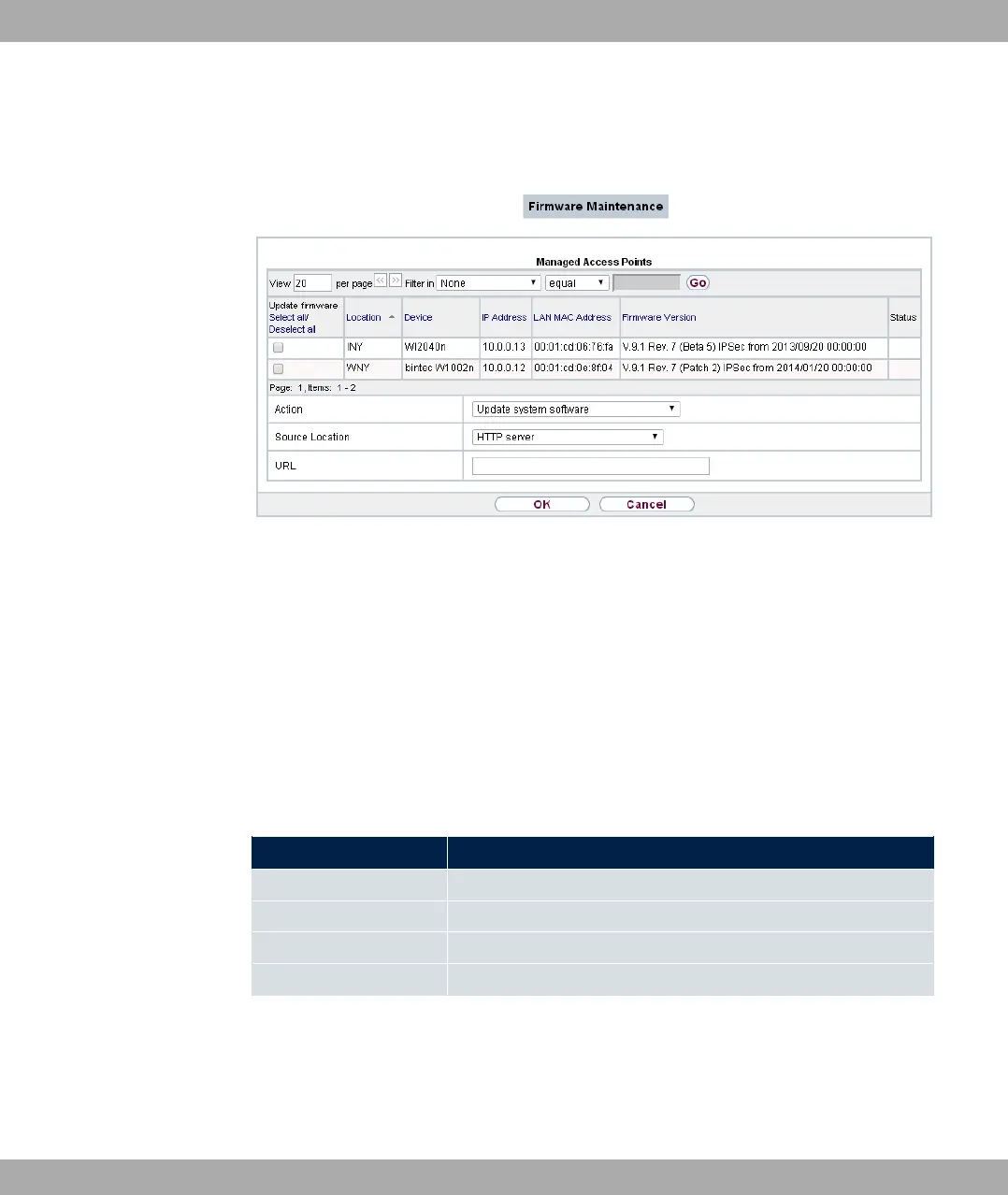
Fig. 91: Wireless LAN Controller->Maintenance->Firmware Maintenance
In the Wireless LAN Controller->Maintenance->Firmware Maintenance menu, a list of
all Managed Access Points is displayed.
For each managed AP you will see an entry with the following parameter set: Update firm-
ware, Location, Device, IP Address, LAN MAC Address, Firmware Version, Status.
Click the Select all button to select all of the entries for a firmware update. Click the
Deselect all button to disable all entries and to then select individual entries if required
(e.g. if there is a large number of entries and only individual APs are to be given software
updates).
Possible values for Status
Status Meaning
Image already exists. The software image already exists; no update is required.
Error An error has occurred.
Running The operation is currently in progress.
Done The update is complete.
The Wireless LAN Controller->Maintenance->Firmware Maintenance menu consists of
the following fields:
Fields in the Firmware Maintenance menu
9 Wireless LAN Controller bintec elmeg GmbH
222 bintec RS Series



 To Next Page