Field Value
• ) + ; is displayed if the SIM card is inser-
ted, but the PIN has not yet been entered.
• is displayed while he SIM card is initialized.
• If the SIM card is operational, the Network Quality is dis-
played.
Fields in the WAN Interfaces menu.
Field Value
Description - Connec-
tion Information - Link
All the WAN interfaces are listed here and their most important
settings are shown. The system also displays whether the inter-
face is active.
5.2 Global Settings
The basic system parameters are managed in the Global Settings menu.
5.2.1 System
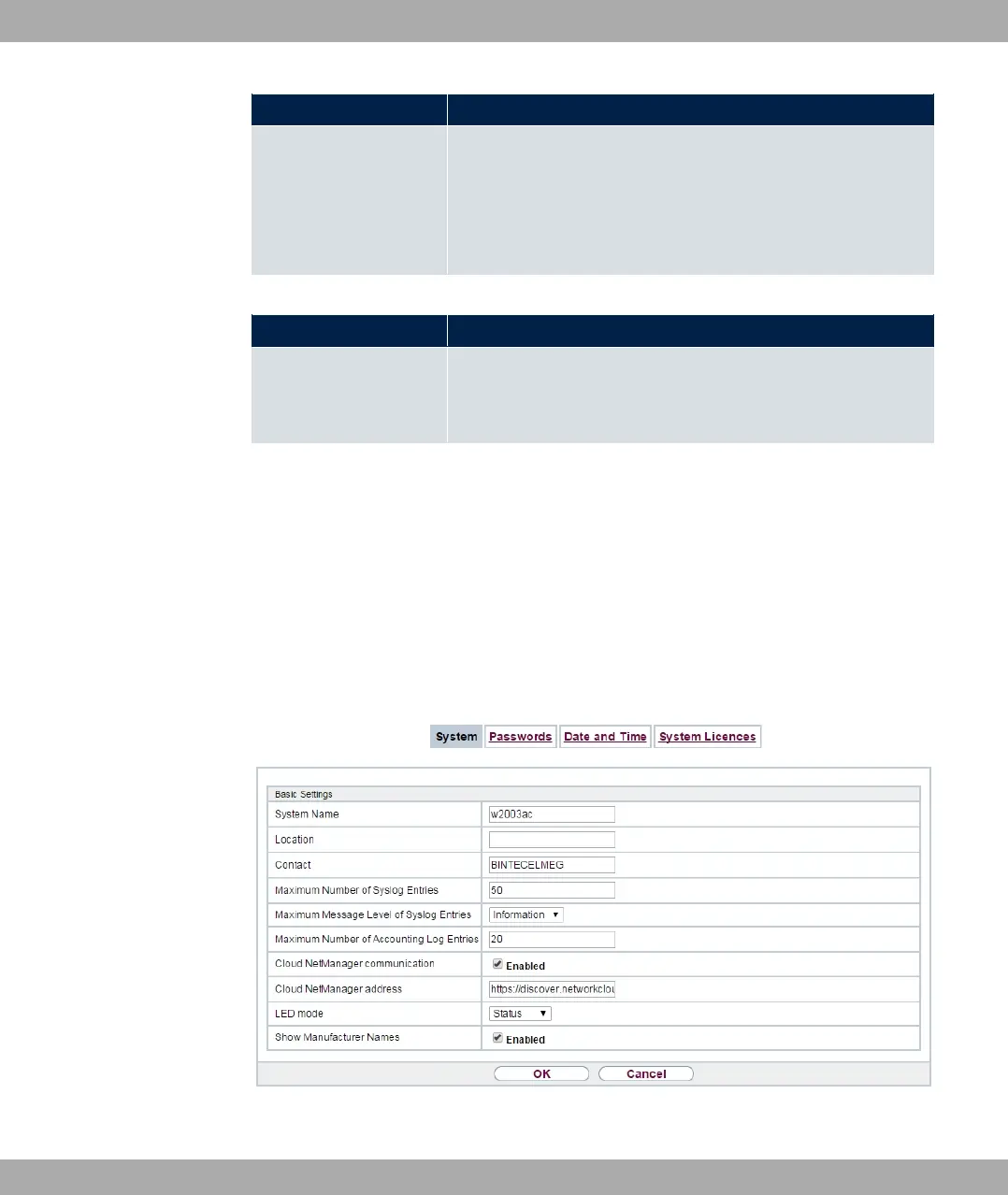
Your device's basic system data is entered in the System Management->Global
Settings->System menu.
Fig. 25: System Management->Global Settings->System
5 System Management bintec elmeg GmbH
56 bintec RS Series



 To Next Page