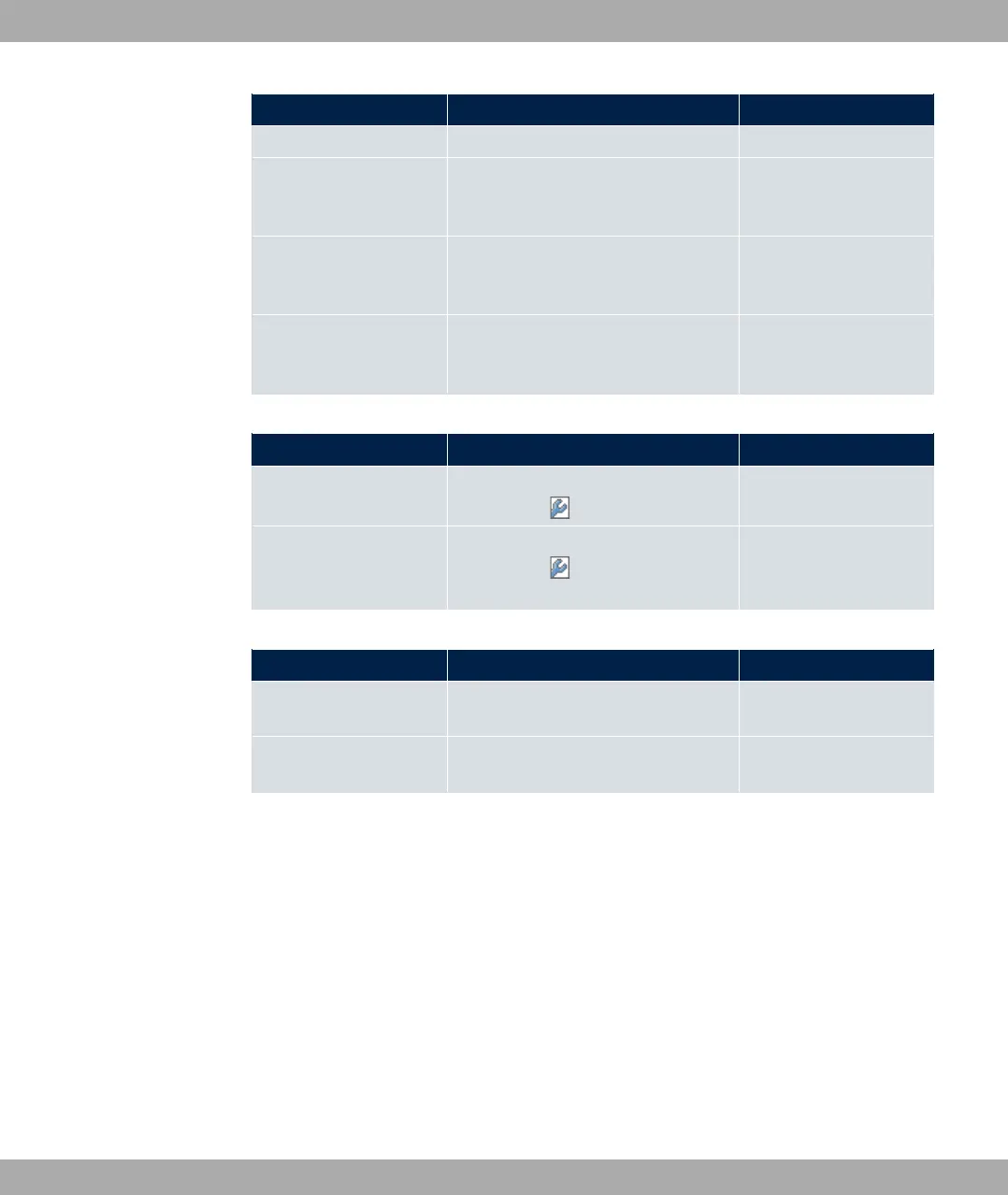
Field Menu Value
CP Configuration->New
Gateway Local Services->DHCP Server->DH-
CP Configuration->New->Ad-
vanced Settings
. A
7(
Lease Time Local Services->DHCP Server->DH-
CP Configuration->New->Ad-
vanced Settings
e.g.
IP address to use for
DNS/WINS server as-
signment
Local Services->DNS->Global Set-
tings->Advanced Settings
e.g. -7
DHCP Client
Field Menu Value
Address Mode LAN->IP Configuration->Interfaces-
> <en1-4>->
5@6
DHCP MAC Address
(optional)
LAN->IP Configuration->Interfaces-
> <en1-4> -> ->Advanced Set-
tings
MAC address for a spe-
cific DHCP server
DHCP Relay Server
Field Menu Value
Primary DHCP Server Local Services->DHCP Server->DH-
CP Relay Settings
e.g.
Secondary DHCP Serv-
er (optional)
Local Services->DHCP Server->DH-
CP Relay Settings
if one exists
17.5 DHCPv6 Server
You can operate your device as a DHCPv6 server. The DHCPv6 server can either assign
IP addresses as well as DHCPv6 options or DHCPv6 options only without any addresses.
These parameters are collected in a so called "Option Set". An option set can be linked to
an interface (see Local Services->DHCPv6 Server->DHCPv6 Server->New), or it can be
configured globally (see Local Services->DHCPv6 Server->DHCPv6 Global
Options->New). DHCP options can, e.g., contain information about DNS or time servers.
17 Local Services bintec elmeg GmbH
468 bintec RS Series



 To Next Page