7 FUNCTION Function button
8 RESET Reset button
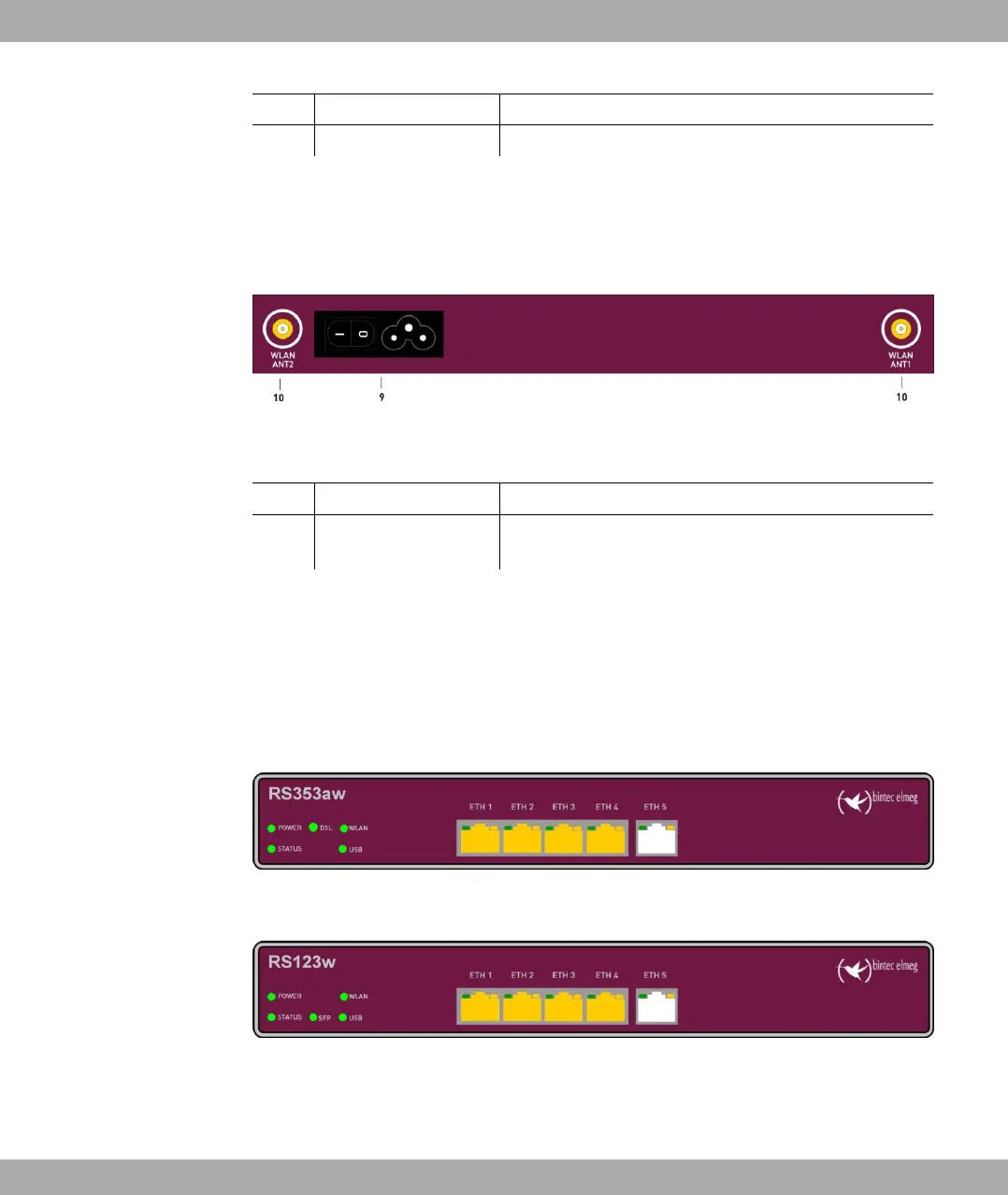
On the back of the device the mains connection and the on/off switch is located. bintec
RS123w and bintec RS353aw has connectors for two external Wi-Fi antenna.
The connections are arranged as follows:
Fig. 8: bintec RS123w, bintec RS353aw rear panel
Rear pannel connections
9 POWER IEC C6 power connection and on/off switch
10 WLAN 1 / 2 Connections for the WLAN antenna (only bintec
RS123w and bintec RS353aw)
1.2.3 LEDs
The LEDs of your device provide information about specific activities and states of the
device.
The LEDs are arranged as follows:
Fig. 9: Arrangement of the LEDs bintec RS353aw
Fig. 10: Arrangement of the LEDs bintec RS353aw
LED status display
1 Installation bintec elmeg GmbH
14 bintec RS Series



 To Next Page