Field Description
count of ports is retained.
10.3.3 NAT - Configuration example
Requirements
• Basic configuration of the gateway
• A working Internet access. For example, Company Connect with 8 IP addresses.
• The Ethernet interface ETH is connected to the access router to the internet (IP address
/)
• The IP address to are entered on Ethernet interface ETH.
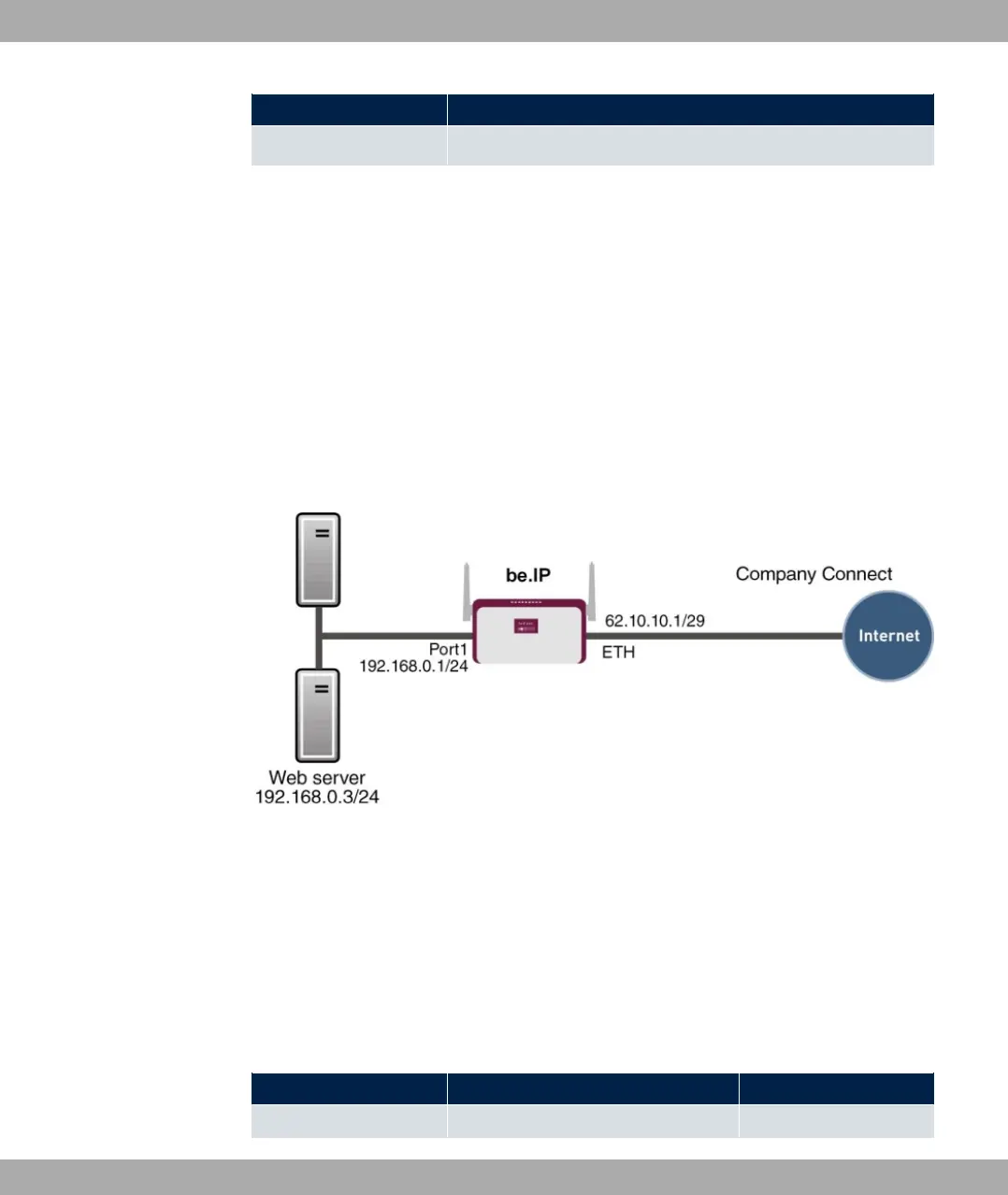
Example scenario
Configuration target
• You configure NAT enables for accessing your gateway over HTTP.
• You also want to access your terminal server and the corporate web server over the In-
ternet.
Overview of Configuration Steps
Enable NAT
Field Menu Value
NAT active Network->NAT->NAT Interfaces Enabled for 03)=)
10 Networking bintec elmeg GmbH
246 bintec RS Series



 To Next Page