Chapter 18 Maintenance
This menu provides you with numerous functions for maintaining your device. It firstly
provides a menu for testing availability within the network. You can manage your system
configuration files. If more recent system software is available, you can use this menu to in-
stall it. If you need other languages for the configuration interface, you can import these.
You can also trigger a system reboot in this menu.
18.1 Log out Users
It can happen that an incompletely terminated configuration session affects functions of the
configuration interface. In this case, all active configurations can be checked and - if applic-
able - terminated.
18.1.1 Log out Users
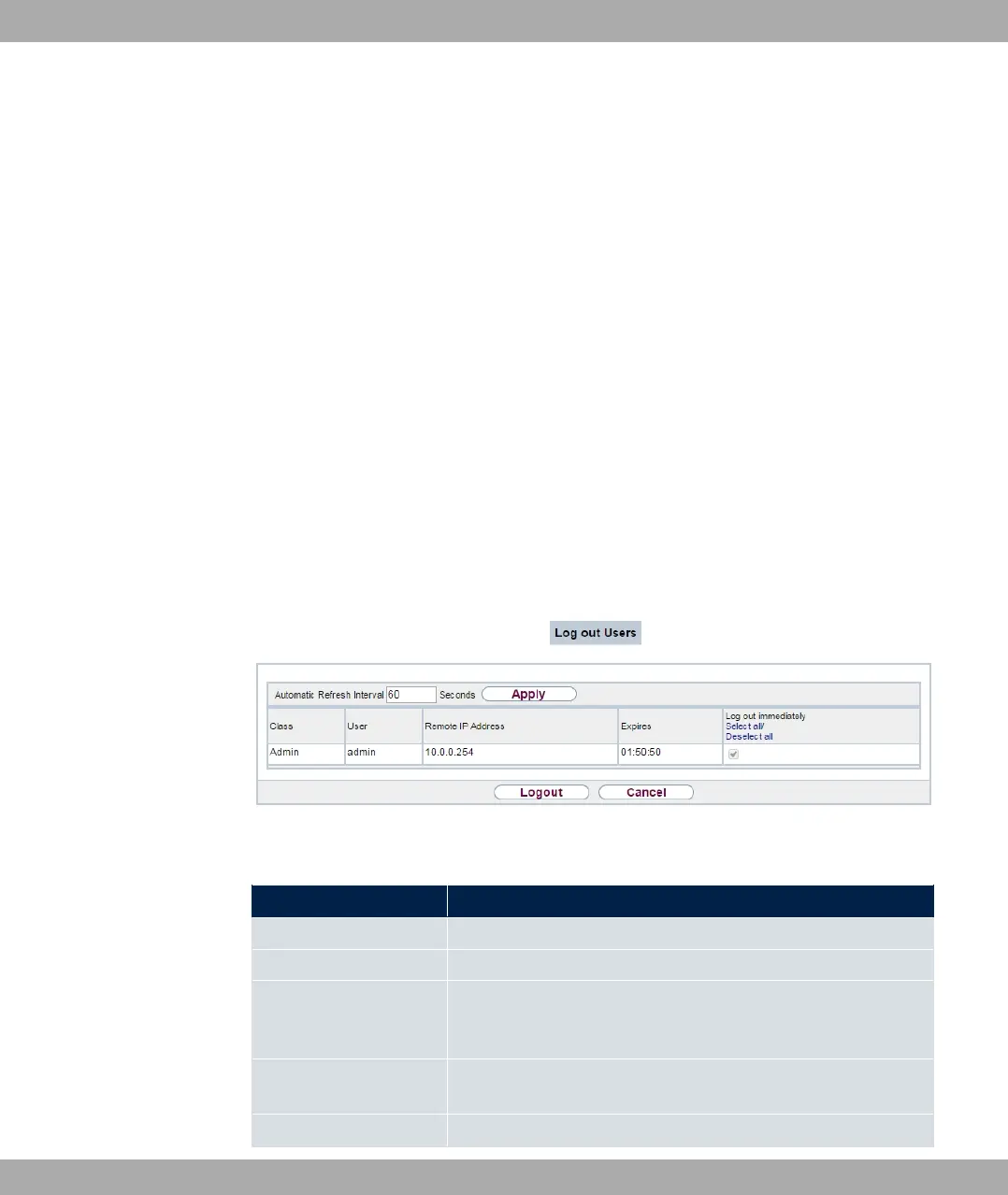
In this menu, you are presented with a list of all active configuration sessions.
Fig. 206: Maintenance->Log out Users->Log out Users
Fields in the manu Log out Users
Field Description
Class Dislays the class the signed-on user belongs to.
User Displays the user name.
Remote IP Address Displays the IP address from which the connection has been
established. This may be the address ofa PC, but it may also be
the address of an intermediate router.
Expires Displays when the connection will be automatically terminated
by the device.
Log out immediately If you activate the check box, this user will be disconnected
bintec elmeg GmbH
18 Maintenance
bintec RS Series 541



 To Next Page