Field Value
The function is enabled with "1.
The function is disabled by default.
5.4 Administrative Access
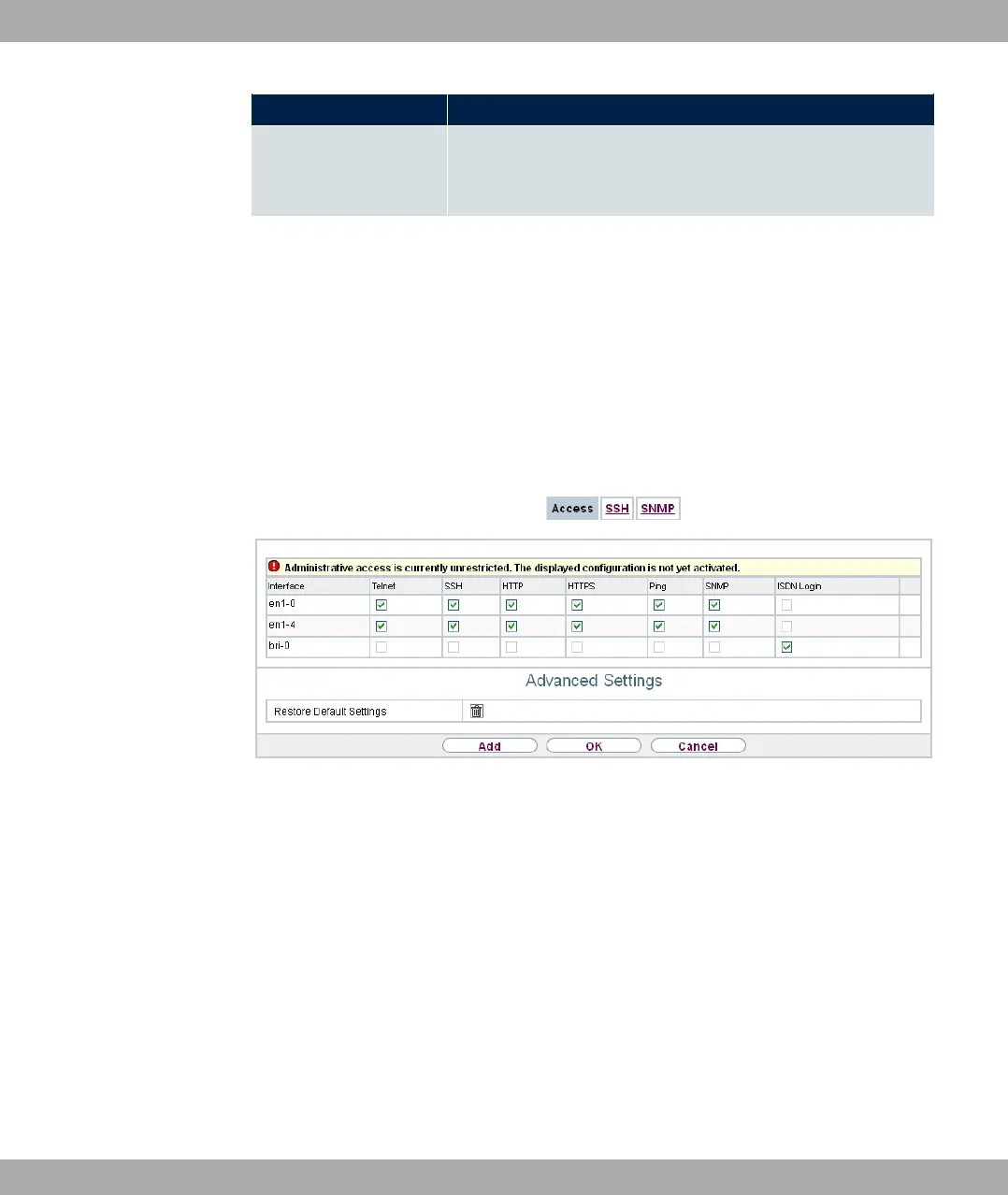
In this menu, you can configure the administrative access to the device.
5.4.1 Access
In the System Management->Administrative Access->Access menu, a list of all IP-
capable interfaces is displayed.
Fig. 32: System Management->Administrative Access->Access
For an Ethernet interface you can select the access parameters *1, @, @**, @*
*, #, )' and for the ISDN interfaces 5) 0#.
For PABX systems only: You can also authorise your device for maintenance work from
bintec elmeg's Customer Service department. To do this you enable either Service Login
(ISDN Web-Access) or Service Call Ticket (SSH Web Access), depending on the ser-
vice you require, and select the OK button. Follow the instructions given by Telekom's Cus-
tomer Service!
Service Login (ISDN Web-Access) is disabled by default.
The menu Advanced Settings consists of the following fields:
Fields in the menu Advanced Settings
5 System Management bintec elmeg GmbH
74 bintec RS Series



 To Next Page