• MSN Configuration: Here you tell your device how to react to incoming calls from the
WAN.
6.2.1 ISDN Configuration
Note
If the ISDN protocol is not detected, it must be selected manually under Port Usage
und ISDN Configuration Type. The automatic D channel detection is then switched
off. An incorrectly set ISDN protocol prevents ISDN connections being set up.
In the Physical Interfaces->ISDN Ports->ISDN Configuration menu, a list of all ISDN
ports and their configuration are displayed.
6.2.1.1 Edit
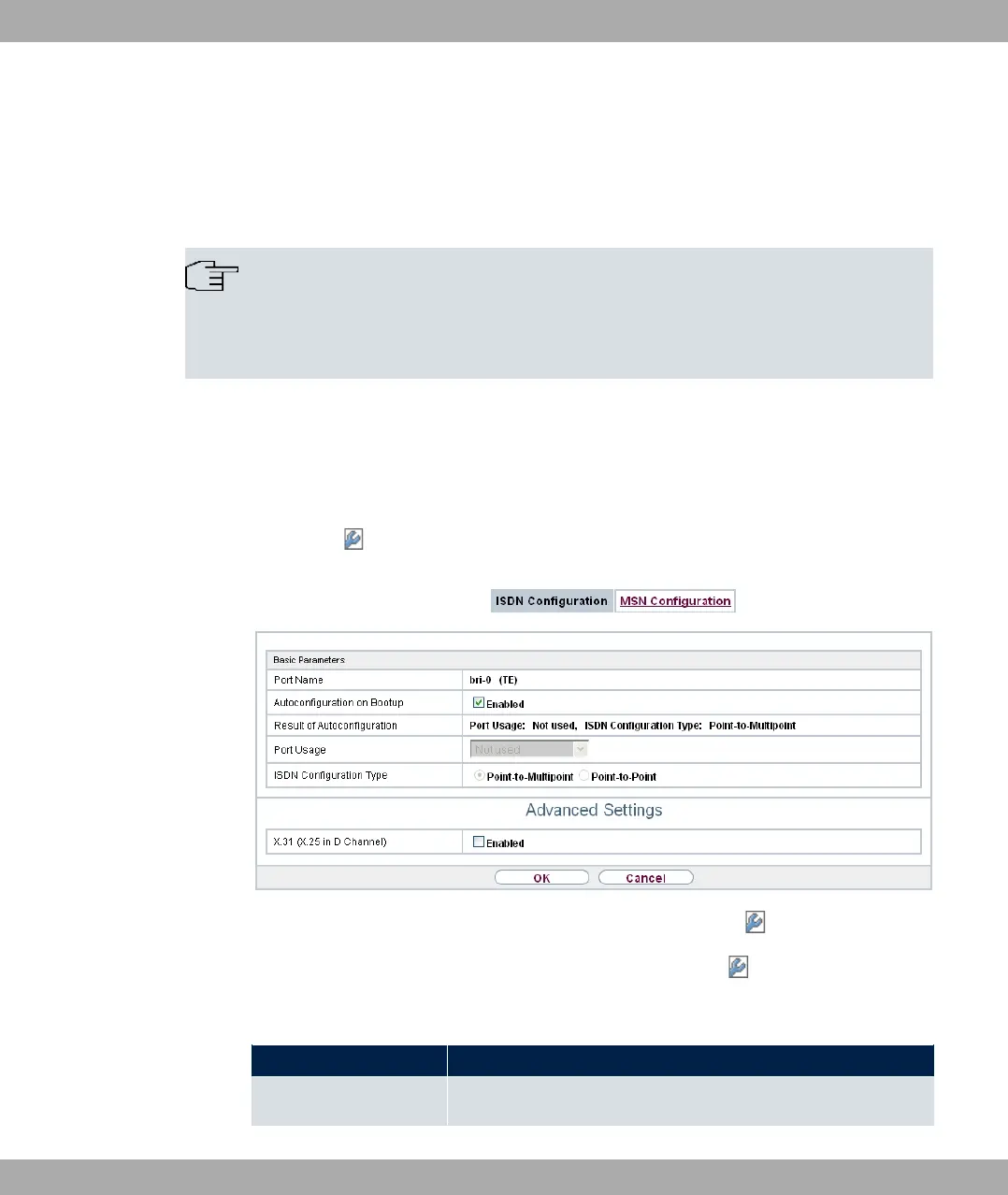
Choose the button to edit the configuration of the ISDN port.
Fig. 50: Physical Interfaces->ISDN Ports->ISDN Configuration->
The Physical Interfaces->ISDN Ports->ISDN Configuration-> menu consists of the
following fields:
Fields in the Basic Parameters menu.
Field Description
Port Name Shows the name of the ISDN port.
bintec elmeg GmbH
6 Physical Interfaces
bintec RS Series 115



 To Next Page