Status Meaning
AP managed Displays the number of managed access points.
WLAN Controller: VSS
throughput
Displays the data traffic in receive and transmit direction in
bytes per second.
CPU usage [%] Displays the percentaged CPU load over time.
Memory usage [%] Displays the percentaged memory consumption over time.
Connected clients/VSS Displays the number of connected clients per wireless network
(VSS) over time.
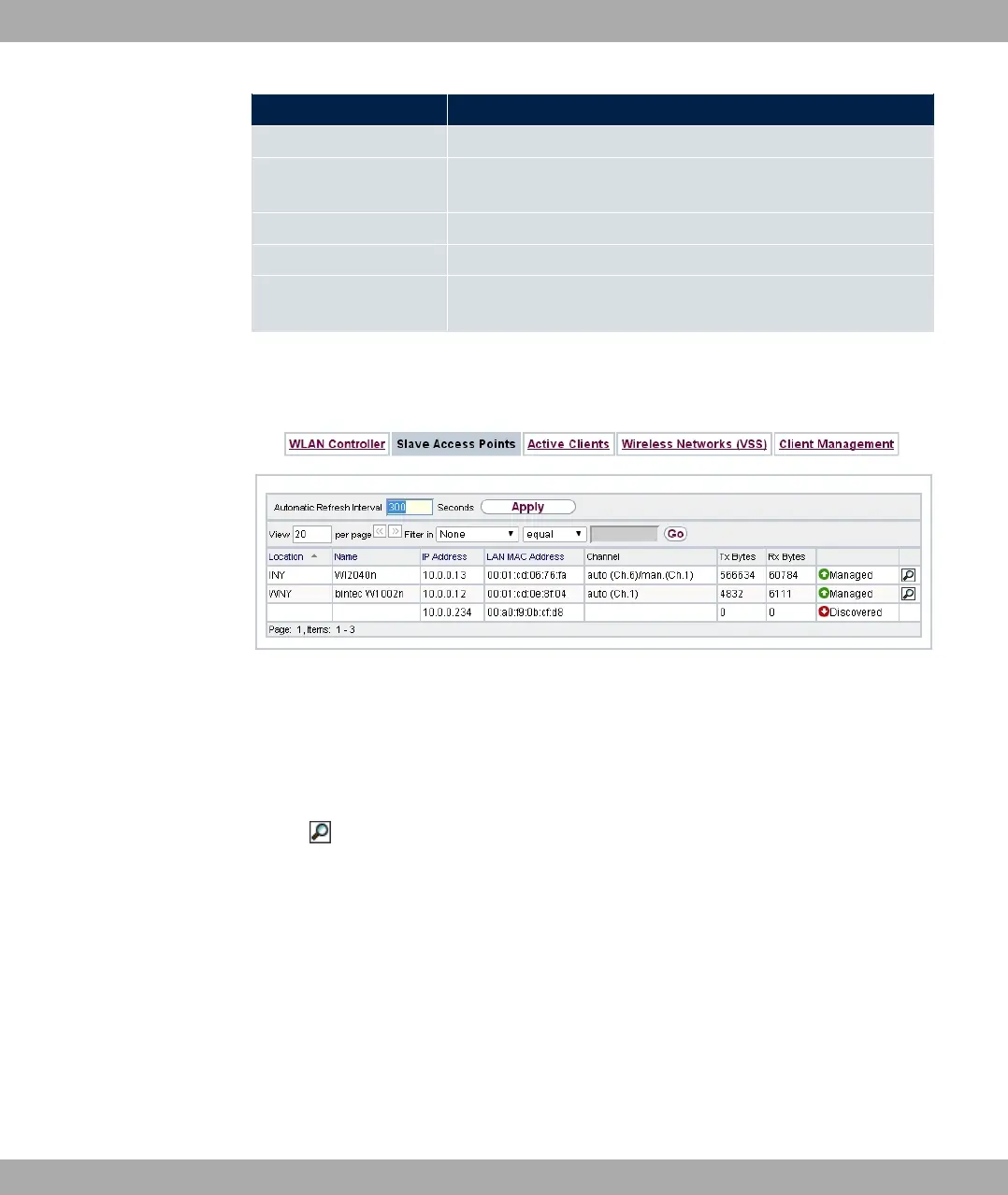
9.4.2 Slave Access Points
Fig. 80: Wireless LAN Controller->Monitoring->Slave Access Points
The menu Wireless LAN Controller->Monitoring->Slave Access Points shows a survey
of all detected access points. Each access point is displayed along with the following para-
meters: Location, Name, IP Address, LAN MAC Address, Channel, Tx Bytes and Rx
Bytes. Moreover, you can see if an access point is in '# or 5% state.
Via the icon, you can open an summary with additional details about the Slave Access
Points.
9.4.2.1 Overview
In the Overview menu, additional information about the selected access point is displayed.
The display is refreshed every 30 seconds.
bintec elmeg GmbH
9 Wireless LAN Controller
bintec RS Series 213



 To Next Page