Fields in the menu Basic Parameters
Field Description
IP Pool Name Enter any description to uniquely identify the IP pool.
IP Address Range Enter the first (first field) and last (second field) IP address of
the IP address pool.
DNS Server Primary: Enter the IP address of the DNS server that is to be
used, preferably, by clients who draw an address from this pool.
Secondary: Optionally, enter the IP address of an alternative
DNS server.
14.1.6 Options
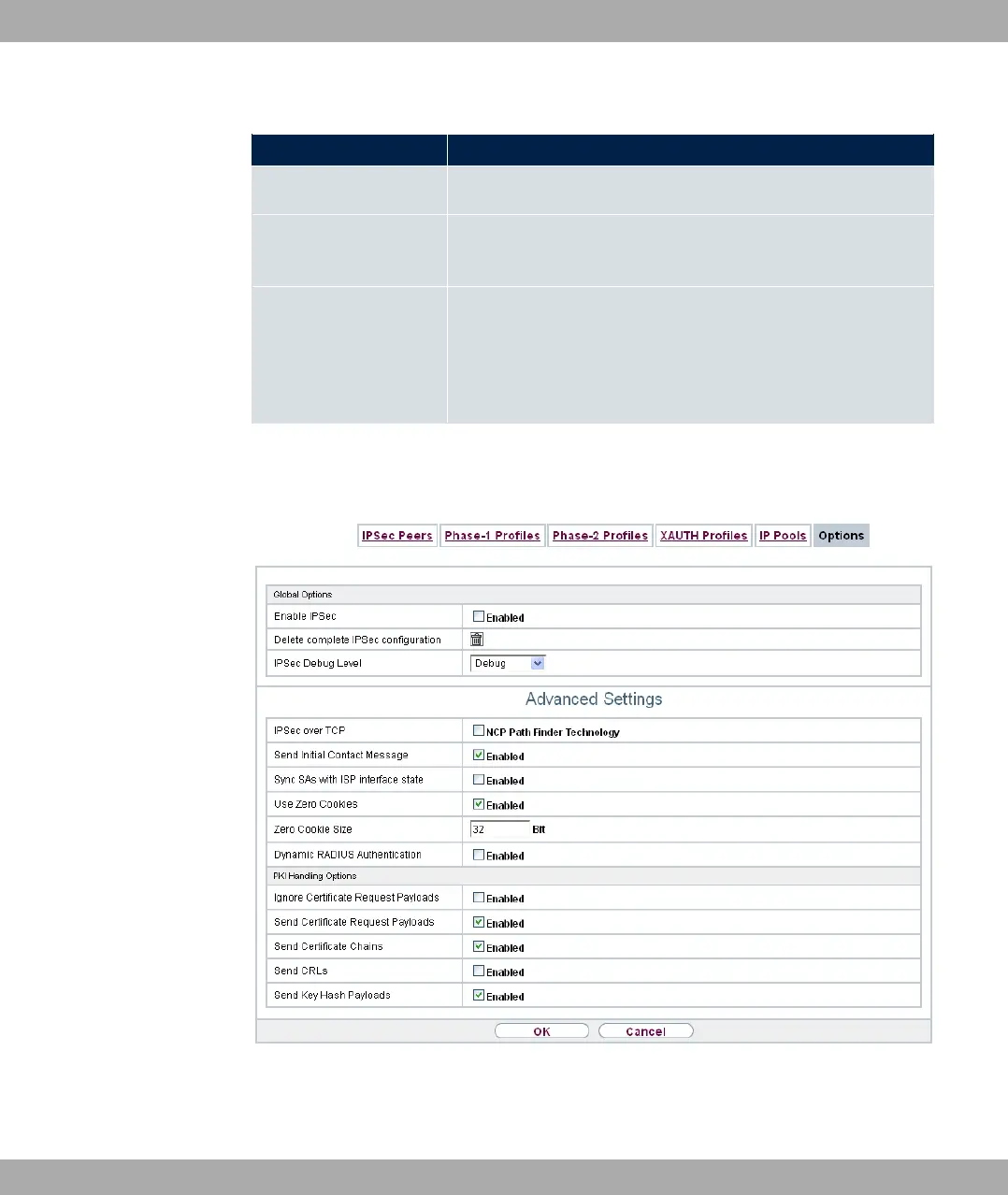
Fig. 143: VPN->IPSec->Options
The menu VPN->IPSec->Options consists of the following fields:
bintec elmeg GmbH
14 VPN
bintec RS Series 387



 To Next Page