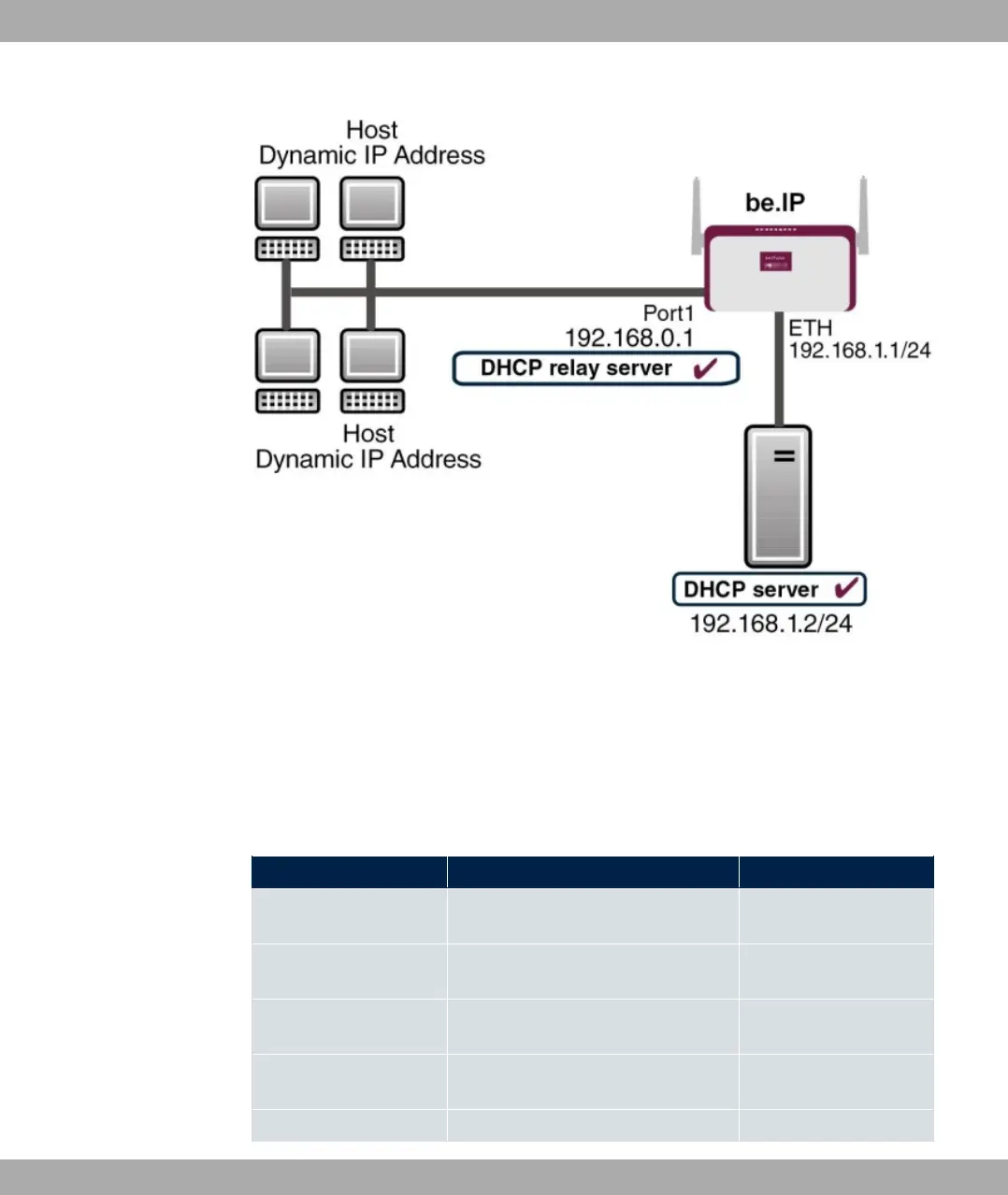
Example scenario as DHCP Relay Server
Configuration target
You can use your device as a DHCP server, DHCP client or DHCP relay agent.
Overview of Configuration Steps
DHCP Server
Field Menu Value
IP Pool Name Local Services->DHCP Server->IP
Pool Configuration->New
e.g. 1
IP Address Range Local Services->DHCP Server->IP
Pool Configuration->New
e.g. and
Interface Local Services->DHCP Server->DH-
CP Configuration->New
e.g.
IP Pool Name Local Services->DHCP Server->DH-
CP Configuration->New
1
Pool Usage Local Services->DHCP Server->DH- 0%1
bintec elmeg GmbH
17 Local Services
bintec RS Series 467



 To Next Page