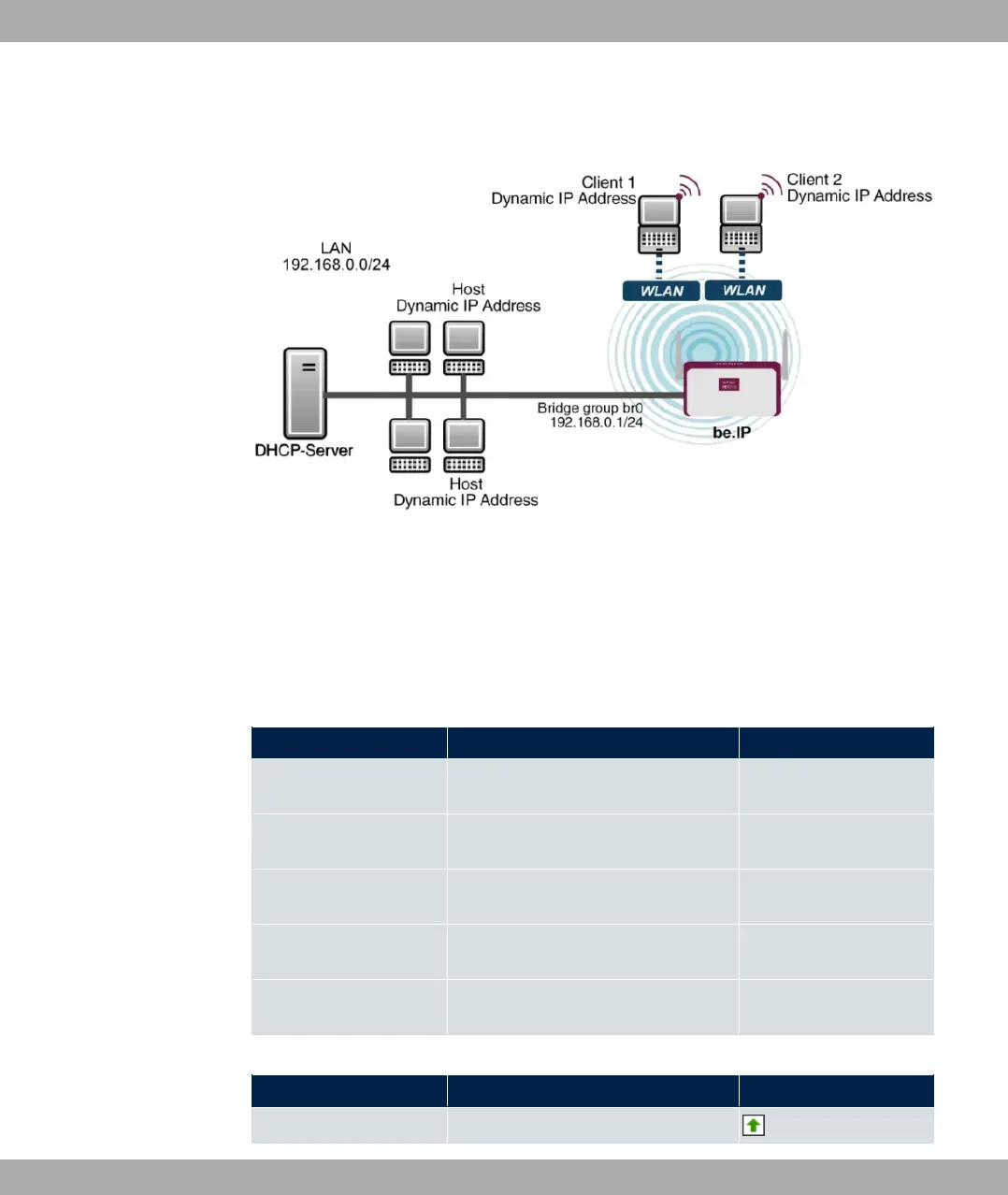
Example scenario
Example scenario WLAN with WPA-PSK
Configuration target
Configuration of an additional WLANs (Guest-WLAN)
Overview of Configuration Steps
Configuration Guest-WLAN
Field Menu Value
Network Name (SSID) Wireless LAN->WLAN->Wireless
Networks (VSS)->New
e.g. 203)
Visible Wireless LAN->WLAN->Wireless
Networks (VSS)->New
Enabled
Security Mode Wireless LAN->WLAN->Wireless
Networks (VSS)->New
23 4
WPA Mode Wireless LAN->WLAN->Wireless
Networks (VSS)->New
23
Preshared Key Wireless LAN->WLAN->Wireless
Networks (VSS)->New
e.g. + %
Enable WLAN Networks
Field Menu Value
Action Wireless LAN->WLAN->Wireless
bintec elmeg GmbH
8 Wireless LAN
bintec RS Series 179



 To Next Page