13.1.3.1 New
Choose the New button to set up new PPPoA interfaces.
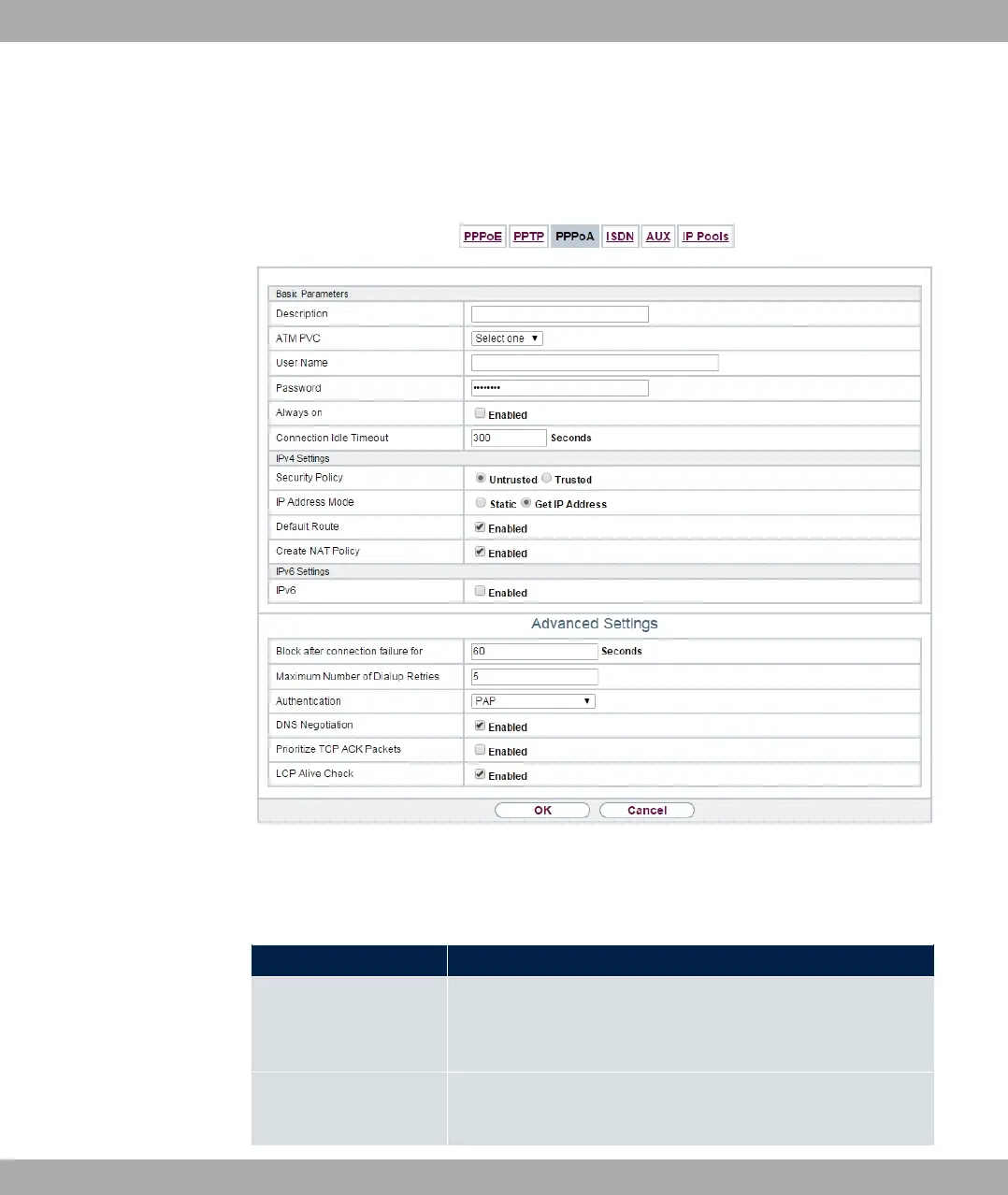
Fig. 126: WAN->Internet + Dialup->PPPoA->New
The menu WAN->Internet + Dialup->PPPoA->New consists of the following fields:
Fields in the Basic Parameters menu.
Field Description
Description Enter a name for uniquely identifying the connection partner.
The first character in this field must not be a number No special
characters or umlauts must be used.
ATM PVC Select an ATM profile created in the ATM->Profiles menu, in-
dicated by the global identifiers VPI and VCI specified by the
13 WAN bintec elmeg GmbH
318 bintec RS Series



 To Next Page