Caution
ATM QoS should only be used if your provider specifies a list of data traffic parameters
(traffic contract).
The configuration of ATM QoS requires extensive knowledge of ATM technology and
the way the bintec elmegbintec elmeg devices function. An incorrect configuration can
cause considerable disruption during operation. If applicable, save the original config-
uration on your PC.
13.2.2.1 New
Choose the New button to create additional categories.
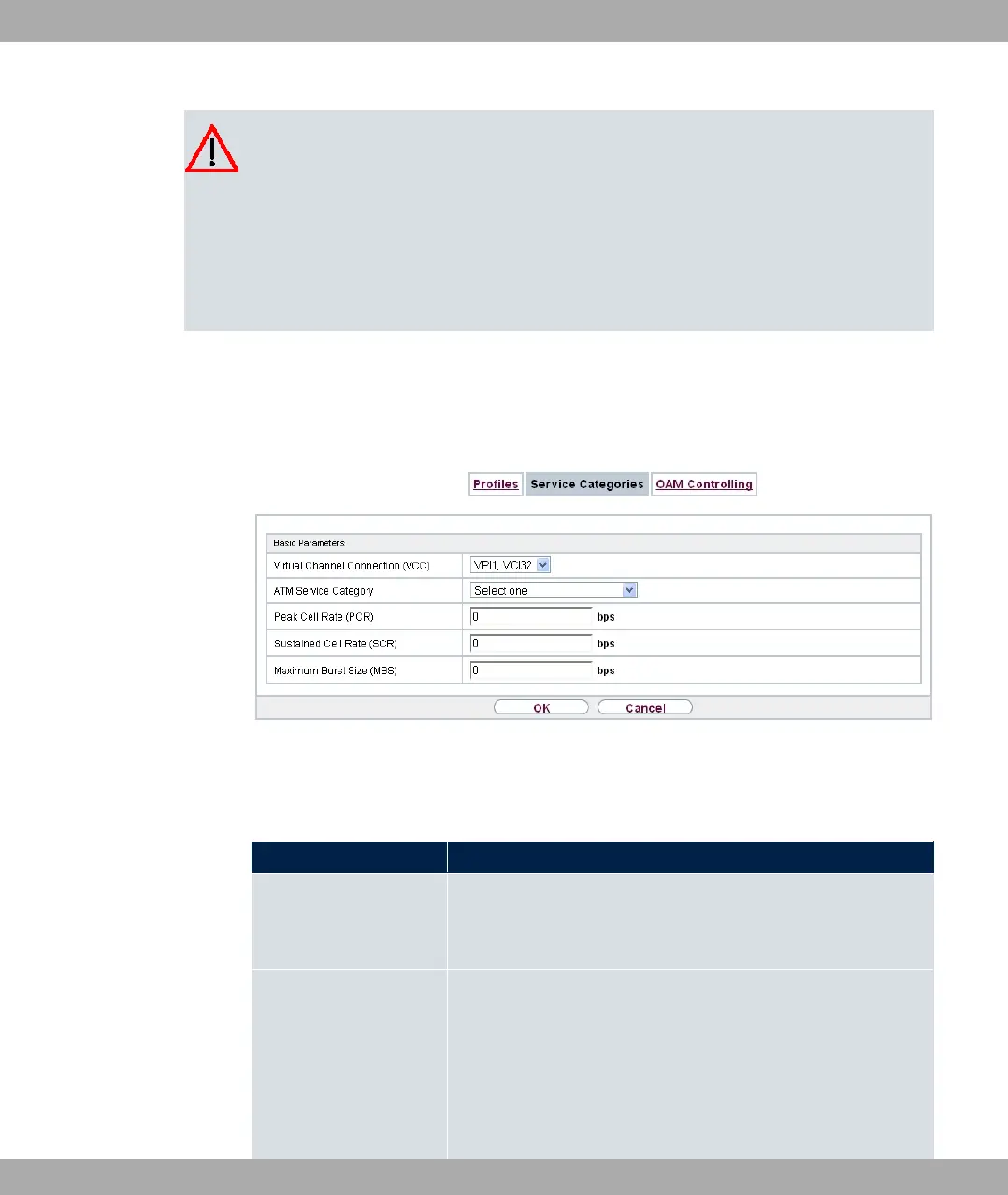
Fig. 131: WAN->ATM->Service Categories->New
The menu WAN->ATM->Service Categories->New consists of the following fields:
Fields in the Basic Parameters menu.
Field Description
Virtual Channel Con-
nection (VCC)
Select the already configured ATM connection (displayed by the
combination of VPI and VCI) for which the service category is to
be defined.
ATM Service Category Select how the data traffic of the ATM connection is to be con-
trolled.
A priority is implicitly assigned when you select the ATM service
category: from CBR (highest priority) through VBR.1 /VBR.3 to
VBR (lowest priority).
Possible settings:
bintec elmeg GmbH
13 WAN
bintec RS Series 343



 To Next Page